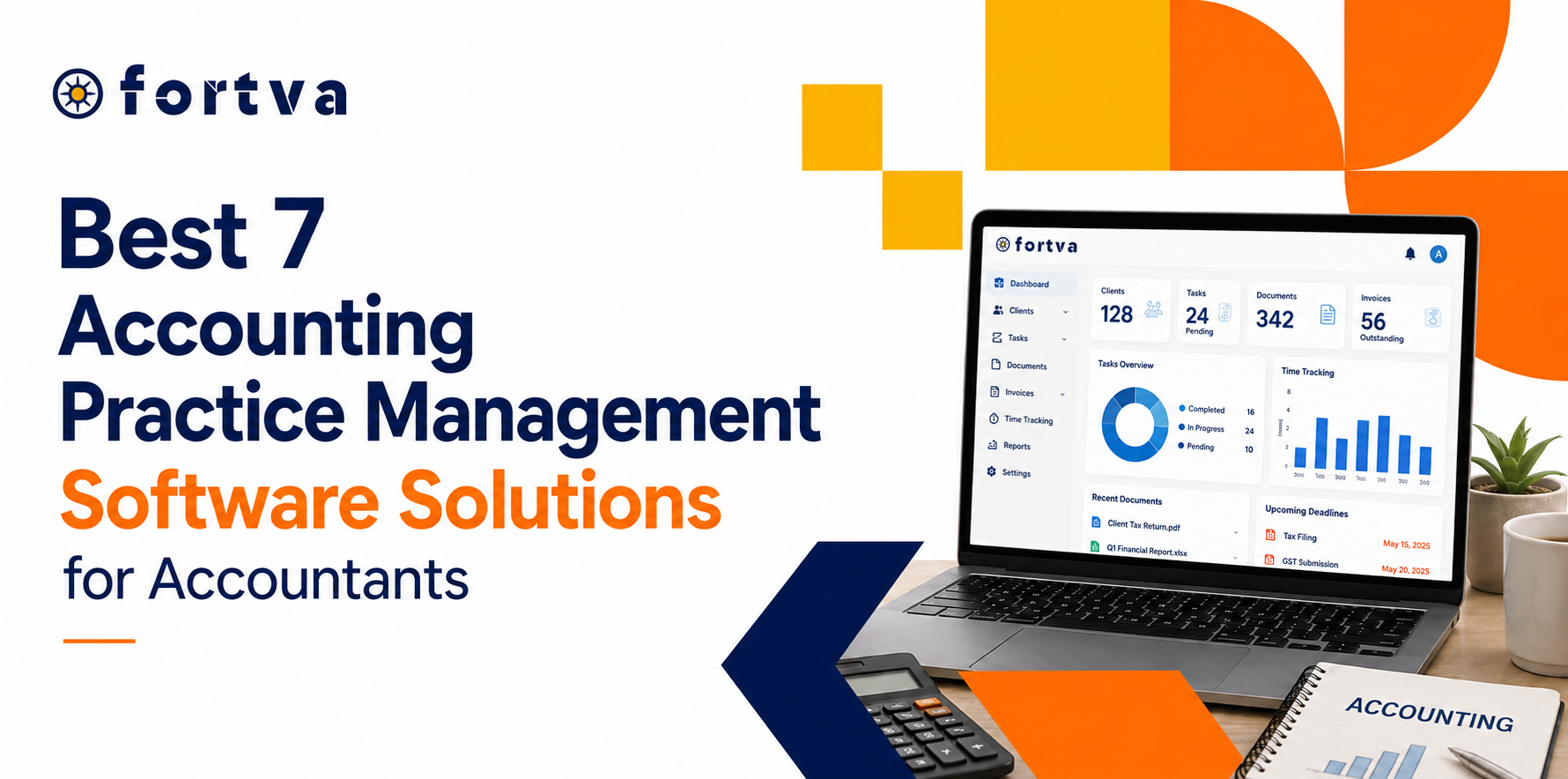
7 Best Accounting Practice Management Software Solutions for Accountants
Accounting firms no longer struggle only with spreadsheets and tax deadlines. Today’s firms deal with scattered documents, endless approval chains, compliance pressure, client communication overload, and disconnected operational workflows. That’s why many firms are investing in accounting practice management software solutions that combine document management, workflow automation, collaboration, and client organization in one place.
According to research from Research and Markets, the accounting practice management software market continues to grow rapidly as firms modernize operations and adopt cloud-based workflow systems. Another report from Verified Market Research highlights increasing demand for automation, centralized document management, and compliance-ready accounting workflows. Research published by Market Growth Reports also shows that accounting firms are prioritizing workflow visibility and digital collaboration tools to improve operational efficiency.
We reviewed some of the most talked-about accounting document management and practice workflow platforms used by accountants today. Instead of focusing only on marketing claims, we looked at actual use cases, user reviews, strengths, weaknesses, and where each platform fits best for modern accounting firms.
Key Takeaways
-
Accounting practice management software can eliminate the spreadsheet chaos that slows down client work, deadlines, documents, and team collaboration.
-
TaxDome, Financial Cents, and Canopy excel at accounting-specific workflows, making them strong choices for firms focused primarily on tax, bookkeeping, and CPA practice management.
-
ShareFile and SmartVault are strong document management options, particularly for firms that prioritize secure file storage, sharing, and client document access.
-
Scribe takes a different approach, helping accounting teams create step-by-step process documentation rather than functioning as a complete practice management platform.
-
The right platform depends on how broadly you need to manage your business—accounting workflows alone require a different solution than documents, contracts, approvals, compliance, and operations across multiple departments.
-
Fortva stands out for firms planning beyond accounting practice management, combining document management, contract management, AI document intelligence, eSignatures, secure portals, workflow automation, and approvals in one scalable platform.
A Summary of Fortva vs Scribe vs TaxDome vs Financial Cents vs Canopy vs ShareFile vs SmartVault
| Platform | Best For | Document Management | Workflow Automation | eSignatures | Contract Management |
|---|---|---|---|---|---|
| 🏆 Fortva | Broader document, contract & workflow management | ⭐⭐⭐⭐⭐ | ⭐⭐⭐⭐⭐ | ✅ | ⭐⭐⭐⭐⭐ |
| Scribe | Process documentation and step-by-step guides | ⭐⭐ | ⭐⭐⭐ | ❌ | ❌ |
| TaxDome | Accounting, tax, and bookkeeping practice management | ⭐⭐⭐⭐ | ⭐⭐⭐⭐⭐ | ✅ | ⭐⭐ |
| Financial Cents | Small and growing accounting firms | ⭐⭐⭐⭐ | ⭐⭐⭐⭐⭐ | ✅ | ⭐⭐ |
| Canopy | Accounting and tax firms wanting an all-in-one practice platform | ⭐⭐⭐⭐ | ⭐⭐⭐⭐⭐ | ✅ | ⭐⭐ |
| ShareFile | Secure business document sharing and collaboration | ⭐⭐⭐⭐⭐ | ⭐⭐⭐ | ✅ | ⭐⭐⭐ |
| SmartVault | Secure document storage for accounting and professional services | ⭐⭐⭐⭐⭐ | ⭐⭐⭐ | ✅ | ⭐⭐ |
Scribe

What is Scribe?
Scribe is not a traditional accounting practice management platform like TaxDome or SmartVault. Instead, it’s a process documentation and workflow training platform that many accounting firms use to standardize internal procedures, onboarding, compliance processes, and repetitive operational tasks.
The software automatically records workflows while users complete tasks on-screen, then instantly converts those actions into step-by-step guides with screenshots and instructions. For accounting firms handling recurring processes like tax preparation, client onboarding, reconciliation procedures, invoice approvals, or audit documentation, Scribe helps reduce operational confusion and knowledge gaps.
This becomes especially useful for growing accounting firms where consistency matters. Instead of repeatedly training staff manually or relying on outdated SOP documents stored in shared folders, firms can create visual process documentation in minutes.
Scribe is increasingly being adopted by accounting operations teams, finance departments, and compliance-heavy organizations that want faster onboarding and standardized workflows across distributed teams.
Key Features
Scribe focuses heavily on process visibility and workflow documentation rather than traditional accounting file storage. The platform helps firms turn operational knowledge into organized, repeatable systems. Some of the standout Scribe features for accounting teams include:
- Automatic workflow capture with screenshots and step-by-step instructions
- SOP and process documentation for accounting procedures
- Internal knowledge sharing across teams
- Browser and desktop workflow recording
- AI-assisted documentation generation
- Team collaboration workspaces
- Process guides for onboarding and training
- Secure sharing permissions
- Integration support for productivity tools
- Embedded workflow documentation inside existing systems
Scribe Reviews: What Real Users Are Saying
I reviewed recent feedback from G2, Reddit, and Capterra to understand how accounting and operations teams are using Scribe in real environments.
Most users praise Scribe for saving enormous amounts of time when documenting repetitive workflows. Teams especially like how quickly they can create visual SOPs without manually writing long instructions.
One operations manager on Reddit described Scribe as “one of the fastest ways to standardize repeatable tasks without building a massive training department.” Many accounting teams mentioned that onboarding junior staff became much easier because workflows were documented visually rather than explained repeatedly through meetings. G2 reviewers frequently highlight:
- Ease of use
- Fast documentation creation
- Strong onboarding value
- Reduced repetitive training
- Clear visual process guides
However, reviews also reveal some limitations. Several users mention that Scribe is not designed to replace full accounting practice management systems or enterprise document management platforms. It works best alongside other operational tools rather than as a centralized accounting workspace. Some reviewers also noted:
- Limited deep workflow automation
- Less customization for advanced enterprise processes
- Occasional formatting inconsistencies
- Dependency on browser-based workflows
- Not ideal for complex document governance
Pros and Cons of Scribe
Pros
Scribe makes process documentation incredibly fast compared to traditional SOP writing. Accounting firms with repetitive operational workflows can save hours creating onboarding materials and internal procedures.
The platform is also extremely beginner-friendly. Even non-technical staff can create workflow documentation without needing IT support.
Another major advantage is operational consistency. Firms handling audits, compliance procedures, tax preparation workflows, or recurring accounting tasks benefit from having standardized visual instructions that reduce errors and confusion.
Scribe also works well for remote accounting teams because knowledge becomes centralized instead of living only inside senior employees’ heads.
Cons
Scribe is not a complete accounting practice management solution. Firms looking for advanced client portals, accounting document storage, workflow approvals, or compliance governance will still need additional systems.
Some accounting firms may also find the platform too focused on documentation rather than operational execution.
While Scribe is excellent for training and SOP creation, it lacks deeper accounting workflow infrastructure like:
- Client management
- Accounting file governance
- Financial approvals
- Enterprise audit tracking
- Advanced accounting automation
My Personal Take on Scribe
I found Scribe extremely useful for operational clarity. Many accounting firms underestimate how much productivity they lose because processes only exist verbally or inside scattered documents. Scribe solves that problem exceptionally well. It transforms routine accounting workflows into visual systems that teams can actually follow consistently.
For onboarding alone, the platform can save firms huge amounts of time. However, Scribe is not enough on its own for firms needing centralized accounting operations. It works best when combined with broader workflow and document management platforms.
That’s where platforms like Fortva become highly complementary. While Scribe handles process documentation beautifully, Fortva focuses more heavily on operational execution, approvals, document management, compliance workflows, and enterprise collaboration. Together, those capabilities create a much stronger operational foundation for accounting firms.
Who is Scribe Best For?
Scribe fits accounting organizations that want to standardize repetitive processes and improve operational consistency. It works especially well for:
- Growing accounting firms
- Remote accounting teams
- Audit preparation teams
- Finance operations departments
- Compliance-heavy organizations
- Firms onboarding junior accountants frequently
- Businesses documenting recurring workflows
Smaller firms may love how quickly they can create organized processes without investing in large training systems. Larger firms can use Scribe to reduce operational dependency on tribal knowledge and improve internal workflow transparency.
Who Should Avoid Scribe?
Scribe may not be ideal for firms looking for:
- Full accounting practice management
- Enterprise document governance
- Client portals
- Accounting workflow approvals
- Centralized accounting DMS infrastructure
- Deep accounting automation
Scribe Alternative: Why Some Accounting Firms Are Switching To Fortva
One thing became clear while reviewing Scribe and similar operational tools: many accounting firms eventually outgrow isolated workflow solutions.
Documenting processes is important, but firms also need a system that manages execution, collaboration, approvals, compliance, and centralized operational visibility.
That is one reason some firms are beginning to look at platforms like Fortva. Instead of focusing only on workflow documentation, Fortva combines:
- Document management
- Approval workflows
- Operational visibility
- Cross-department collaboration
- Compliance readiness
- Workflow automation
- Audit tracking
- Enterprise document organization
For accounting firms trying to replace scattered systems, shared drives, email approvals, and disconnected operational tools, Fortva offers a broader operational approach.
Rather than simply documenting workflows, firms can actively manage and automate them from one centralized platform.
Canopy

What is Canopy?
Canopy is an all-in-one accounting practice management software platform designed for tax professionals, bookkeeping firms, accounting practices, CPA firms, and advisory businesses. The platform brings together client relationship management, document management, workflow automation, client portals, billing, payments, time tracking, engagements, reporting, and AI-powered tools in one centralized environment.
Unlike generic project management software, Canopy is specifically designed around the way accounting and tax practices manage client relationships and recurring work. The platform connects client information with documents, workflows, communications, billing, and engagements so firms can reduce duplicate data entry and avoid switching between disconnected applications. Canopy is used by a broad range of accounting professionals, including:
-
CPA firms
-
Accounting firms
-
Tax preparation firms
-
Bookkeeping firms
-
Advisory firms
-
Tax resolution practices
-
Small accounting practices
-
Mid-sized accounting firms
-
Larger accounting organizations
One of Canopy’s biggest selling points is its all-in-one practice management approach. Rather than forcing firms to maintain separate systems for CRM, client communication, document management, workflows, billing, and payments, Canopy connects these functions around a shared client record.
The platform has also expanded its AI capabilities. Canopy now promotes AI-powered document management, AI-assisted communication, intelligent client intake, AI Notetaker, and Canopy Coworker, which is designed to execute tasks within the platform under firm-defined permissions and controls.
Key Features
Canopy provides a broad collection of tools designed around accounting firm operations. Its core features include:
-
Accounting practice management
-
CRM and client management
-
Workflow management
-
Workflow automation
-
Recurring workflows
-
Task management
-
Client portal
-
Secure client messaging
-
Document management
-
Secure document storage
-
Electronic signatures
-
Client intake
-
Questionnaires and organizers
-
Engagement letters and proposals
-
Time tracking
-
Invoicing
-
Payments
-
Reporting and dashboards
-
Capacity planning
-
QuickBooks Online integration
-
Email and calendar integrations
-
AI-powered document organization
-
AI email drafting and summarization
-
AI Notetaker
-
Canopy Coworker
-
Mobile client portal
Canopy’s document management capabilities are particularly developed for accounting practices. Firms can centrally store client and internal documents, use folder templates, manage permissions, apply retention rules, use version control, classify files, and securely share documents through the client portal or secure links.
The platform also provides AI-assisted document workflows. Canopy says its tools can help create document request lists, automatically match uploads to checklist items, pre-fill client forms, rename and classify documents, and identify missing client documents.
The client portal is another major component of the platform. Clients can upload and receive files, respond to requests, sign documents, view invoices, make payments, complete questionnaires, and communicate securely with their accounting firm.
Canopy also connects time tracking and billing. Firms can track billable time and expenses, generate invoices, manage accounts receivable, accept ACH and credit card payments, automate invoice reminders, and connect billing information with QuickBooks Online.
Canopy Reviews
Canopy receives generally strong feedback from accounting professionals, particularly around its all-in-one approach, client portal, workflow management, document organization, and client communication.
G2 currently lists Canopy at 4.6/5 based on more than 700 reviews, with 79% of reviewers giving it five stars. Canopy is also listed among G2’s recognized products in accounting practice management and tax practice management.
Capterra currently reports a 4.5/5 rating across 286 reviews, with 4.5/5 ratings for both ease of use and customer service. The recurring themes across user reviews include:
-
Centralized client information
-
Easy client communication
-
Strong client portal
-
Document organization
-
Workflow and task management
-
Billing and payments
-
Time savings
-
All-in-one functionality
-
Ease of use
-
Client-facing experience
Several recent Capterra reviewers specifically praise Canopy for allowing clients to communicate with their firms, upload documents, review returns, sign documents, and pay invoices from one environment. Other reviewers highlight the ability to consolidate multiple systems into a single platform.
Workflow management is another frequently mentioned strength. Users report that recurring task templates and workflow visibility help them track where client work stands and reduce the administrative burden associated with managing recurring engagements.
However, Canopy is not perfect. Some reviewers mention a learning curve when implementing the platform and configuring its various capabilities. One Capterra reviewer said the firm needed to spend significant time learning the automation and AI features, while another noted that getting all clients and task tracking configured required a larger initial time investment.
Pricing can also become a consideration for firms that need multiple users and advanced functionality. G2 feedback includes comments from users who feel the cost can increase as firms add seats and capabilities.
That distinction is important for firms comparing accounting practice management platforms. Canopy is a powerful all-in-one accounting platform, but firms should evaluate which modules and capabilities they actually need before selecting a plan.
Pros and Cons of Canopy
| Pros | Cons |
|---|---|
| All-in-one accounting platform: Canopy combines CRM, workflow management, documents, client portals, billing, payments, and communication in one environment. | Primarily built for accounting and tax practices: Canopy’s architecture and feature set are centered on accounting, tax, and client practice management rather than broader enterprise operations. |
| Strong client portal: Clients can securely upload documents, respond to requests, sign documents, communicate with firms, and make payments from one portal. | Can become expensive as firms scale: Costs can increase as firms add users, modules, and advanced capabilities, which may make the platform less attractive for organizations with larger teams or broader requirements. |
| Powerful document management: Canopy provides secure cloud storage, permissions, retention rules, version control, smart folders, secure links, and eSignatures. | Limited beyond the accounting ecosystem: Organizations looking to manage procurement, HR, legal, enterprise contracts, and other cross-department operations may require additional platforms alongside Canopy. |
| Workflow automation: Recurring workflows, task automation, reminders, and status updates can reduce repetitive administrative work. | Implementation can require significant configuration: Firms migrating from spreadsheets or multiple disconnected tools may need time to configure workflows, permissions, templates, and client processes correctly. |
| AI capabilities: Canopy provides AI-powered document organization, intake, email assistance, meeting notes, and Canopy Coworker functionality. | Feature breadth can increase complexity: Because Canopy combines many accounting practice functions, firms may need time to learn and configure the platform before getting maximum value from its broader capabilities. |
| Integrated billing and payments: Time tracking, invoicing, payment collection, reporting, and QuickBooks Online integration can help firms manage the financial side of client work. | Not designed as a broader enterprise document platform: Firms needing advanced organization-wide document governance, contract operations, or cross-department workflows may find a dedicated broader platform more suitable. |
| Strong user satisfaction: G2 and Capterra reviews show consistently positive feedback around usability, organization, client communication, and the platform’s all-in-one approach. | Potential platform expansion costs: Firms that need capabilities outside Canopy’s core accounting practice management environment may have to introduce additional software, creating more systems to manage. |
My Personal Take on Canopy
Canopy is one of the stronger choices for accounting firms that want to consolidate practice management into a single platform.
What stands out most is the way Canopy connects clients, documents, workflows, communication, billing, and payments rather than treating them as completely separate functions.
That makes the platform particularly useful for firms that are tired of managing client work across spreadsheets, email, cloud storage, separate billing applications, and disconnected task management tools. I particularly like Canopy’s combination of:
-
Client management
-
Document management
-
Workflow automation
-
Client portal
-
eSignatures
-
Billing
-
Payments
-
Time tracking
-
AI-powered tools
The client portal is also a major advantage because it gives accounting firms a centralized place to collect documents, communicate with clients, obtain signatures, and handle payments.
Canopy’s AI direction is another area worth watching. Its AI tools are increasingly integrated into document organization, client intake, communication, meeting notes, and workflow execution rather than being limited to a standalone chatbot.
However, there is an important distinction between accounting practice management and broader enterprise document and operational management.
Canopy is intentionally built around accounting, tax, bookkeeping, and advisory practices. That specialization is a strength when your primary requirement is running an accounting firm.
But if your organization eventually needs one platform covering accounting alongside procurement, HR, legal operations, contracts, compliance, enterprise document governance, and broader operational workflows, you may want to evaluate a platform that is designed beyond accounting practice management.
That is where Fortva becomes an interesting alternative for organizations looking beyond accounting-specific practice management.
Who is Canopy Best For?
Canopy is particularly well suited for:
-
Small accounting firms
-
Mid-sized CPA practices
-
Tax preparation firms
-
Bookkeeping firms
-
Advisory firms
-
Tax resolution practices
-
Firms wanting an all-in-one practice management platform
-
Firms replacing multiple disconnected accounting tools
-
Accounting teams needing stronger workflow automation
-
Firms wanting integrated client communication, documents, billing, and payments
It is particularly attractive for accounting practices that want to create a centralized operating environment where client information, documents, workflows, communication, and financial activity remain connected.
Canopy also has dedicated positioning for small, mid-sized, and larger accounting firms, making it a viable option for firms that expect their practice management requirements to grow over time.
Who Should Avoid Canopy?
Canopy may not be the best fit for organizations that primarily need:
-
Enterprise-wide document management
-
Complex cross-department workflows
-
Advanced procurement processes
-
Extensive contract lifecycle management
-
Broad legal operations
-
Highly customized enterprise approval structures
-
Organization-wide document governance
-
A single operational platform spanning many departments outside accounting
Again, this does not mean Canopy lacks strong document management or workflow capabilities. It means those capabilities are designed within an accounting practice management ecosystem.
For a CPA or tax firm, that specialization can be exactly what you want. For a larger organization where accounting is only one department among many, the technology requirement can eventually become broader.
Canopy Alternative: Migrate to Fortva
Canopy is a strong choice when your primary objective is to manage accounting, tax, client relationships, workflows, documents, billing, and payments from one accounting practice management platform. But what happens when your document and workflow requirements extend beyond accounting?
As an organization grows, you may need to manage not only accounting client work, but also contracts, compliance documents, procurement records, HR documents, legal files, approvals, signatures, and sensitive business information.
That creates a broader technology requirement. Instead of adding another application every time a new department develops a document workflow, Fortva takes a broader document and workflow management approach.
What Is the ROI of Migrating from Canopy to Fortva?
The biggest potential return from migrating to Fortva comes from consolidating document, contract, and operational workflows into one broader platform.
Rather than maintaining separate systems as your organization’s requirements expand, Fortva can centralize document management, contracts, eSignatures, approvals, workflows, and collaboration.
| ROI Area | Canopy Approach | Fortva Advantage | Potential Business Impact |
|---|---|---|---|
| Software consolidation | Primarily focused on accounting practice management | Supports accounting plus broader business workflows | Fewer disconnected systems and potentially lower technology complexity |
| Document management | Strong accounting-focused document management | Centralized document management across business functions | Less time searching, organizing, and moving documents between systems |
| Contract management | Supports accounting-related agreements and eSignatures | Broader contract lifecycle management with templates, workflows, approvals, and signatures | Faster contract processing and better agreement visibility |
| Cross-department workflows | Designed primarily around accounting and tax practices | Supports accounting, finance, legal, HR, procurement, compliance, and operations | One platform can support more of the organization as it grows |
| AI document intelligence | AI capabilities focused on accounting practice workflows | AI-powered document intelligence and search across centralized documents | Faster information retrieval and reduced manual document processing |
| Approvals & compliance | Primarily connected to accounting workflows | Centralized approvals, audit trails, document controls, and workflow management | Better oversight and fewer approval bottlenecks |
| Long-term scalability | Scales accounting practice management | Scales document, contract, and operational management across departments | Less need to introduce additional platforms as requirements expand |
The Bottom Line: Canopy can be an excellent choice for accounting and tax firms that want an all-in-one practice management system.
Fortva takes a different approach. If your organization wants to manage accounting alongside contracts, documents, approvals, compliance, procurement, HR, legal workflows, and broader business operations, Fortva provides a more expansive operational foundation.
The potential ROI is therefore not simply about replacing Canopy. It is about reducing technology fragmentation as your organization grows and giving more departments access to one centralized document and workflow environment.
Canopy Pricing
| Plan | Annual Price | Best For | Key Features |
|---|---|---|---|
| Standard | $74/user/month | Firms needing core practice management | CRM and client management, document management and eSign, client portal, secure messaging, workflow and task tracking, invoicing, and payments |
| Plus | $109/user/month | Firms wanting greater automation | Everything in Standard, plus automated and recurring workflows, user roles and access controls, additional client intake capacity, advanced task views and filters, capacity planning, forecasting, and custom reporting |
| Premium | $149/user/month | Firms needing advanced practice automation | Everything in Plus, plus advanced workflows and automation, advanced billing scenarios, and deeper reporting and insights |
| Enterprise | Custom pricing | Large and extra-large accounting firms | Customized Canopy configuration designed around the firm’s specific requirements |
Canopy also offers additional service options and add-ons, so firms should evaluate the total cost based on the modules, users, and capabilities they require.
TaxDome
What is TaxDome?
TaxDome is one of the most recognized accounting practice management software solutions built specifically for accountants, tax professionals, bookkeeping firms, and CPA practices. The platform combines document management, workflow automation, CRM functionality, client portals, billing, messaging, eSignatures, and task management into one centralized system.
Unlike traditional accounting document storage platforms that mainly focus on file organization, TaxDome positions itself as an “all-in-one accounting practice management platform.” Its goal is to help firms reduce operational chaos by bringing client communication, workflows, document collection, invoicing, and approvals into one workspace.
For accounting firms managing hundreds or thousands of client interactions every year, TaxDome aims to eliminate the operational fragmentation caused by switching between disconnected systems. The software has become particularly popular among:
- Tax firms
- Bookkeeping firms
- CPA practices
- Remote accounting teams
- Growing accounting agencies
- Multi-client accounting operations
One reason TaxDome continues gaining traction is its heavy focus on automation. Many accounting firms adopt the platform to reduce manual admin work tied to recurring accounting workflows.
Key Features
TaxDome offers a broad mix of accounting workflow and document management tools designed specifically for professional accounting operations. Some of the platform’s most notable features include:
- Secure client portals for document sharing and communication
- Workflow automation for recurring accounting tasks
- Task and job management
- CRM and client management
- eSignatures and form collection
- Document storage and organization
- Automated reminders and notifications
- Time tracking and invoicing
- Email integration
- Pipeline and project tracking
- Custom workflow templates
- Team collaboration tools
- Mobile access for clients and staff
One of TaxDome’s biggest strengths is how deeply it focuses on accounting firm workflows rather than generic business operations. The platform tries to centralize nearly every client-facing process accounting firms deal with daily.
TaxDome Reviews: What Real Users Are Saying
I reviewed feedback from G2, Capterra, Reddit, and accounting community discussions to understand how firms actually experience TaxDome after implementation.
The overall sentiment is strongly positive, especially among small and mid-sized accounting firms looking to consolidate multiple operational tools into one platform. Many reviewers consistently praise:
- Automation capabilities
- Client portal experience
- Workflow visibility
- Time savings
- Centralized communication
- Reduced email dependency
One accounting firm owner on Reddit described TaxDome as “the closest thing to an operating system for small accounting firms.” Another user explained that the platform significantly reduced client follow-up work because reminders and document requests became automated.
G2 reviewers often mention that TaxDome helps firms standardize operations while improving the client experience. Users especially like:
- Automated organizers
- Recurring workflows
- Centralized messaging
- Secure document handling
- Client task automation
However, not all reviews are perfect. Several users mention that TaxDome has a learning curve during onboarding. Because the platform includes many operational modules, setup can initially feel overwhelming for firms without dedicated implementation time. Some users also report:
- Occasional interface complexity
- Workflow customization limitations
- Notification overload
- Slower support response times during peak seasons
- Challenges managing highly complex enterprise workflows
Larger firms sometimes feel constrained by the platform’s structure once operational processes become highly customized.
Still, for SMB accounting firms, TaxDome is frequently viewed as one of the strongest operational platforms available today.
Pros and Cons of TaxDome
Pros
TaxDome’s biggest advantage is operational consolidation. Instead of using separate systems for:
- client communication,
- file requests,
- billing,
- workflows,
- task management,
- and document sharing, firms can manage everything inside one environment.
That centralization alone can dramatically improve operational visibility. The automation features are also genuinely valuable. Accounting firms handling repetitive tasks, tax season processes, or recurring client requests can save enormous administrative time.
Another strength is the client portal experience. Many firms say clients appreciate having one secure place to upload files, review documents, sign forms, and communicate with accountants.
TaxDome also performs well for remote accounting firms because workflows remain centralized and trackable across distributed teams.
Cons
The biggest downside for many firms is complexity during onboarding. Because TaxDome tries to do so many things, implementation can feel heavy at first. Smaller firms without operational systems experience may need significant setup time before workflows become fully optimized.
Some users also mention that while automation is strong, deeper enterprise customization can feel limited compared to more flexible operational platforms.
Another recurring complaint involves interface density. Certain users describe the dashboard experience as crowded, especially when managing large numbers of workflows and notifications simultaneously.
For enterprise accounting operations requiring advanced document governance, procurement workflows, or cross-department collaboration, firms may eventually need broader operational infrastructure beyond TaxDome’s accounting-focused ecosystem.
My Personal Take on TaxDome
I can clearly see why TaxDome has become one of the most talked-about accounting practice management platforms in recent years.
For accounting firms still operating through spreadsheets, email chains, shared drives, and disconnected systems, TaxDome can feel transformational. It organizes operations in a way that many firms desperately need. The platform is especially impressive for:
- recurring accounting workflows,
- client communication,
- automation,
- and centralized accounting operations.
However, I also noticed that TaxDome remains heavily accounting-centric.That’s excellent for many firms, but organizations with broader operational needs may eventually hit limitations. For example, firms needing:
- enterprise document governance,
- procurement approvals,
- HR workflows,
- legal collaboration,
- advanced operational visibility,
- or multi-department process management, may outgrow accounting-only ecosystems over time.
That’s where platforms like Fortva become increasingly interesting. Rather than functioning only as accounting practice management software, Fortva positions itself as a broader operational workflow and document intelligence platform capable of supporting accounting, compliance, procurement, HR, legal, and enterprise collaboration together.
Who is TaxDome Best For?
TaxDome works exceptionally well for:
- Small accounting firms
- Mid-sized CPA practices
- Tax preparation firms
- Bookkeeping agencies
- Remote accounting teams
- Firms wanting operational automation
- Practices replacing disconnected systems
Accounting businesses handling large client volumes often benefit significantly from TaxDome’s automation capabilities and centralized client management structure. Firms looking to modernize client communication also tend to appreciate the secure portal experience.
Who Should Avoid TaxDome?
TaxDome may not be ideal for:
- Highly enterprise-focused accounting organizations
- Firms needing deep operational customization
- Multi-department enterprises
- Businesses requiring advanced procurement workflows
- Organizations managing complex cross-functional approvals
- Firms needing broader document governance outside accounting
Some larger organizations may eventually require a more operationally flexible platform capable of managing workflows across multiple departments rather than accounting alone.
TaxDome Alternative: Why Some Firms Are Switching To Fortva
One consistent pattern I noticed while researching TaxDome reviews is that many firms love the operational structure initially, but growing organizations sometimes want broader flexibility as operations expand. TaxDome excels at accounting workflows. But modern firms increasingly need platforms that connect:
- accounting,
- procurement,
- compliance,
- HR,
- legal,
- approvals,
- and enterprise document operations inside one environment.
That’s one area where Fortva is positioning itself differently. Instead of focusing exclusively on accounting workflows, Fortva combines:
- enterprise document management,
- workflow automation,
- approval routing,
- operational collaboration,
- compliance tracking,
- audit visibility,
- and centralized process management.
TaxDome Pricing
| Plan | Annual Price | Best For | Key Features |
|---|---|---|---|
| Essentials | $800/user/year | Solo accounting professionals | Unlimited CRM, client portal and mobile app, unlimited document storage, eSignatures, accounting workflows, secure communication, proposals, payments, intake forms, and TaxDome AI |
| Pro | $1,000/user/year | Growing accounting firms and teams | Everything in Essentials, plus AI-powered reporting, team chat and collaboration, account roles and permissions, activity tracking, custom firm URL, branded emails, website, and monthly seats |
| Business | $1,200/user/year | Larger firms and high-volume practices | Everything in Pro, plus advanced automation, TaxDome Client Care, business reviews, unlimited team chat history, 365-day activity feed, client import assistance, and seasonal seats |
ShareFile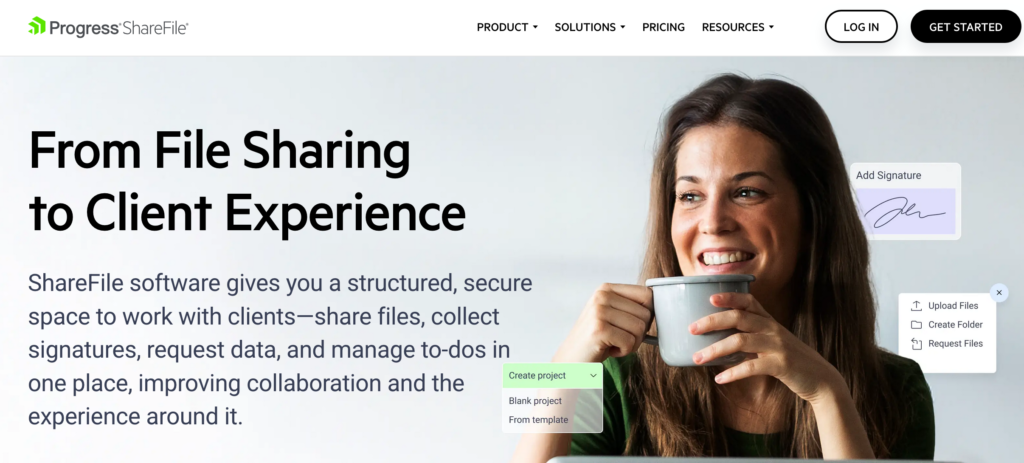
What is ShareFile?
ShareFile is a secure file sharing and document collaboration platform widely used by accounting firms, financial services companies, legal teams, and enterprise organizations that handle sensitive client data. Originally developed for secure business file exchange, ShareFile has evolved into a broader document management and workflow platform with strong compliance, client collaboration, and cloud storage capabilities. For accountants, ShareFile is commonly used to manage:
- Client document collection
- Secure file transfers
- Tax document sharing
- Audit file collaboration
- Financial record storage
- Internal approvals
- eSignature workflows
- Client portals
Unlike some accounting practice management platforms that focus heavily on task automation or CRM functionality, ShareFile’s core strength lies in secure document collaboration and enterprise-grade file management.
Accounting firms dealing with large document volumes often use ShareFile to replace unsecured email attachments and fragmented shared drive systems. The platform has become particularly popular among:
- CPA firms
- Enterprise accounting teams
- Audit firms
- Financial advisors
- Tax preparation firms
- Compliance-driven organizations
Key Features
ShareFile offers a wide set of document management and secure collaboration tools designed for businesses handling sensitive operational files. Some of the most valuable ShareFile features for accounting firms include:
- Secure client file sharing
- Branded client portals
- Cloud document storage
- eSignatures and document approvals
- Workflow automation
- Large file transfer support
- Microsoft 365 integration
- Outlook integration
- Role-based access permissions
- Audit trails and activity tracking
- Compliance-focused security controls
- File request automation
- Mobile access
- Electronic document collection
One of ShareFile’s strongest operational advantages is how well it handles external client collaboration while maintaining strong security standards.
For accounting firms exchanging confidential tax documents, financial statements, and sensitive client records daily, that becomes extremely valuable.
ShareFile Reviews: What Real Users Are Saying
I reviewed user feedback across G2, Capterra, Reddit, and accounting community discussions to see how ShareFile performs in real accounting environments.
Most reviewers consistently praise ShareFile’s security, reliability, and ease of external document sharing. Accounting firms especially appreciate:
- Secure client communication
- File request simplicity
- Reliable cloud storage
- Enterprise-grade permissions
- Smooth document delivery
- Easy client uploads
One recurring theme in reviews is that ShareFile makes accounting firms appear more professional to clients. Instead of requesting sensitive financial files through email attachments, firms can centralize communication inside secure branded portals.
G2 reviewers often mention that ShareFile is especially effective for firms handling large document volumes or highly sensitive compliance-heavy files. Users also frequently highlight:
- Strong Microsoft integration
- Secure external sharing
- User-friendly client experience
- Reliable document access
- Good mobile accessibility
However, there are also recurring complaints. Several reviewers mention that ShareFile can become expensive as firms scale or require premium enterprise features. Others feel the interface occasionally feels dated compared to newer operational platforms entering the market. Some users also report:
- Complex permission management
- Slower syncing in large folders
- Limited workflow customization
- Basic task management features
- Less operational visibility compared to modern workflow systems
A few accounting teams noted that while ShareFile excels at document collaboration, firms may still need additional tools for broader practice management operations.
Pros and Cons of ShareFile
Pros
ShareFile’s biggest strength is secure document handling. For accounting firms managing confidential tax files, payroll records, audit documents, and financial statements, the platform provides strong enterprise-grade security infrastructure that many firms trust.
The client portal experience is another major advantage. Clients can securely upload, review, and sign files without relying on insecure email workflows.
ShareFile also integrates smoothly with Microsoft environments, which is important because many accounting firms already operate heavily inside Microsoft 365 ecosystems.
Another major benefit is scalability. Large accounting firms handling enormous file volumes often appreciate ShareFile’s structured document organization and secure collaboration controls.
Cons
Where ShareFile sometimes falls behind newer platforms is operational workflow depth. The platform is excellent for document exchange and storage, but firms looking for:
- advanced accounting workflow automation,
- centralized operational dashboards,
- recurring accounting task management,
- enterprise approvals,
- or cross-functional collaboration may eventually require additional operational tools.
Several users also mention that the pricing structure can become expensive as firms grow and require advanced functionality.
Another common limitation is that ShareFile focuses heavily on document workflows rather than broader accounting operational management. For some firms, this creates tool fragmentation because they still need separate systems for:
- accounting workflows,
- approvals,
- CRM,
- operations management,
- and internal collaboration.
My Personal Take on ShareFile
I understand why ShareFile remains highly respected among accounting firms. When it comes to secure document collaboration, the platform is dependable, mature, and enterprise-ready. Many accounting firms prioritize security and client trust above everything else, and ShareFile performs strongly in those areas. I also think the platform works especially well for firms that primarily need:
- secure file exchange,
- client portals,
- document storage,
- and compliance-focused collaboration.
However, accounting operations are changing rapidly. Modern accounting firms increasingly want operational systems that combine:
- workflows,
- approvals,
- compliance visibility,
- collaboration,
- and document intelligence inside one connected environment.
That’s where ShareFile can start feeling limited. It handles documents exceptionally well, but firms often still need multiple systems around it to manage broader operational workflows.
That’s one reason platforms like Fortva are becoming increasingly attractive for growing accounting organizations. Instead of focusing mainly on secure file exchange, Fortva combines:
- enterprise document management,
- workflow automation,
- operational approvals,
- compliance tracking,
- audit visibility,
- collaboration,
- and centralized process management inside one operational workspace.
Who is ShareFile Best For?
ShareFile is an excellent fit for:
- Accounting firms handling sensitive financial documents
- Enterprise accounting teams
- CPA firms
- Tax professionals
- Audit firms
- Compliance-driven organizations
- Financial services companies
- Businesses needing secure external file sharing
The platform works particularly well for firms prioritizing document security and professional client collaboration. Organizations already operating heavily within Microsoft environments may also benefit significantly from its integrations.
Who Should Avoid ShareFile?
ShareFile may not be ideal for:
- Firms wanting deep accounting workflow automation
- Teams needing modern operational dashboards
- Businesses seeking all-in-one accounting practice management
- Companies wanting advanced cross-department workflows
- Fast-scaling firms replacing multiple disconnected operational systems
Many firms eventually supplement ShareFile with additional platforms because document management alone is no longer enough for modern accounting operations.
ShareFile Pricing
| Plan | Annual Price | Best For | Key Features |
|---|---|---|---|
| Advanced | $198/user/year | Teams needing secure file sharing | Encrypted file storage and sharing, secure email integration, real-time co-editing, granular access controls, reporting, file synchronization, and versioning |
| Premium | $312/user/year | Teams needing document workflows and client collaboration | Everything in Advanced, plus eSignatures, client portal, forms, requests, tasks, workflow automation, compliance support, and AI-powered document automation |
| Industry Advantage | $500/user/year | Accounting and tax firms | Everything in Premium, plus accounting-specific templates, bulk client onboarding, and a centralized view of accounting engagements |
| Virtual Data Room | $831.60/user/year | M&A, audits, litigation, and highly confidential documents | Advanced permissions, document controls, real-time activity tracking, analytics, watermarking, NDA enforcement, and secure data-room collaboration |
ShareFile’s monthly pricing is currently $18.15/user for Advanced, $28.60/user for Premium, $45.83/user for Industry Advantage, and $77/user for Virtual Data Room.
ShareFile Alternative: Switch to Fortva
While researching ShareFile reviews, I noticed a common pattern. Many firms trust ShareFile for secure document handling, but operational complexity continues growing beyond file sharing alone. Accounting firms increasingly need systems that unify:
- document management,
- approvals,
- workflows,
- compliance,
- collaboration,
- and operational visibility inside one connected platform.
That’s where Fortva positions itself differently. Instead of focusing mainly on secure document exchange, Fortva helps accounting firms centralize operations across departments. The platform combines:
- workflow automation,
- document intelligence,
- approval routing,
- operational tracking,
- audit readiness,
- collaboration,
- and enterprise process management.
For accounting organizations overwhelmed by scattered tools and disconnected operational systems, Fortva offers a more unified operational infrastructure approach.
SmartVault
What is SmartVault?
SmartVault is a cloud-based document management and client portal platform designed primarily for accounting firms, bookkeeping businesses, tax professionals, and financial service organizations. The platform focuses heavily on secure document storage, client collaboration, compliance management, and accounting software integrations.
Unlike broader operational platforms that try to manage every aspect of business workflows, SmartVault concentrates mainly on helping accounting firms organize, secure, share, and manage financial documents efficiently.
For firms overwhelmed by scattered tax files, client uploads, audit records, and insecure email attachments, SmartVault creates a centralized document environment built specifically for accounting operations. The platform integrates closely with accounting systems like:
- QuickBooks
- Xero
- Microsoft Outlook
This makes it easier for firms to connect financial records, emails, and supporting documents together in one secure location. SmartVault is particularly popular among:
- Accounting firms
- CPA practices
- Bookkeepers
- Tax consultants
- Financial advisors
- Compliance-driven teams
Key Features
SmartVault combines secure document management, client communication, and accounting integrations inside one accounting-focused environment. Some of the platform’s standout features include:
- Secure cloud document storage
- Branded client portals
- Role-based document permissions
- Audit trails and compliance tracking
- Workflow automation
- eSignatures and digital forms
- Automated document requests
- QuickBooks integration
- Xero integration
- Outlook integration
- File version control
- Secure client uploads
- Unlimited client and user support
- Compliance-focused security infrastructure
SmartVault’s operational structure is clearly built around accounting workflows rather than generic document management. The platform places strong emphasis on security, organization, and compliance visibility.
SmartVault Reviews: What Real Users Are Saying
I reviewed feedback from G2, Capterra, Reddit, and Software Advice to understand how accounting firms actually experience SmartVault in day-to-day operations.
Most users consistently describe SmartVault as dependable, secure, and highly accounting-focused. Accounting firms especially praise:
- QuickBooks integration
- Secure file sharing
- Compliance support
- Client portals
- Document organization
- Audit readiness
One recurring theme across reviews is trust. Many firms say SmartVault feels reliable for handling sensitive financial records and compliance-heavy accounting operations. Firms dealing with tax documents, payroll records, and confidential client files often value the platform’s security-first approach.
G2 reviewers frequently mention that SmartVault helps reduce document chaos while improving client collaboration. Users also highlight:
- Strong accounting ecosystem integrations
- Structured file organization
- Secure client uploads
- Permission-based access control
- Compliance support for regulated industries
However, there are also recurring frustrations. Several users mention that SmartVault’s interface feels outdated compared to newer accounting workflow platforms entering the market. Others describe onboarding and folder setup as time-consuming, especially for larger firms with complex structures. Some users also report:
- Slow upload performance
- Limited workflow flexibility
- Basic automation capabilities
- Complex folder management
- Expensive premium plans
- Less modern user experience
A few accounting firms noted that while SmartVault performs well for document storage, it lacks broader operational management capabilities.
Pros and Cons of SmartVault
Pros
SmartVault’s biggest strength is accounting-focused document security. The platform was clearly built with accountants in mind, and it performs well for firms needing:
- secure file storage,
- audit trails,
- client collaboration,
- and compliance visibility.
Its QuickBooks and Xero integrations are also highly valuable for accounting teams trying to connect financial workflows with supporting documentation.
Another major advantage is scalability. Firms can manage large numbers of clients and documents without worrying constantly about storage limitations.
The client portal experience also improves professionalism. Clients can securely upload, review, and sign documents without relying on email attachments.
Cons
Where SmartVault starts showing limitations is operational flexibility. Modern accounting firms increasingly want systems that combine:
- workflow automation,
- approvals,
- collaboration,
- document intelligence,
- compliance,
- and operational visibility inside one connected environment.
SmartVault remains heavily document-focused. Several users also mention that the interface feels older compared to modern SaaS platforms. Workflow customization is somewhat limited, and onboarding complex folder structures can take significant time. Another challenge is that firms often still need additional operational systems alongside SmartVault for:
- accounting workflows,
- project tracking,
- approvals,
- CRM,
- internal collaboration,
- and operational dashboards.
My Personal Take on SmartVault
I found SmartVault reliable and clearly designed for accounting professionals. The platform handles document organization, compliance, and secure collaboration very well. Firms that primarily need secure accounting document management will likely appreciate its structure and accounting-specific integrations.
I especially understand why long-established accounting firms trust it. SmartVault focuses on the fundamentals that accounting organizations care deeply about:
- security,
- organization,
- compliance,
- and client document control.
However, accounting operations are evolving quickly. Today’s firms increasingly want more than document storage. They want centralized operational systems capable of managing:
- workflows,
- approvals,
- collaboration,
- compliance tracking,
- and cross-functional processes without juggling disconnected platforms.
That’s where SmartVault can begin feeling limited. While it excels at accounting document management, it does not fully address broader operational infrastructure needs.
That’s one reason platforms like Fortva are becoming increasingly interesting for firms modernizing operations. Instead of focusing only on document storage, Fortva combines:
- enterprise document management,
- workflow automation,
- approval routing,
- operational collaboration,
- compliance visibility,
- audit tracking,
- and centralized process management inside one scalable operational environment.
For firms trying to eliminate operational silos, that broader workflow infrastructure can become a major advantage.
Benefits of Accounting Document Management Software
Financial documents sit at the center of accounting operations, which makes document management software increasingly essential for modern firms. Accounting document management systems help firms improve:
- operational organization,
- security,
- collaboration,
- compliance,
- and workflow efficiency.
One major benefit is reduced document maintenance costs. Firms relying heavily on paper records and manual filing systems often waste enormous amounts of time and money managing physical documents.
Cloud-based accounting document management platforms allow firms to securely access records from anywhere while reducing administrative overhead.
Accessibility is another major advantage. Modern accounting teams increasingly work remotely or across distributed offices. Centralized cloud document systems make it easier for employees to locate financial records instantly without depending on physical office infrastructure.
Document management systems also reduce human error. Manual accounting processes create operational risks, especially when firms handle large volumes of sensitive financial data. Automation, standardized workflows, and centralized records help reduce mistakes caused by scattered files or inconsistent processes.
Productivity improvements are equally important. Research from Elastic and Wakefield Research found that more than 80% of office professionals struggle to locate important documents during high-pressure situations. For accounting firms handling deadlines, audits, and compliance reviews, those delays can become extremely expensive.
Strong accounting document management software helps teams retrieve information quickly while improving operational efficiency.
Security is another critical factor. Accounting firms handle highly sensitive financial information, making secure document infrastructure essential. Platforms with:
- encryption,
- permission controls,
- audit trails,
- and compliance support help reduce exposure to internal and external security risks.
Who is SmartVault Best For?
SmartVault works particularly well for:
- Accounting firms
- CPA practices
- Tax consultants
- Bookkeeping firms
- Compliance-driven organizations
- Financial service providers
- Firms heavily using QuickBooks or Xero
The platform is especially valuable for firms prioritizing:
- secure document storage,
- compliance,
- and accounting-focused collaboration.
Organizations handling sensitive financial records often appreciate SmartVault’s structured security controls.
Who Should Avoid SmartVault?
SmartVault may not be ideal for:
- Fast-scaling operational teams
- Firms needing advanced workflow automation
- Organizations wanting modern operational dashboards
- Businesses managing cross-department workflows
- Companies replacing multiple disconnected operational systems
SmartVault Alternative: Switch to Fortva
While researching SmartVault reviews, one pattern appeared repeatedly.Firms trust SmartVault for document security, but operational complexity keeps growing beyond file storage and portals alone. Modern accounting organizations increasingly need systems capable of connecting:
- document management,
- approvals,
- workflows,
- collaboration,
- compliance,
- and operational visibility inside one unified environment.
That’s where Fortva takes a different approach. Instead of functioning only as accounting document storage software, Fortva helps firms centralize operational infrastructure across accounting, procurement, compliance, HR, legal, and finance workflows. The platform combines:
- workflow automation,
- centralized approvals,
- operational dashboards,
- audit tracking,
- collaboration,
- and enterprise document intelligence inside one scalable workspace.
For accounting firms tired of scattered systems, disconnected approvals, and fragmented workflows, Fortva offers a more operationally connected alternative.
SmartVault Pricing
SmartVault currently offers three main plans, with annual billing shown below. The accounting-focused plans are designed specifically for tax and accounting firms.
| Plan | Annual Price | Best For | Key Features |
|---|---|---|---|
| Business Pro | $55/user/month | Small to medium-sized businesses needing secure document storage and client collaboration | Unlimited cloud storage, branded client portal, unlimited clients and external collaborators, document requests, folder templates, reporting, activity logs, secure file sharing, and user permissions |
| Accounting Pro | $65/user/month | Tax and accounting firms needing advanced security, integrations, and workflow automation | Everything in Business Pro, plus accounting and tax integrations, advanced security and compliance, accounting-specific folder templates, bulk printing, document routing, employee assignment, and workflow automation |
| Accounting Unlimited | $85/user/month | High-volume and growing accounting firms | Everything in Accounting Pro, plus unlimited eSignatures, unlimited knowledge-based authentication, unlimited PDF form filling, unlimited quotes and proposals, and Compliance Vault |
Financial-Cents

What is Financial Cents?
Financial Cents is an accounting practice management software platform designed specifically for accounting firms, bookkeeping businesses, tax practices, and CPA firms. The platform focuses on helping firms organize client work, automate recurring workflows, manage deadlines, communicate with clients, and keep documents and operational information in one centralized system.
Unlike generic project management tools, Financial Cents is purpose-built around the recurring workflows that accounting professionals deal with every day. Its platform combines workflow management, task automation, client communication, document management, client portals, CRM functionality, billing, time tracking, proposals, engagement letters, and reporting.
The platform is particularly focused on small and growing accounting firms. Financial Cents describes itself as being built for small firms while providing infrastructure that can scale as those firms add clients, employees, and services. Financial Cents is commonly used by:
-
Accounting firms
-
Bookkeeping firms
-
CPA practices
-
Tax preparation firms
-
Client accounting services firms
-
Remote accounting teams
-
Growing accounting practices
-
Firms managing recurring client engagements
One of Financial Cents’ biggest selling points is its emphasis on reducing operational fragmentation. Instead of managing recurring client work through spreadsheets, email, separate task lists, and disconnected file-sharing systems, firms can bring much of that activity into one accounting practice management platform.
Key Features
Financial Cents provides a broad collection of tools designed around accounting firm operations. Its core features include:
-
Accounting workflow management
-
Workflow automation
-
Recurring task management
-
Client tasks and information requests
-
Secure client portal
-
Document management and secure file sharing
-
Client CRM and database
-
Time tracking
-
Invoicing and billing
-
Proposals and engagement letters
-
Electronic signatures
-
Email integration
-
QuickBooks Online integration
-
Capacity and workload management
-
Profitability and realization reporting
-
Team collaboration
-
Custom fields and client groups
-
Zapier integrations
-
API and webhooks on higher plans
Financial Cents also offers pre-built workflow templates for common accounting activities, helping firms standardize recurring processes rather than rebuilding workflows for every client. Its current platform advertises more than 250 pre-built templates covering areas such as bookkeeping, tax, payroll, and CAS work.
The client portal is another important part of the platform. Clients can use the portal to respond to requests, upload documents, communicate with the accounting team, review billing information, and handle other client-facing activities from one location.
Financial Cents has also expanded beyond basic workflow management with billing functionality. Its billing tools support one-time and recurring invoices, ACH and credit card payments, automated reminders, QuickBooks Online synchronization, proposals, engagement letters, and reporting.
Financial Cents Reviews: What Real Users Are Saying
Financial Cents receives strong feedback from accounting professionals, particularly around ease of use, workflow management, organization, and client communication.
On G2, Financial Cents currently has a 4.7/5 rating based on more than 240 reviews. Reviewers frequently highlight the platform’s ease of use, task management, efficiency improvements, communication capabilities, and team collaboration features.
Capterra also reports strong customer feedback, with Financial Cents rated 4.8/5 across more than 260 reviews and a 4.9/5 rating for ease of use. The recurring themes across user reviews include:
-
Ease of implementation
-
Simple and intuitive interface
-
Workflow visibility
-
Better deadline tracking
-
Client communication
-
Task management
-
Team accountability
-
Document organization
-
Reduced administrative work
One recent G2 reviewer described Financial Cents as particularly useful for standardizing recurring bookkeeping workflows, managing client files, handling billing, and reducing the time required for month-end processes. Another reviewer praised the platform for giving the firm greater visibility into what is due, what is waiting, and what still requires follow-up.
The positive feedback is not limited to workflow management. Users also mention the client portal as an important advantage because clients can securely upload documents and respond to requests without relying entirely on email.
However, Financial Cents is not perfect. Some G2 reviewers mention limitations around mobile functionality, workflow flexibility, and certain advanced capabilities. One reviewer also noted that some automation functionality may require moving to a higher-tier plan.
That distinction is important for firms comparing accounting practice management platforms. Financial Cents performs particularly well when the primary goal is making accounting workflows easier to organize and automate. Firms with substantially broader enterprise document, compliance, or cross-department workflow requirements may need to evaluate whether an accounting-specific platform provides enough flexibility.
Pros and Cons of Financial Cents
| Pros | Cons |
|---|---|
| Accounting-specific workflows: Financial Cents is purpose-built for accounting firms, with workflows, recurring tasks, client requests, deadlines, billing, and communication designed around accounting operations. | Accounting-focused platform: Its strong accounting specialization can become a limitation for organizations looking for broader document and operational management across multiple departments. |
| Workflow automation: Firms can automate recurring processes for bookkeeping, payroll, tax preparation, client onboarding, and other repeatable engagements. | Limited broader operational scope: Organizations managing legal, HR, procurement, compliance, and other cross-functional workflows may eventually need additional capabilities or platforms. |
| Easy to use: Strong ease-of-use feedback on platforms such as Capterra and G2 indicates that many users find Financial Cents relatively straightforward to implement and navigate. | Advanced functionality: Some more advanced capabilities, integrations, and automation features are available only on higher-tier plans. |
| Client portal: Clients have a centralized environment for submitting requests, uploading documents, communicating with accounting teams, and handling billing-related activities. | Mobile limitations: Some users have reported limitations around the mobile experience compared with the desktop platform. |
| Transparent pricing: Financial Cents publishes its pricing, with annual plans starting at $19/month for Solo, $49/user/month for Team, and $69/user/month for Scale. Enterprise pricing is custom. | Document governance: Firms with complex enterprise document repositories, advanced approval structures, or extensive document governance requirements may need a more specialized document management platform. |
| Built for recurring client work: Reusable workflows and templates can help accounting firms standardize recurring monthly, quarterly, and annual engagements. | Cross-department collaboration: Organizations that need one platform connecting accounting with legal, HR, procurement, compliance, and other departments may find the accounting-centric approach restrictive as they grow. |
My Personal Take on Financial Cents
Financial Cents is one of the more compelling accounting practice management platforms for firms that want to replace spreadsheets, manual task tracking, and disconnected client communication tools.
The platform’s strongest characteristics are its simplicity, accounting-specific workflows, automation, client portal, and focus on helping small firms operate with greater visibility.
I particularly like the way Financial Cents connects recurring workflows with client requests and deadlines. That combination addresses one of the biggest operational problems accounting firms face: knowing what needs to happen, who is responsible for it, and whether the client has provided everything required to complete the work. The platform is especially impressive for:
-
Accounting workflow automation
-
Recurring client work
-
Deadline management
-
Client requests
-
Secure document sharing
-
Client communication
-
Team collaboration
-
Accounting practice organization
However, there is an important distinction between accounting practice management and broader document and operational management.
Financial Cents is designed primarily around running an accounting practice. If your firm eventually needs a broader environment covering accounting alongside legal operations, procurement, HR, compliance, contracts, approvals, and enterprise document governance, you may want a platform that extends beyond accounting practice management.
That is where Fortva can become an interesting option for organizations looking beyond accounting-specific workflow management.
Who is Financial Cents Best For?
Financial Cents is particularly well suited for:
-
Small accounting firms
-
Growing CPA practices
-
Bookkeeping firms
-
Tax preparation firms
-
CAS practices
-
Remote accounting teams
-
Firms managing recurring client engagements
-
Accounting firms replacing spreadsheets and manual workflows
-
Firms wanting a simple client portal
-
Practices looking to automate repetitive client requests
It is especially attractive for accounting businesses that want to standardize how work moves through the firm without implementing a highly complex enterprise system.
Firms with recurring monthly, quarterly, or annual client engagements can benefit significantly from reusable workflow templates, automated tasks, deadline tracking, and centralized client communication. (Financial Cents)
Who Should Avoid Financial Cents?
Financial Cents may not be the best fit for organizations that primarily need:
-
Enterprise-wide document management
-
Complex cross-department workflows
-
Advanced procurement processes
-
Extensive contract lifecycle management
-
Broad legal operations
-
Highly customized approval structures
-
Complex compliance workflows
-
Organization-wide document governance
-
A single platform spanning many departments beyond accounting
That does not mean Financial Cents is weak at document management or workflow automation. It means the platform is optimized around a specific use case: helping accounting, bookkeeping, tax, and CAS firms run their practices more efficiently.
As an accounting organization grows into a broader professional services operation, its technology requirements can eventually extend beyond accounting practice management.
Financial Cents Pricing
| Plan | Price | Best For | Key Features |
|---|---|---|---|
| Solo | $19/month | Solo accounting professionals | Workflow and to-do lists, workflow automation, client requests, client portal, secure file sharing, document management, CRM, time tracking, billing, proposals, QuickBooks integration, budgeting, reporting, and e-signatures |
| Team | $49/user/month | Accounting firms with teams | Everything in Solo, plus integrated email, unlimited tags, client groups and custom fields, and enhanced team collaboration |
| Scale | $69/user/month | Growing accounting firms | Everything in Team, plus automated client follow-ups, task dependencies, automated email updates, auto-created work, Google Drive and OneDrive integrations, Zapier, Open API, branded client portal, shared inbox, and profitability reports |
| Enterprise | Custom pricing | Large accounting firms | Everything in Scale, plus IP fencing/whitelisting, mandatory 2FA option, custom user permissions, webhooks, priority support, premium onboarding, and a dedicated customer success manager |
Financial Cents Alternative: Migrate to Fortva
Financial Cents is an excellent choice when your primary objective is to organize and automate an accounting practice. But what happens when your document and workflow requirements extend beyond accounting?
A growing organization may eventually need to manage not only accounting client work, but also contracts, compliance documents, procurement records, HR documents, legal files, approvals, signatures, and sensitive business information.
That creates a different technology requirement. Instead of adding another application every time a new department develops a document workflow, Fortva takes a broader document and workflow management approach. Fortva combines capabilities such as:
-
Secure document management
-
AI-powered document intelligence
-
AI document search
-
OCR and intelligent document capture
-
Contract management
-
Electronic signatures
-
Secure client portals
-
Workflow automation
-
Approval processes
-
Audit trails
-
Document version control
-
Centralized document repositories
-
Operational collaboration
Financial Cents Alternative: Migrate to Fortva
Financial Cents is an excellent choice when your primary objective is to organize and automate an accounting practice. But what happens when your document and workflow requirements extend beyond accounting?
A growing organization may eventually need to manage not only accounting client work, but also contracts, compliance documents, procurement records, HR documents, legal files, approvals, signatures, and sensitive business information.
That creates a different technology requirement. Instead of adding another application every time a new department develops a document workflow, Fortva takes a broader document and workflow management approach.
What Is the ROI of Migrating from Financial Cents to Fortva?
The biggest potential return from migrating to Fortva comes from consolidating more of your organization’s document and workflow operations into one platform.
Rather than paying for separate systems as your operational requirements expand, Fortva can centralize document management, contracts, eSignatures, approvals, workflows, and collaboration.
| ROI Area | Financial Cents Approach | Fortva Advantage | Potential Business Impact |
|---|---|---|---|
| Software consolidation | Primarily focused on accounting practice management | Supports accounting plus broader document and operational workflows | Fewer disconnected systems and potentially lower software overhead |
| Document management | Designed around accounting client documents and workflows | Centralized document management across departments and business functions | Less time searching for files and fewer duplicate repositories |
| Contract management | Not primarily designed as a full contract management platform | Contract lifecycle management, templates, workflows, approvals, and eSignatures | Faster contract processing and better visibility into agreements |
| Workflow automation | Strong accounting-specific workflow automation | Workflow automation that can extend across accounting, legal, HR, procurement, compliance, and operations | More repetitive administrative work can be automated |
| Document search | Accounting-focused access and organization | AI-powered document search and document intelligence | Employees can find information faster instead of manually searching folders |
| Approvals | Primarily connected to accounting workflows | Centralized approval workflows for documents, contracts, and operational processes | Faster approvals and fewer bottlenecks |
| eSignatures | Available for accounting-related processes | Integrated eSignatures connected to broader document and contract workflows | Less manual printing, emailing, signing, and tracking |
| Client collaboration | Accounting-focused client portal and requests | Secure portals for broader document and workflow collaboration | More streamlined communication and document collection |
| Compliance & auditability | Primarily supports accounting practice operations | Audit trails, document controls, version history, and centralized records | Better accountability and easier document oversight |
| Cross-department operations | Primarily accounting practice management | Accounting, finance, legal, HR, procurement, compliance, and operations | One platform can support more business processes as the organization grows |
| Scalability | Scales accounting practice workflows | Scales document, contract, and operational workflows across the organization | Reduces the need to migrate to another platform as requirements expand |
| Employee productivity | Reduces manual accounting workflow administration | Reduces document searching, routing, approvals, signing, and repetitive administrative tasks | More employee time can be redirected toward higher-value work |
| Long-term technology ROI | Strong ROI for accounting practice management | Broader ROI from consolidating document and operational infrastructure | Potentially lower technology complexity and stronger operational visibility |
Fortva
What is Fortva?
Fortva is a modern workflow automation and document management platform built for organizations that want to eliminate operational chaos across accounting, finance, procurement, HR, legal, and compliance teams. Unlike traditional accounting document management software that focuses only on storing files, Fortva is designed to centralize workflows, approvals, collaboration, compliance tracking, and operational visibility inside one connected platform.
For accounting firms, this means moving beyond disconnected systems, scattered shared drives, email approvals, and fragmented workflows into a more organized operational environment. Modern accounting operations are no longer only about storing tax documents or sharing client files. Firms today need:
- workflow visibility,
- approval automation,
- audit readiness,
- compliance tracking,
- document intelligence,
- and cross-team collaboration.
That is exactly where Fortva positions itself differently from many traditional accounting practice management platforms.
Instead of functioning only as a client portal or accounting DMS, Fortva helps accounting organizations manage operational processes from end to end. The platform is especially valuable for:
- Accounting firms
- Finance departments
- Audit teams
- Procurement operations
- Compliance-heavy organizations
- Enterprise back-office operations
- Multi-department businesses
One of Fortva’s biggest advantages is flexibility. While many accounting platforms are locked into rigid accounting-only workflows, Fortva allows organizations to manage broader operational processes across multiple departments inside one system.
Key Features
Fortva combines workflow automation, document management, approvals, compliance visibility, and collaboration tools inside one centralized operational workspace. Some of Fortva’s standout features include:
- Enterprise document management
- Workflow automation
- Approval routing and tracking
- Centralized operational dashboards
- Audit-ready document trails
- Role-based access controls
- Cross-department collaboration
- Procurement workflow management
- HR and legal workflow support
- Compliance tracking
- Document intelligence and organization
- Secure cloud storage
- Task and operational visibility
- Scalable business process management
- Centralized file governance
Unlike many accounting practice management systems that mainly focus on tax workflows or client communication, Fortva focuses heavily on operational infrastructure. That broader approach gives firms more flexibility as operations scale.
Fortva Reviews: What Real Users Are Saying
As Fortva continues growing, one consistent theme emerging from operational teams is the platform’s ability to simplify fragmented workflows. Organizations exploring Fortva often mention frustrations with:
- scattered document systems,
- disconnected approvals,
- operational blind spots,
- manual processes,
- and workflow inefficiencies.
What stands out most is how firms use Fortva to replace multiple disconnected operational systems with one centralized platform. Teams especially value:
- workflow visibility,
- operational organization,
- centralized collaboration,
- approval automation,
- and document control.
Several businesses also appreciate that Fortva is not limited strictly to accounting workflows. Firms managing procurement, HR, finance, legal, and compliance processes together often prefer platforms that support cross-functional operations rather than isolated departmental systems.
Operational leaders increasingly want platforms capable of managing entire business processes, not just isolated accounting tasks. That broader operational flexibility is where Fortva continues gaining attention.
Pros and Cons of Fortva
| Pros | Cons |
|---|---|
| Operational unification: Fortva brings document management, approvals, collaboration, workflow tracking, compliance, and operational visibility into one centralized environment. | Initial onboarding: Because Fortva supports broader operational workflows, firms may benefit from onboarding support when first structuring and customizing their workflows. |
| Cross-department flexibility: Unlike accounting-only practice management platforms, Fortva supports workflows across accounting, finance, procurement, HR, legal, compliance, and broader enterprise operations. | Process transition: Organizations moving from simple shared drives or basic file-storage systems may need some time to redesign processes around centralized workflows. |
| Scalable infrastructure: Fortva is designed to support organizations as their document, contract, workflow, and operational requirements become more sophisticated. | May offer more than smaller firms need: Smaller firms looking only for basic client portals and file storage may not immediately use Fortva’s full range of operational capabilities. |
| Workflow automation: Teams can automate repetitive approvals, document routing, compliance reviews, operational requests, and other administrative processes. | |
| Operational visibility: Managers can gain greater visibility into pending approvals, workflow bottlenecks, document status, and operational performance. | |
| Broader document management: Fortva extends beyond accounting workflows to provide centralized management for contracts, business documents, approvals, signatures, and sensitive information. | |
| Long-term scalability: The broader operational infrastructure can become increasingly valuable as firms add departments, clients, employees, workflows, and compliance requirements. |
My Personal Take on Fortva
After reviewing platforms like Scribe, TaxDome, ShareFile, Canopy, SmartVault, and financial-cents one thing becomes very clear. Most accounting software platforms solve only one operational layer. Some focus heavily on document storage. Others specialize in client portals. Some improve accounting workflows. Others help with SOP documentation.
But modern accounting firms increasingly need something larger: a connected operational infrastructure. That’s where Fortva stands out. Instead of functioning only as accounting document management software, Fortva approaches operations more holistically. The platform helps firms centralize:
- workflows,
- approvals,
- collaboration,
- compliance,
- document governance,
- and operational visibility inside one scalable system.
This becomes especially important for growing firms overwhelmed by:
- disconnected tools,
- approval bottlenecks,
- scattered documents,
- duplicated work,
- and operational fragmentation.
What impressed me most is that Fortva feels built for operational scalability rather than isolated accounting tasks. As accounting firms continue modernizing operations, that broader operational approach becomes increasingly valuable.
Who is Fortva Best For?
Fortva works exceptionally well for:
- Growing accounting firms
- Enterprise accounting operations
- Multi-department organizations
- Finance and procurement teams
- Audit and compliance-driven businesses
- Firms replacing fragmented operational systems
- Organizations needing workflow visibility
- Businesses scaling beyond traditional accounting software
The platform is especially valuable for organizations that want operational structure without relying on dozens of disconnected tools.
Who Should Avoid Fortva?
Fortva may not be ideal for:
- Very small firms needing only basic file storage
- Businesses looking only for lightweight tax organizers
- Teams wanting minimal operational customization
However, firms planning operational growth often benefit significantly from adopting scalable workflow infrastructure early rather than continuously replacing disconnected systems later.
Why Firms Are Switching From Traditional Accounting DMS Platforms to Fortva
One major trend becoming clear across the accounting industry is operational consolidation. Firms are becoming frustrated with managing:
- one platform for files,
- another for approvals,
- another for workflows,
- another for compliance,
- and another for collaboration.
That fragmentation creates inefficiency. Platforms like SmartVault, ShareFile, and TaxDome each solve important operational problems, but many firms eventually realize they still lack a centralized operational ecosystem.
That’s where Fortva positions itself differently. Instead of patching together isolated systems, Fortva gives accounting organizations a unified operational environment capable of supporting workflows across the business.
For firms tired of disconnected operational software, that shift can dramatically improve visibility, collaboration, compliance readiness, and operational efficiency.
Fortva Pricing
Fortva uses a flat pricing model with unlimited users and unlimited cloud storage, so there are no per-user fees. The pricing page currently lists three plans, with annual billing shown below.
| Plan | Annual Price | Approx. Monthly Cost | Best For | Key Features |
|---|---|---|---|---|
| Organize | $3,588/year | ~$299/month | Businesses needing core document and contract management | Document management, CLM, unlimited storage, zero-knowledge encryption, document & contract editing, custom fields/forms, user roles, audit logs, legal hold & eDiscovery |
| Growth | $5,748/year | ~$479/month | Growing organizations needing workflows and eSignatures | Everything in Organize, plus eSignatures, SSO, workflow automation, customizable dashboard, custom reports, and high-priority support |
| Premium | $7,740/year | ~$645/month | Organizations needing integrations and advanced controls | Everything in Growth, plus API access, contract template library, custom templates, IP whitelisting, geofencing, white labeling, Salesforce, Zapier, HubSpot, and external integrations |
Break Free From Confusing Accounting DMS Software and Soar With Fortva
Accounting firms have outgrown fragmented systems. Shared drives, disconnected approvals, scattered client files, and isolated accounting tools create operational bottlenecks that slow teams down and increase risk.
Modern firms need more than storage. They need operational intelligence. That’s why more organizations are turning to Fortva.

Fortva helps accounting firms centralize workflows, approvals, document management, compliance tracking, collaboration, and operational visibility inside one modern platform designed for scalable business operations.
If your team is ready to move beyond operational chaos and disconnected systems, Fortva gives you the infrastructure to streamline accounting operations with clarity, control, and scalability. Start a free trial or book a demo.
Frequently Asked Questions
What is the best accounting practice management software?
The best accounting practice management software depends on what your firm needs. Fortva is a strong choice for firms that want more than accounting workflow management, combining document management, contract management, eSignatures, AI document intelligence, workflow automation, approvals, and secure document storage in one platform. For accounting-specific practice management, TaxDome, Financial Cents, and Canopy are also strong options.
What is the best TaxDome alternative?
Fortva is a strong TaxDome alternative for firms that need broader document and operational management. TaxDome is heavily focused on accounting and tax practice management, while Fortva extends into contracts, document intelligence, approvals, compliance, eSignatures, and workflows across multiple business functions.
What is the best Financial Cents alternative?
Fortva can be a strong Financial Cents alternative for growing organizations that need more than accounting workflow automation. Financial Cents is particularly strong for recurring accounting workflows, client tasks, deadlines, and practice management, while Fortva provides broader capabilities for documents, contracts, approvals, signatures, and cross-functional workflows.
What is the best Canopy alternative?
Fortva is an alternative to Canopy for organizations looking beyond accounting and tax practice management. Canopy combines CRM, workflow management, documents, billing, payments, and client communication, while Fortva focuses more broadly on document management, contracts, workflow automation, AI document intelligence, approvals, and operational collaboration.
Is TaxDome better than Financial Cents?
It depends on your firm’s requirements. TaxDome offers a broad accounting practice management ecosystem with CRM, client portals, workflows, documents, eSignatures, billing, and automation. Financial Cents focuses heavily on ease of use, recurring workflows, task management, client requests, and accounting operations.
If you need broader enterprise document and contract management, neither platform is necessarily the best fit; Fortva takes a broader approach.
Is Canopy better than TaxDome?
Both are strong accounting practice management platforms, but they have different strengths. Canopy emphasizes an all-in-one accounting platform connecting CRM, workflows, documents, billing, payments, and client communication. TaxDome combines accounting workflows with CRM, client portals, document management, eSignatures, billing, and automation.
The better choice depends on your firm’s preferred workflows, features, pricing, and implementation requirements.
Is Financial Cents good for small accounting firms?
Yes. Financial Cents is particularly well suited to small and growing accounting firms that need to organize recurring client work, deadlines, tasks, client requests, documents, and workflows without implementing an overly complex system.
Is Canopy good for small accounting firms?
Yes. Canopy is designed for accounting and tax practices of different sizes and provides tools for client management, workflows, documents, communication, billing, payments, and eSignatures. Smaller firms should evaluate which modules they actually need because the platform offers a broad range of capabilities.
What is the best accounting practice management software for small firms?
For small accounting firms, Financial Cents, TaxDome, Canopy, and other specialized accounting platforms can all be strong options. The right choice depends on whether you prioritize simplicity, automation, client communication, document management, billing, or broader practice management.
Fortva becomes particularly interesting when a small firm wants to establish a broader document and workflow infrastructure that can support future growth.
What is the best accounting document management software?
The best choice depends on whether you need document storage alone or complete practice management. SmartVault and ShareFile are strong options for secure document storage and file sharing, while TaxDome, Financial Cents, and Canopy combine document capabilities with accounting workflows.
Fortva combines document management with AI document intelligence, contract management, eSignatures, workflow automation, approvals, and centralized document operations.
Is ShareFile good for accounting firms?
Yes. ShareFile provides secure file sharing, document storage, collaboration, permissions, eSignatures, and workflow capabilities. Its accounting-focused offerings are designed to support tax and accounting firms that need secure document collaboration and client file management.
However, firms wanting accounting-specific practice management may prefer a platform such as TaxDome, Financial Cents, or Canopy.
Is SmartVault good for accountants?
SmartVault is designed with accounting and tax professionals in mind and provides secure document storage, client portals, document requests, eSignatures, permissions, integrations, and accounting-focused workflows.
It can be particularly useful for firms prioritizing secure accounting document management and client file sharing.
What is the difference between accounting practice management and document management software?
Accounting practice management software manages the operations of an accounting firm, including clients, tasks, deadlines, workflows, communication, billing, and documents.
Document management software focuses primarily on storing, organizing, securing, searching, sharing, and controlling documents.
Some platforms combine both. Fortva takes the document-management approach further by adding contract management, workflow automation, eSignatures, AI document intelligence, approvals, and broader operational workflows.
Can accounting practice management software replace ShareFile or SmartVault?
It depends on the platform. TaxDome, Financial Cents, and Canopy include document management capabilities, but their primary purpose is accounting practice management.
If your organization requires sophisticated document management alongside contracts, approvals, signatures, workflows, and broader operational processes, a platform such as Fortva may provide a more comprehensive alternative.
What should I look for when choosing accounting practice management software?
Look beyond the feature checklist. Evaluate:
-
Workflow automation
-
Document management
-
Client communication
-
Secure document sharing
-
eSignatures
-
Billing and payments
-
CRM capabilities
-
Integrations
-
Reporting
-
User permissions
-
Audit trails
-
AI capabilities
-
Data security
-
Pricing as your team grows
-
Ability to support future operational requirements
The most important question is whether the platform can support where your firm is going, not just how it operates today.
How much does accounting practice management software cost?
Pricing varies significantly by platform. Financial Cents, TaxDome, Canopy, ShareFile, and SmartVault use different pricing structures, including per-user pricing, annual plans, modules, and add-ons.
For example, Financial Cents starts at a relatively low monthly price for its Solo plan, while TaxDome, Canopy, ShareFile, and SmartVault can become more expensive depending on users, plans, and additional capabilities.
Always compare the total cost of ownership, including users, add-ons, integrations, onboarding, and additional software your firm may still need.
Can accounting practice management software manage contracts?
Some accounting platforms provide engagement letters, proposals, eSignatures, and related document capabilities, but full contract lifecycle management is a different requirement.
If your organization needs contract templates, centralized contract repositories, approval workflows, eSignatures, version control, audit trails, and broader contract management, consider a platform designed to handle contracts alongside document and workflow management.
What is the best accounting practice management software for growing firms?
Growing firms should prioritize scalability rather than simply choosing the platform with the most accounting features.
TaxDome, Financial Cents, and Canopy can scale accounting practice workflows as firms add clients and employees. Fortva takes a broader approach by allowing organizations to expand document, contract, approval, and workflow management beyond accounting.
Can Fortva replace TaxDome, Financial Cents, or Canopy?
Fortva can be an alternative when your requirements extend beyond traditional accounting practice management.
If you primarily need tax workflows, accounting client management, recurring bookkeeping tasks, or accounting-specific practice automation, a specialized platform may be more appropriate.
If you need to combine document management, contracts, eSignatures, AI document intelligence, approvals, workflow automation, and broader business operations, Fortva offers a different and more expansive approach.
What is the best alternative to accounting practice management software?
There is no single alternative for every firm. If your biggest problem is accounting workflow automation, a specialized accounting platform may be the best solution.
If your bigger problem is document chaos, disconnected workflows, contracts, approvals, compliance, and multiple departments using separate systems, Fortva can provide a broader alternative by bringing those processes into one centralized environment.