

Top 10 SignWell Alternatives, Pricing and Features for Mid-Market Companies
Looking for a powerful SignWell alternative for your growing business? Fortva helps legal, procurement, HR, finance, and operations teams move beyond basic e-signature tools into a fully centralized AI-powered document and contract lifecycle management platform designed for modern mid-market companies.
Many businesses start with simple electronic signature software like SignWell, eversign, or SignNow, only to discover later that signing documents is just one small part of a much larger workflow problem. Fortva combines secure document management, contract lifecycle automation, approvals, AI-powered workflows, compliance controls, document collaboration, and e-signatures in one centralized platform built for scaling organizations.
Key Takeaways
- Mid-market companies are increasingly replacing standalone e-signature software with platforms that combine DMS, CLM, workflow automation, and secure collaboration.
- Businesses searching for eversign alternatives often want better workflow automation, centralized document visibility, stronger collaboration, and scalable operational control.
- Legal, procurement, HR, finance, and compliance teams now prioritize software ecosystems over isolated signing tools.
- AI-powered document management and contract lifecycle automation are becoming major buying factors for North American businesses.
- Growing companies frequently outgrow basic e-signature tools when approvals, compliance, redlining, version control, and cross-department collaboration become operational bottlenecks.
- Fortva positions itself differently from traditional signature platforms by combining document management, contract lifecycle management, workflow automation, AI extraction, secure collaboration, and e-signature integrations in one system.
- Organizations evaluating eversign competitors are increasingly looking for software that reduces operational friction, simplifies onboarding, centralizes records, and improves visibility across the entire contract lifecycle.
Just imagine this: your procurement manager is waiting for a vendor agreement approval, your legal department is reviewing outdated versions of a contract hidden somewhere in email threads, HR is chasing onboarding documents from remote employees, while finance cannot confirm which signed agreement is the latest approved version. Meanwhile, executives assume the company has “gone digital” simply because documents are being electronically signed.
This scenario is becoming increasingly common across North American mid-market companies. Electronic signatures solved one problem, but they did not solve the larger operational chaos surrounding contracts, document workflows, approvals, compliance, collaboration, and version control.
The numbers explain why companies are now searching aggressively for modern alternatives. According to Grand View Research, the global electronic signature market was valued at over USD 4 billion in 2023 and continues growing rapidly as businesses accelerate digital transformation initiatives. At the same time, IDC reported that organizations lose significant productivity due to fragmented document workflows, disconnected systems, and inefficient information management practices. Businesses are no longer searching only for “how to sign documents online.” They are searching for centralized workflow efficiency.
Another report from Deloitte found that legal departments are under growing pressure to automate contract management processes, improve compliance visibility, and reduce operational risk across distributed teams. This is one reason many companies evaluating platforms like eversign are now considering broader contract lifecycle management and document automation solutions instead of standalone signing products.
In this post, we explore some of the top SignWell and eversign alternatives for growing companies in 2026, including pricing, strengths, limitations, integrations, workflow capabilities, and what real users are saying online. We begin with one of the better-known electronic signature tools in the market: eversign.
Top SignWell Alternatives & Document Signing Tools (2026)
| Tool | Best For | Trial Info | Price |
| Fortva | Best for end-to-end DMS + CLM + workflow automation (not just e-signatures) | Free demo available | Custom pricing (mid-market & enterprise) |
| SignNow | Best for workflow automation tools | Free trial available | From $8/user/month |
| Jotform | Best for form-driven signing workflows | Free plan available | From $34/month |
| DocHub | Best for seamless integration with Gmail | Free forever plan | From $8/month |
| pdfFiller | Best for editing and signing PDFs | 30-day free trial | From $8/month (billed annually) |
| SignWell | Best for simple e-signature workflows | Free plan available | From $10/sender/month (billed annually) |
| Lightico | Best for real-time customer collaboration | Free demo available | Pricing upon request |
| SignEasy | Best for remote team document workflows | No free trial available | From $10/month |
| CocoSign | Best for multi-language support | 14-day free trial + free plan available | From $12/month |
| DottedSign | Best for mobile-first document signing | Free trial + free plan available | From $8/user/month |
| SignRequest | Best for simple API integration | Free trial available | From $4/month |
Xodo Sign (Eversign)Overview
eversign is a cloud-based electronic signature software platform focused on helping businesses send, sign, approve, and manage legally binding documents online. The platform is commonly used by freelancers, startups, small businesses, and teams looking for a relatively straightforward alternative to paper-based signing processes.
Eversign gained attention in the market because it positioned itself as an affordable and accessible electronic signature solution for businesses that did not want the pricing complexity associated with larger enterprise-focused platforms. Over time, the software expanded into basic document management, templates, API access, audit trails, and integrations with common productivity applications.
For many organizations, eversign works well during the early stages of digital transformation. However, as businesses scale, operational requirements often expand beyond basic e-signature functionality. Mid-market companies especially begin needing centralized contract repositories, workflow orchestration, approval chains, role-based permissions, AI-assisted document processing, compliance visibility, redlining, advanced collaboration, and lifecycle tracking capabilities that go beyond what many standalone e-signature tools were originally designed to handle.
This explains why searches for phrases like “best eversign alternative,” “eversign competitors,” “document workflow software,” and “contract lifecycle management platform” continue growing among procurement teams, legal operations managers, finance leaders, and HR departments.
Best For
Eversign is generally best suited for:
- freelancers and consultants managing client agreements
- startups seeking affordable electronic signature software
- small businesses digitizing simple approval processes
- teams requiring lightweight online document signing
- organizations looking for basic audit trail functionality
- companies needing API-based e-signature embedding
For growing mid-market organizations with more complex document operations, businesses often begin evaluating broader workflow and contract management platforms that centralize approvals, collaboration, storage, compliance, and lifecycle automation in one environment.
Key Features
Legally Binding Electronic Signatures
Eversign allows users to send and sign legally binding electronic documents online. Businesses can create signature workflows for contracts, agreements, onboarding forms, proposals, and approvals without relying on physical paperwork.
Document Templates
The platform includes reusable templates designed to help teams standardize frequently used documents. This can reduce repetitive manual preparation when sending agreements to vendors, employees, or clients.
Audit Trails and Activity Logs
Eversign provides digital audit logs showing when documents were viewed, signed, or modified. This functionality helps organizations maintain records for compliance and verification purposes.
API Access for Developers
Businesses with technical teams can integrate eversign into internal systems using API functionality. This feature appeals to SaaS businesses and companies embedding e-signature capabilities into customer-facing workflows.
Multi-Party Signing
The platform supports multiple signers and signing sequences for agreements requiring approvals from several stakeholders.
Cloud-Based Access
As a web-based platform, eversign enables remote access for distributed teams needing document signing capabilities across locations and devices.
Basic Team Management
Businesses can organize users, manage access permissions, and coordinate signing activities across departments.
Benefits
Faster Document Turnaround
Organizations transitioning from paper-based processes often experience faster approval cycles because documents can be signed digitally from anywhere.
Reduced Printing and Administrative Costs
By eliminating manual printing, scanning, and physical document handling, businesses may lower operational overhead associated with traditional paperwork.
Simpler Client Signing Experience
Eversign’s interface is generally considered straightforward for customers or external stakeholders who need to review and sign agreements quickly.
Accessible Entry-Level Pricing
Compared to some enterprise-focused competitors, eversign is frequently viewed as a more budget-friendly option for smaller organizations.
Remote Work Compatibility
Cloud accessibility helps distributed teams manage signatures and approvals without relying on office-based processes.
Where Some Growing Companies Begin Experiencing Limitations
As organizations scale operations, many discover that electronic signatures alone do not fully solve document lifecycle challenges. This is one area where businesses begin exploring more advanced alternatives and integrated workflow platforms.
Several mid-market teams evaluating Eversign alternatives often mention operational pain points involving fragmented document visibility, disconnected approval workflows, limited lifecycle management capabilities, and increasing complexity as document volumes grow.
For example, procurement teams may require vendor contract tracking, renewal reminders, centralized repositories, and workflow automation beyond signing functionality. Legal departments often need advanced version control, redlining collaboration, clause libraries, AI-assisted extraction, and deeper contract visibility. HR departments managing onboarding documentation may require employee file management systems integrated into broader operational workflows.
This shift in buyer expectations is one reason platforms combining DMS, CLM, workflow automation, AI-powered document intelligence, and secure collaboration are gaining significant traction among North American businesses.
Storage Limits
Eversign provides cloud document storage depending on the selected subscription plan. However, businesses managing large enterprise-scale document repositories may eventually require more robust centralized document management infrastructure with advanced governance, retention policies, and lifecycle controls.
Organizations handling large compliance-sensitive workloads frequently evaluate broader enterprise document management platforms when scaling operations.
Pros and Cons
| Pros | Cons |
| Easy-to-use electronic signature interface | Primarily focused on e-signatures rather than full CLM workflows |
| Affordable entry-level pricing | Limited advanced contract lifecycle management capabilities |
| Good for small businesses and startups | May feel restrictive for growing enterprise workflows |
| API integrations available | Less comprehensive workflow automation compared to broader DMS/CLM platforms |
| Supports legally binding digital signatures | Advanced collaboration and document governance can become challenging at scale |
| Cloud accessibility for remote teams | Businesses may eventually require deeper compliance and lifecycle visibility |
Eversign Pricing
Pricing may change over time, but eversign has traditionally positioned itself as an affordable electronic signature solution compared to larger enterprise-focused vendors.
| Plan | Typical Features |
| Free Plan | Limited documents and basic signing functionality |
| Basic Plan | Increased document limits, templates, integrations |
| Professional Plan | Team features, API access, advanced workflows |
| Enterprise Plan | Custom integrations, advanced support, scalable user management |
Many businesses evaluating pricing also compare total operational value rather than signature functionality alone. As workflow complexity increases, organizations often calculate the cost of maintaining separate systems for document storage, approvals, collaboration, compliance tracking, and contract lifecycle management.
This is where integrated operational platforms frequently become more attractive long-term investments for mid-market companies.
Common Use Cases
Sales Agreements
Sales teams use Eversign for proposals, quotes, service agreements, and customer approvals.
HR Documentation
HR departments may use the platform for onboarding forms, employee agreements, and policy acknowledgments.
Vendor Contracts
Procurement teams can route supplier agreements for electronic approvals.
Client Approvals
Consultants and agencies frequently use eversign to simplify client contract execution.
Internal Approval Workflows
Organizations digitizing manual approvals often implement e-signature tools to reduce paper dependency.
What Users Are Saying Online
Across platforms like G2, Capterra, and GetApp, many users praise Eversign for its simplicity, affordability, and straightforward signing experience. Small businesses especially appreciate the lower entry barrier compared to larger enterprise signature vendors.
Some reviewers also highlight ease of setup, user-friendly interfaces, and decent functionality for basic document signing needs.
However, growing organizations sometimes mention challenges involving advanced workflow customization, scalability, broader contract lifecycle management functionality, integration depth, and enterprise-grade operational control. Businesses managing high document volumes or complex approval environments occasionally begin exploring platforms with stronger centralized document governance and workflow automation capabilities.
This trend reflects a broader market shift: companies increasingly want unified document ecosystems instead of isolated e-signature tools.
Key Integrations
Eversign integrates with several commonly used business applications and productivity tools.
CRM Integrations
The platform supports integrations with CRM systems that help businesses automate document workflows connected to sales processes.
Cloud Storage Platforms
Users can connect cloud storage providers for document accessibility and synchronization.
API Integrations
Developers can integrate eversign functionality into custom workflows and applications.
Productivity Applications
The software integrates with selected productivity and collaboration tools to streamline approval processes. As businesses mature operationally, many organizations eventually seek deeper integrations connecting document workflows directly into broader contract lifecycle management, compliance automation, procurement operations, and centralized enterprise document systems.
DocuSign Overview
DocuSign is one of the most recognized electronic signature and agreement management platforms in the world. For many businesses in North America, DocuSign became almost synonymous with digital signatures during the early wave of enterprise digital transformation. The company built its reputation around helping organizations replace paper-based approvals with legally binding electronic signatures, secure document routing, and cloud-based agreement workflows.
Over the years, DocuSign expanded far beyond simple e-signatures. The platform introduced broader agreement cloud solutions, workflow automation capabilities, identity verification tools, integrations, analytics, and contract lifecycle management functionality aimed at enterprise customers.
Because of its market dominance and brand recognition, many organizations initially shortlist DocuSign when searching for electronic signature software. However, as mid-market companies evaluate operational efficiency, software complexity, onboarding speed, implementation costs, workflow flexibility, and long-term scalability, many begin searching for phrases like:
- DocuSign alternative
- affordable DocuSign competitor
- best e-signature software for growing companies
- contract workflow automation software
- CLM software with e-signatures
- secure document management platform
- document approval workflow software
This shift is happening because many organizations no longer want disconnected tools for signing, storing, reviewing, approving, collaborating, and managing contracts. They increasingly prefer centralized platforms that unify document management, workflow automation, AI-powered lifecycle management, collaboration, and e-signatures into one operational environment.
That broader operational need is reshaping the North American document software market. According to Gartner research, organizations are actively consolidating fragmented workplace software systems to reduce operational inefficiencies, simplify compliance management, and improve employee productivity. Similarly, a Forrester report found that businesses increasingly prioritize platforms capable of managing the full agreement lifecycle rather than standalone signature-only solutions.
For many growing organizations, this becomes especially important as contract volumes increase, departments scale, and regulatory expectations become more demanding.
Best For
DocuSign is generally best suited for:
- enterprises requiring mature e-signature infrastructure
- businesses handling high document transaction volumes
- organizations seeking extensive third-party integrations
- companies needing advanced signer authentication
- legal and sales teams managing digital agreements
- enterprises requiring global electronic signature compliance
While DocuSign remains highly capable in the e-signature category, some mid-market businesses eventually explore broader operational platforms that combine contract lifecycle management, centralized document control, AI-powered workflows, collaboration, and approval automation in a more unified experience.
Key Features
Electronic Signature Functionality
DocuSign’s core offering allows businesses to send, sign, review, and approve legally binding digital agreements from virtually anywhere. The platform supports remote signing across devices and geographic regions.
Agreement Cloud
The Agreement Cloud suite extends beyond signatures into document generation, agreement workflows, analytics, identity verification, and lifecycle management tools.
Workflow Automation
Organizations can automate approval routing, signing sequences, notifications, and document workflows to reduce manual administrative tasks.
Identity Verification
DocuSign offers advanced authentication and identity verification capabilities designed for industries with stricter compliance requirements.
Audit Trails and Compliance Tracking
Detailed audit histories help organizations maintain visibility into document activities, signer actions, timestamps, and approval records.
API and Developer Tools
The platform includes APIs and SDKs allowing businesses to embed signature workflows directly into applications, customer portals, and operational systems.
Mobile Accessibility
Users can review and sign agreements remotely using mobile devices, supporting distributed and hybrid work environments.
Integration Ecosystem
DocuSign integrates with major business software platforms including CRM systems, cloud storage providers, productivity suites, and enterprise applications.
Benefits of Using DocuSign
Strong Brand Recognition
DocuSign’s widespread adoption gives businesses confidence when sending agreements to external stakeholders, clients, vendors, and customers already familiar with the platform.
Extensive Integration Support
The software connects with many enterprise tools, making it appealing for businesses with large operational ecosystems.
Scalable Enterprise Capabilities
Large organizations handling high document transaction volumes often appreciate the scalability and global compliance infrastructure.
Reduced Paper Dependency
Digital approvals help organizations accelerate agreement execution while minimizing physical paperwork and manual processing.
Global Accessibility
Remote teams and international organizations can securely manage agreements from multiple locations and time zones.
Why Some Mid-Market Companies Start Exploring Alternatives
Despite its strong market presence, many businesses searching for DocuSign alternatives are not necessarily dissatisfied with electronic signatures themselves. Instead, they often encounter operational friction surrounding complexity, software sprawl, pricing scalability, implementation challenges, and fragmented workflows.
One common issue for growing businesses is that electronic signatures solve only one piece of a much larger document lifecycle challenge. Legal departments may still struggle with contract versioning, procurement teams may lack centralized renewal visibility, HR may face disconnected onboarding workflows, while finance teams continue searching across multiple systems for approved agreements. As organizations grow, they increasingly require:
- centralized document repositories
- AI-powered document intelligence
- workflow orchestration
- approval automation
- redlining collaboration
- advanced permission structures
- contract lifecycle visibility
- intelligent OCR extraction
- policy governance
- department-wide collaboration
This explains why many businesses evaluating modern agreement software are now prioritizing broader DMS and CLM ecosystems instead of standalone signature platforms alone.
Another factor frequently discussed online involves pricing predictability. Some organizations report that scaling usage, advanced features, integrations, and enterprise capabilities can increase operational costs significantly over time.
For growing mid-market companies balancing scalability with operational simplicity, software consolidation often becomes a major priority.
Storage
DocuSign offers cloud-based document access and agreement storage, but many organizations still rely on additional systems for full document management and contract lifecycle governance.
This is an increasingly important issue in North America, where businesses are trying to reduce software fragmentation across legal, procurement, finance, operations, and HR departments.
According to a recent PwC operational efficiency report, organizations managing disconnected workflows often face slower approvals, lower productivity, duplicated data, and compliance visibility gaps. Businesses are increasingly searching for centralized operational environments that combine document management, workflow automation, collaboration, approvals, and lifecycle governance under one platform. That broader shift is influencing many software replacement decisions across the market.
DocuSign Pros and Cons
| Pros | Cons |
| Highly recognized electronic signature platform | Advanced functionality may become expensive for growing companies |
| Extensive enterprise integrations | Some businesses report implementation complexity |
| Strong compliance and audit capabilities | Full operational workflows may require multiple connected tools |
| Scalable for large document volumes | Mid-market teams may experience feature overload |
| Mature API ecosystem | Pricing scalability can become challenging as usage grows |
| Strong remote signing experience | Broader document lifecycle management may require additional platforms |
DocuSign Pricing
DocuSign offers several pricing tiers depending on business size, features, integrations, and workflow complexity.
| Plan | Typical Features |
| Personal | Basic e-signature capabilities for individuals |
| Standard | Team workflows, templates, reminders |
| Business Pro | Advanced fields, signer attachments, integrations |
| Enhanced Plans | Advanced authentication, APIs, compliance controls |
| Enterprise | Custom agreement workflows, enterprise administration, scalable deployments |
Pricing structures can vary significantly depending on:
- number of users
- transaction volume
- integrations
- API usage
- compliance requirements
- workflow customization
- enterprise deployment needs
For many mid-market organizations, the evaluation process increasingly focuses not only on signature costs, but also on overall operational efficiency and software consolidation opportunities.
Common Use Cases
Sales Contract Execution
Sales organizations use DocuSign to accelerate customer agreement approvals and reduce sales cycle delays.
Legal Agreement Workflows
Legal departments manage NDAs, vendor agreements, contract approvals, and regulated documentation through digital workflows.
HR Employee Documentation
HR teams frequently use the platform for onboarding packages, employment agreements, acknowledgments, and policy approvals.
Procurement Approvals
Procurement departments route supplier contracts, purchase approvals, and vendor documentation electronically.
Financial Services Documentation
Financial institutions use digital signing for customer onboarding, approvals, disclosures, and regulated workflows.
What Users Are Saying Online
Across review platforms such as G2, Capterra, and GetApp, many users praise DocuSign for reliability, widespread acceptance, integration flexibility, and enterprise-grade signing infrastructure. Organizations often appreciate:
- ease of obtaining signatures
- strong authentication options
- scalability
- broad market trust
- workflow automation potential
However, some reviewers also mention concerns involving:
- rising costs as organizations scale
- complexity of advanced configurations
- administrative overhead
- onboarding learning curves
- navigating enterprise feature sets
- managing disconnected systems outside signature workflows
This reflects a growing market trend where businesses increasingly prefer platforms capable of centralizing document operations rather than relying on separate systems for storage, collaboration, approvals, lifecycle tracking, and compliance management. For many mid-market organizations, software simplicity combined with operational depth is becoming a decisive buying factor.
Key Integrations
DocuSign integrates with a broad ecosystem of enterprise applications and operational platforms.
CRM Platforms
Integrations with Salesforce and HubSpot help businesses connect agreements directly to customer workflows and sales pipelines.
Productivity Suites
The platform integrates with Microsoft and Google productivity ecosystems to streamline collaboration and document accessibility.
Cloud Storage Providers
Businesses can connect cloud storage solutions for document synchronization and centralized access.
ERP and Enterprise Systems
Organizations can integrate agreement workflows into finance, procurement, and operational infrastructure.
API and Workflow Automation Tools
Developer APIs and automation integrations allow businesses to embed signature functionality into internal business processes and customer-facing systems.
As businesses evolve operationally, many organizations now prioritize solutions that unify signatures, document management, approvals, workflow automation, collaboration, compliance visibility, and contract lifecycle management into one scalable operational ecosystem rather than maintaining fragmented software stacks.
SignWell Overview
SignWell is a cloud-based electronic signature software platform designed to help businesses send, sign, and manage digital documents online. The platform has grown in popularity among startups, small businesses, agencies, consultants, and operational teams looking for a relatively simple and affordable alternative to traditional paper-based signing processes.
Formerly known as Docsketch, SignWell positioned itself around simplicity, fast onboarding, and ease of use. The software focuses heavily on helping businesses create legally binding electronic signatures without the complexity often associated with large enterprise agreement platforms.
For many small businesses, this lightweight approach works well initially. However, as organizations scale operationally, many begin searching for:
- SignWell alternatives
- best e-signature software for mid-market companies
- contract workflow automation software
- document management software with e-signatures
- CLM software with workflow automation
- secure document approval platforms
- enterprise document collaboration software
- contract lifecycle management for legal teams
This transition typically happens when businesses realize that signing documents is only one stage of a much larger operational workflow involving document storage, approvals, version control, compliance, collaboration, lifecycle visibility, AI extraction, redlining, audit management, and cross-department coordination.
According to McKinsey research, organizations accelerating digital transformation are increasingly prioritizing workflow automation and operational consolidation rather than standalone point solutions. Another report from IDC found that employees spend a significant amount of time searching for information across disconnected systems, creating productivity losses and operational inefficiencies.
Best For
SignWell is generally best suited for:
- freelancers and independent consultants
- startups digitizing agreements
- small businesses seeking basic e-signature functionality
- agencies handling client approvals
- organizations prioritizing ease of setup
- businesses needing affordable digital signature workflows
As operational complexity grows, mid-market companies often begin looking for more centralized solutions capable of managing the full document and contract lifecycle across departments.
Key Features
Electronic Signatures
SignWell allows businesses to send legally binding electronic documents for signature through cloud-based workflows.
Reusable Templates
The software supports reusable templates that help teams standardize agreements and reduce repetitive document preparation.
Automated Reminders
Users can configure automated reminders to help recipients complete pending signatures faster.
Audit Trails
The platform maintains audit logs showing signer activity, timestamps, and document events for verification purposes.
Team Collaboration
Businesses can organize document workflows among internal users and collaborators.
Custom Branding
Organizations can customize signing experiences with logos and company branding elements.
API Access
Developers can integrate SignWell functionality into websites, applications, and operational workflows.
Multi-Device Accessibility
Users can send and sign documents remotely using desktop and mobile devices.
Benefits
Simple User Experience
One of SignWell’s strongest selling points is its relatively clean and beginner-friendly interface. Businesses with limited technical resources often appreciate the low learning curve.
Faster Digital Adoption
Organizations moving away from paper workflows can begin using electronic signatures quickly without lengthy onboarding processes.
Affordable Entry Pricing
Compared to some enterprise-focused competitors, SignWell is commonly viewed as budget-friendly for smaller organizations.
Good for Basic Approval Workflows
Simple agreements, proposals, onboarding forms, and lightweight approvals can be managed efficiently within the platform.
Reduced Administrative Work
Automated signing workflows help businesses reduce printing, scanning, and manual document handling.
Why Many Growing Businesses Eventually Look for SignWell Alternatives
While SignWell performs well as a lightweight e-signature platform, many organizations eventually outgrow standalone signing software as document operations become more sophisticated.
This usually happens when multiple departments begin relying on contracts and document workflows simultaneously. Legal teams may require version control and redlining. Procurement departments may need vendor lifecycle visibility and approval routing. HR may need centralized employee file management. Finance teams may require audit-ready document governance and retention controls. At this stage, organizations often discover that electronic signatures alone cannot fully solve:
- fragmented document storage
- disconnected approvals
- workflow bottlenecks
- contract renewal tracking
- compliance visibility gaps
- collaboration inefficiencies
- document retrieval problems
- lifecycle management limitations
This operational shift is driving demand for integrated platforms combining:
- document management systems (DMS)
- contract lifecycle management (CLM)
- workflow automation
- AI-powered document intelligence
- centralized collaboration
- secure storage
- approval orchestration
- enterprise governance
Another major factor is scalability. Mid-market companies growing across departments frequently prefer platforms capable of centralizing workflows instead of maintaining separate tools for signatures, storage, approvals, collaboration, and compliance management.
According to a recent Forrester digital operations study, organizations consolidating fragmented workplace systems often experience improved operational visibility, faster approval cycles, and stronger governance consistency.
Storage
SignWell offers document storage and basic workflow functionality, but businesses managing larger operational environments may eventually require more advanced centralized document governance capabilities. As companies scale, they often need:
- AI-assisted search and extraction
- granular permission controls
- document retention policies
- workflow orchestration
- lifecycle analytics
- approval automation
- clause management
- secure collaboration environments
- enterprise-grade audit controls
This is particularly important for industries with compliance-heavy workflows such as:
- healthcare
- financial services
- legal operations
- procurement
- government contracting
- HR management
Many businesses evaluating SignWell competitors are ultimately seeking platforms that manage the entire document ecosystem rather than signatures alone.
SignWell Pros and Cons
| Pros | Cons |
| Simple and beginner-friendly interface | Primarily focused on e-signatures rather than full document lifecycle management |
| Affordable for startups and small teams | Limited advanced workflow automation capabilities |
| Easy onboarding process | May not scale efficiently for growing mid-market operations |
| Good template functionality | Businesses may require separate systems for broader document governance |
| Supports legally binding electronic signatures | Less comprehensive collaboration and compliance visibility |
| Suitable for lightweight approvals | Limited centralized operational control for complex organizations |
SignWell Pricing
SignWell offers several pricing tiers designed for individuals, small businesses, and growing teams.
| Plan | Typical Features |
| Free Plan | Limited document sends and basic signature functionality |
| Personal Plan | Increased document usage and templates |
| Business Plan | Team workflows, branding, integrations |
| API/Enterprise Options | Advanced integrations and custom deployment capabilities |
Pricing generally appeals to businesses seeking affordable e-signature functionality without the overhead of large enterprise software deployments.
However, many mid-market companies evaluating long-term operational efficiency increasingly compare not only signature costs, but also:
- workflow consolidation
- software sprawl reduction
- compliance management
- operational scalability
- centralized lifecycle visibility
- automation capabilities
This is where broader DMS and CLM ecosystems often become more strategically attractive.
Common Use Cases
Sales Agreements
Sales teams use SignWell for proposals, contracts, and customer approval workflows.
Freelance and Agency Contracts
Consultants and agencies frequently manage client agreements through lightweight digital signing processes.
HR Onboarding
HR departments may use SignWell for employee onboarding forms and policy acknowledgments.
Vendor Approvals
Procurement teams can digitize supplier agreements and approval routing.
Internal Document Sign-Offs
Businesses use the platform to streamline internal approvals and reduce manual paperwork.
What Users Are Saying Online
Across review platforms like G2, Capterra, and GetApp, users frequently praise SignWell for:
- ease of use
- clean interface
- quick setup
- affordability
- straightforward signing workflows
Smaller businesses especially appreciate the simplicity and accessibility compared to more enterprise-heavy platforms. However, some growing organizations mention limitations involving:
- advanced workflow management
- broader document lifecycle functionality
- scalability for larger teams
- deeper automation needs
- enterprise governance capabilities
- centralized operational visibility
Several businesses evaluating SignWell alternatives appear to be looking for solutions that combine e-signatures with:
- document management
- workflow automation
- AI-powered extraction
- contract lifecycle visibility
- secure collaboration
- approval orchestration
- enterprise compliance controls
This reflects a broader market evolution where businesses increasingly want unified operational ecosystems rather than isolated signature software.
Key Integrations
SignWell integrates with several business applications and operational tools.
CRM Integrations
Businesses can connect customer workflows and document approvals with CRM systems.
Productivity Applications
The platform integrates with selected productivity tools to support collaboration and workflow management.
Cloud Storage Providers
Users can synchronize documents with cloud storage environments for accessibility and organization.
API Integrations
Developer APIs allow businesses to embed electronic signature functionality into custom systems and applications.
Workflow Automation Tools
Organizations can automate repetitive approval processes through connected operational workflows.
As document operations become more sophisticated, many mid-market organizations begin prioritizing platforms capable of combining:
- e-signatures
- DMS functionality
- CLM workflows
- AI-powered automation
- centralized collaboration
- lifecycle governance
- secure document intelligence
Adobe Acrobat Sign Overview
Adobe Acrobat Sign is Adobe’s cloud-based electronic signature and digital agreement platform built within the broader Adobe Document Cloud ecosystem. Because Adobe already dominates the PDF and digital document market, many businesses naturally evaluate Acrobat Sign when searching for electronic signature software, secure PDF workflows, and enterprise document approval systems.
The platform is widely recognized for its integration with Adobe Acrobat products and its ability to streamline document signing processes across distributed teams. Businesses use Acrobat Sign for contracts, onboarding documents, approvals, compliance forms, sales agreements, and internal workflow approvals.
For organizations already deeply invested in Adobe products, Acrobat Sign can initially feel like a convenient extension of their existing document environment. However, many mid-market companies eventually begin searching for:
- Adobe Acrobat Sign alternative
- best e-signature software for growing companies
- contract lifecycle management software
- document workflow automation platform
- AI-powered document management software
- secure contract approval software
- enterprise document collaboration platform
- CLM with e-signature integration
- workflow automation software for legal teams
The reason is simple: electronic signatures alone rarely solve the broader operational problems surrounding document lifecycle management, collaboration, compliance governance, approvals, version control, centralized storage, and workflow automation.
According to research from MarketsandMarkets, enterprise workflow automation demand continues accelerating as organizations seek to eliminate operational bottlenecks caused by disconnected systems. Another report from PwC found that many businesses are now actively consolidating fragmented document tools to improve governance, operational efficiency, and cross-department collaboration.
This is particularly relevant for North American mid-market organizations managing increasingly complex operational environments across:
- legal departments
- procurement teams
- HR operations
- finance departments
- compliance offices
- remote workforces
Businesses no longer want isolated signature software. They want operational ecosystems capable of managing the entire document and contract lifecycle.
Best For
Adobe Acrobat Sign is generally best suited for:
- organizations already using Adobe Acrobat products
- enterprises managing PDF-heavy workflows
- businesses requiring digital approval workflows
- teams seeking secure electronic signature capabilities
- organizations prioritizing brand familiarity
- enterprises integrating signatures into Adobe ecosystems
As organizations scale operationally, many begin evaluating broader DMS and CLM platforms that unify:
- document management
- workflow automation
- contract lifecycle governance
- collaboration
- approvals
- AI-powered extraction
- centralized operational visibility
Key Features
Electronic Signatures
Adobe Acrobat Sign allows businesses to collect legally binding electronic signatures remotely through cloud-based workflows.
PDF Workflow Integration
The platform integrates deeply with Adobe Acrobat, enabling users to edit, prepare, review, send, and sign PDF documents within connected workflows.
Workflow Automation
Organizations can automate document routing, approvals, reminders, and signing processes to reduce manual administrative work.
Mobile Signing Experience
Users can review and sign agreements across mobile devices, supporting remote and hybrid work environments.
Audit Trails and Compliance Tracking
Adobe Acrobat Sign maintains detailed audit histories and signer verification records for compliance visibility.
Enterprise Authentication Options
Businesses can configure identity verification and authentication settings for more secure approval workflows.
Integration Ecosystem
The platform integrates with major business software systems including Microsoft, Salesforce, Workday, and enterprise productivity applications.
Cloud-Based Accessibility
Teams can access agreements, workflows, and document approvals remotely through web-based infrastructure.
Benefits
Familiar Adobe Ecosystem
Many businesses already comfortable with Adobe products appreciate the seamless transition into electronic signature workflows.
Strong PDF Management Capabilities
Organizations handling high volumes of PDF-based documentation often benefit from Acrobat integration.
Enterprise Brand Trust
Adobe’s strong global reputation provides confidence for businesses handling external agreements and regulated workflows.
Flexible Remote Signing
Distributed teams can manage approvals and signatures securely from virtually anywhere.
Integration with Enterprise Productivity Tools
The platform supports workflow connectivity with several major enterprise systems.
Why Many Growing Companies Search for Adobe Acrobat Sign Alternatives
As organizations scale, many businesses begin discovering that document signing represents only a small portion of broader operational workflow management. This becomes especially visible when companies attempt to coordinate:
- legal contract reviews
- procurement approvals
- onboarding workflows
- compliance governance
- document collaboration
- renewal tracking
- centralized repositories
- lifecycle visibility
- AI-assisted document processing
While Acrobat Sign provides strong e-signature functionality, many organizations eventually require more operational depth surrounding:
- centralized DMS capabilities
- CLM automation
- workflow orchestration
- intelligent OCR extraction
- document lifecycle tracking
- redlining collaboration
- enterprise search
- granular permission management
- AI-powered insights
- approval governance
This operational evolution is driving increased interest in platforms that combine:
- e-signatures
- document management
- contract lifecycle automation
- AI-powered workflows
- secure collaboration
- enterprise governance
Another challenge frequently discussed by growing businesses involves software fragmentation. Many organizations using Adobe Acrobat Sign still rely on separate systems for:
- contract repositories
- workflow automation
- document collaboration
- lifecycle management
- approval tracking
- AI extraction
- operational analytics
Over time, this can create:
- operational silos
- duplicated processes
- slower approvals
- fragmented visibility
- governance inconsistencies
According to a recent Deloitte digital workplace report, businesses increasingly prioritize workflow consolidation to improve operational efficiency and reduce administrative complexity across distributed teams. That broader shift is heavily influencing software buying behavior across North America.
Storage and Operational Considerations
Adobe Acrobat Sign supports cloud document access and PDF workflows, but many organizations eventually seek more advanced centralized document governance and lifecycle infrastructure. As businesses scale, operational demands frequently expand into areas such as:
- enterprise document retention
- AI-assisted search
- workflow analytics
- lifecycle reporting
- contract renewal tracking
- collaboration governance
- secure departmental access controls
- compliance visibility
- intelligent document extraction
Mid-market companies particularly value platforms capable of reducing operational fragmentation while improving visibility across the entire contract and document lifecycle.
Adobe Acrobat Sign Pros and Cons
| Pros | Cons |
| Strong integration with Adobe Acrobat ecosystem | Primarily focused on signing and PDF workflows rather than full lifecycle management |
| Trusted global brand recognition | Businesses may still require additional DMS and CLM systems |
| Good enterprise authentication capabilities | Workflow complexity can increase as organizations scale |
| Familiar interface for Adobe users | Operational silos may emerge across disconnected systems |
| Supports mobile and remote signing | Advanced lifecycle automation may require additional platforms |
| Broad enterprise integrations | Some businesses report higher costs for advanced enterprise capabilities |
Adobe Acrobat Sign Pricing
Adobe Acrobat Sign pricing varies depending on business size, feature requirements, integrations, and enterprise deployment needs.
| Plan | Typical Features |
| Individual Plans | Basic electronic signature functionality |
| Small Business Plans | Team workflows and shared templates |
| Business Plans | Advanced integrations and workflow automation |
| Enterprise Plans | Enterprise administration, compliance controls, advanced security |
Pricing structures may also vary depending on:
- user volume
- workflow complexity
- API usage
- integration requirements
- enterprise compliance needs
- document transaction volume
For many growing organizations, software evaluations increasingly focus on operational consolidation rather than signature functionality alone.
Common Use Cases
Sales Agreements
Sales teams use Acrobat Sign for customer contracts, proposals, and approval workflows.
HR Documentation
HR departments digitize onboarding documents, policy acknowledgments, and employment agreements.
Procurement Approvals
Procurement teams route supplier agreements and internal approval documentation electronically.
Legal Workflow Management
Legal departments use digital signing for contracts, NDAs, and regulated agreements.
Financial and Compliance Documentation
Finance and compliance teams manage approvals, disclosures, and regulated documentation through secure workflows.
What Users Are Saying Online
Across platforms like G2, Capterra, and GetApp, many users praise Adobe Acrobat Sign for:
- strong PDF integration
- familiar Adobe interface
- enterprise trust
- remote signing functionality
- workflow convenience
Organizations already embedded in Adobe ecosystems often appreciate the seamless document experience. However, some growing businesses also mention challenges involving:
- pricing scalability
- workflow complexity
- navigating enterprise feature sets
- fragmented operational visibility
- dependency on multiple connected systems
- broader lifecycle management limitations
Several businesses evaluating Adobe Acrobat Sign alternatives appear to be searching for more unified platforms capable of combining:
- document management
- contract lifecycle management
- AI-powered workflow automation
- centralized collaboration
- enterprise governance
- operational intelligence
- approval orchestration
This reflects a broader industry trend where organizations increasingly prioritize operational consolidation over isolated signature functionality.
Key Integrations
Adobe Acrobat Sign integrates with a wide range of enterprise business systems and productivity tools.
Microsoft Ecosystem Integrations
The platform integrates with Microsoft applications including Teams, SharePoint, and Dynamics environments.
CRM Integrations
Businesses can connect customer agreements and approval workflows with CRM systems such as Salesforce.
HR and Productivity Platforms
The software integrates with selected HR, productivity, and workflow management tools.
Cloud Storage Providers
Users can synchronize documents across connected cloud storage systems.
Enterprise APIs
Developer APIs allow businesses to embed electronic signature workflows into operational systems and customer-facing applications. As businesses mature operationally, many organizations increasingly seek unified platforms capable of combining:
- secure document management
- CLM workflows
- AI-powered automation
- collaboration
- lifecycle governance
- workflow orchestration
- e-signature integrations
SignEasy Overview
SignEasy is a cloud-based electronic signature platform designed to help businesses and professionals sign, send, and manage documents digitally across desktop and mobile environments. The software became especially popular among mobile-first users and teams looking for quick, simple electronic signature workflows without the complexity of traditional enterprise agreement systems.
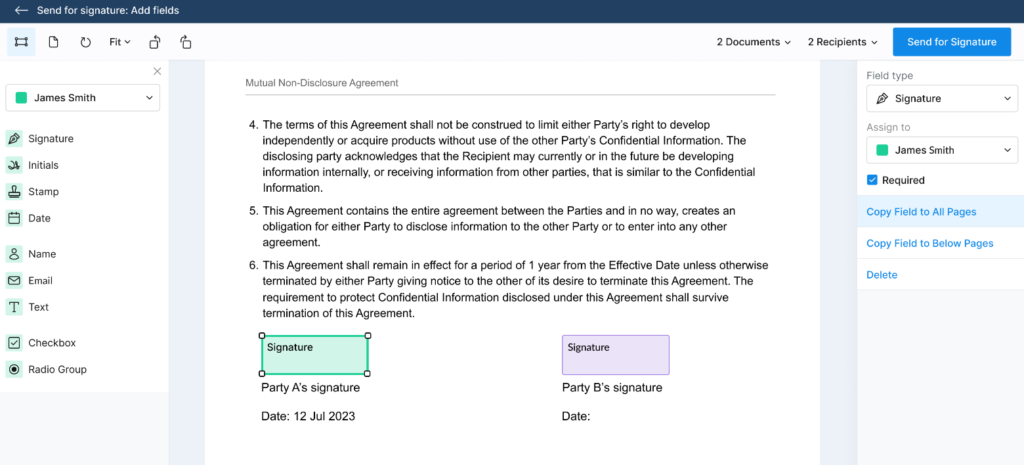
Over the years, SignEasy expanded its capabilities to support business approvals, document sharing, templates, integrations, audit trails, and collaborative signing workflows. The platform is commonly used by startups, sales teams, HR departments, consultants, operations teams, and small-to-mid-sized businesses trying to accelerate agreement approvals and reduce paper dependency.
For many organizations, SignEasy solves the immediate challenge of obtaining digital signatures remotely. However, as businesses scale operationally, many begin searching for:
- SignEasy alternative
- best contract lifecycle management software
- document management system with e-signatures
- secure workflow automation platform
- CLM software for legal teams
- document approval workflow software
- enterprise document collaboration software
- AI-powered document management platform
- contract automation software for procurement teams
The reason behind this shift is becoming increasingly clear across North America. Businesses are realizing that electronic signatures alone do not fully solve operational bottlenecks involving:
- contract visibility
- workflow coordination
- document governance
- lifecycle tracking
- compliance management
- centralized collaboration
- approval orchestration
- version control
- audit readiness
According to research published by Accenture, organizations investing in workflow automation and digital operations modernization are prioritizing platforms that reduce fragmentation and improve operational visibility across departments. Similarly, a report from Gartner noted that businesses increasingly prefer integrated operational ecosystems capable of connecting document workflows, compliance management, approvals, collaboration, and lifecycle governance under unified environments.
This is especially relevant for mid-market organizations where legal, HR, procurement, finance, and operations teams rely heavily on contracts and sensitive business documentation every day.
Best For
SignEasy is generally best suited for:
- mobile-first professionals
- startups and small businesses
- remote teams requiring quick document approvals
- organizations seeking lightweight e-signature workflows
- consultants and agencies managing client agreements
- businesses prioritizing ease of use and accessibility
As organizations scale, many businesses begin evaluating broader DMS and CLM platforms capable of managing complex operational workflows across multiple departments.
Key Features
Electronic Signature Workflows
SignEasy allows businesses to send and sign legally binding digital agreements remotely through cloud-based workflows.
Mobile Signing Experience
One of the platform’s strongest selling points is its mobile-first approach, enabling users to sign and manage agreements from smartphones and tablets.
Reusable Templates
Businesses can create reusable templates for contracts, onboarding forms, approvals, and recurring workflows.
In-Person Signing
The software supports in-person signature collection for teams operating in customer-facing environments.
Audit Trails
SignEasy maintains digital audit records and document histories for verification and compliance purposes.
Multi-Recipient Signing
Organizations can route documents to multiple signers and stakeholders within approval workflows.
Cloud Storage Integrations
The platform integrates with cloud storage providers for document accessibility and synchronization.
Productivity and CRM Integrations
Businesses can connect workflows with productivity applications and customer management systems.
Benefits of Using SignEasy
Strong Mobile Accessibility
Teams operating remotely or frequently working outside the office often appreciate SignEasy’s mobile-focused user experience.
Quick Setup and Onboarding
Smaller businesses and startups can begin using the software relatively quickly without large implementation projects.
Faster Approval Processes
Electronic signature workflows help reduce delays caused by physical paperwork and manual approvals.
User-Friendly Interface
Many organizations praise the platform’s simplicity and ease of navigation.
Flexible Remote Collaboration
Distributed teams can send, review, and sign documents securely from different locations.
Why Many Mid-Market Businesses Begin Looking for SignEasy Alternatives
While SignEasy performs well as a lightweight electronic signature platform, growing organizations often require more advanced operational capabilities once document workflows become increasingly complex.
This operational shift typically happens when businesses begin managing:
- larger contract volumes
- cross-department approvals
- vendor lifecycle management
- compliance tracking
- document retention requirements
- contract renewals
- collaboration governance
- audit preparation
- workflow automation
- centralized repositories
At this stage, organizations frequently discover that standalone e-signature software cannot fully address broader document lifecycle challenges. Legal departments may require:
- redlining workflows
- version control
- clause management
- centralized contract visibility
Procurement teams may need:
- approval orchestration
- supplier lifecycle tracking
- automated renewal notifications
HR departments often require:
- employee document management
- secure onboarding workflows
- role-based permissions
Finance and compliance teams increasingly prioritize:
- audit-ready governance
- secure access controls
- retention policies
- operational visibility
This explains why many companies evaluating SignEasy competitors are now searching for integrated platforms combining:
- DMS functionality
- CLM automation
- AI-powered document intelligence
- workflow orchestration
- centralized collaboration
- secure document governance
- enterprise operational visibility
Another major factor involves software sprawl. Businesses using separate systems for:
- signatures
- storage
- approvals
- collaboration
- lifecycle management
- compliance tracking
often experience:
- fragmented workflows
- duplicated processes
- slower approvals
- inconsistent governance
- reduced visibility
According to a recent PwC operational modernization study, organizations consolidating fragmented workflow systems often improve efficiency, collaboration, and compliance consistency significantly. That broader industry trend is shaping software replacement decisions across the North American market.
Storage
SignEasy supports cloud-based document access and basic workflow functionality, but growing organizations frequently require deeper operational infrastructure for managing enterprise-scale document ecosystems.
As companies mature operationally, they often seek:
- AI-powered OCR extraction
- centralized document repositories
- granular access permissions
- automated workflow orchestration
- lifecycle analytics
- enterprise collaboration environments
- secure document intelligence
- compliance governance
- approval visibility
This is particularly important in industries handling sensitive operational workflows such as:
- healthcare
- legal services
- financial operations
- procurement management
- HR administration
- regulated enterprise environments
Many businesses evaluating SignEasy alternatives ultimately want software capable of managing the full contract and document lifecycle rather than only digital signatures.
SignEasy Pros and Cons
| Pros | Cons |
| Strong mobile-first signing experience | Primarily focused on electronic signatures rather than full lifecycle management |
| Easy onboarding and user-friendly interface | Limited advanced document governance capabilities |
| Good for remote and distributed teams | Businesses may require additional systems for broader workflow management |
| Supports legally binding digital signatures | Less comprehensive CLM functionality compared to integrated platforms |
| Flexible template and approval workflows | Advanced automation and collaboration capabilities may feel limited |
| Useful for small-to-mid-sized teams | Scaling operational visibility across departments can become challenging |
SignEasy Pricing
SignEasy offers several pricing plans depending on business size, document volume, integrations, and workflow needs.
| Plan | Typical Features |
| Basic Plans | Essential electronic signature functionality |
| Team Plans | Shared workflows, templates, collaboration |
| Business Plans | Integrations, advanced workflows, administration |
| Enterprise Plans | Enhanced security, scalability, custom deployment options |
Pricing structures may vary based on:
- user count
- document volume
- integrations
- workflow requirements
- enterprise security needs
For many growing organizations, operational consolidation and workflow scalability increasingly become more important evaluation factors than signature functionality alone.
Common Use Cases
Sales Contracts
Sales organizations use SignEasy to accelerate customer approvals and reduce contract turnaround times.
HR Onboarding
HR teams manage onboarding documents, acknowledgments, and employee agreements digitally.
Procurement Approvals
Procurement departments use electronic workflows for vendor contracts and internal approval routing.
Client Agreements
Consultants, agencies, and service businesses manage client approvals and engagement contracts remotely.
Internal Workflow Approvals
Organizations digitize operational approvals to reduce manual administrative processes.
What Users Are Saying Online
Across review platforms such as G2, Capterra, and GetApp, many users praise SignEasy for:
- ease of use
- mobile accessibility
- clean interface
- simple onboarding
- fast document approvals
Businesses operating with remote or mobile-heavy teams often appreciate the platform’s accessibility and lightweight workflows. However, some growing organizations mention limitations involving:
- advanced workflow customization
- broader contract lifecycle management
- enterprise governance
- centralized document visibility
- scalability across departments
- operational automation depth
Several businesses evaluating SignEasy alternatives appear to be looking for platforms capable of combining:
- document management
- AI-powered automation
- CLM workflows
- centralized collaboration
- approval orchestration
- enterprise-grade governance
- secure lifecycle visibility
This reflects the broader market movement toward unified document operations platforms rather than isolated signature tools.
Key Integrations

DigiSigner Overview
DigiSigner is a lightweight cloud-based electronic signature platform focused on helping businesses and individuals sign documents online quickly and affordably. The platform is commonly used by freelancers, startups, consultants, agencies, educational institutions, and smaller organizations looking for straightforward digital signing functionality without the complexity associated with larger enterprise agreement systems.
DigiSigner built much of its reputation around simplicity, accessibility, and low-cost digital signature workflows. For organizations transitioning away from manual paper approvals, the software offers a relatively easy way to collect legally binding electronic signatures remotely. However, as businesses scale operationally, many organizations begin searching for:
- DigiSigner alternative
- best e-signature software for growing companies
- document management software with workflow automation
- contract lifecycle management platform
- secure agreement workflow software
- enterprise document approval system
- AI-powered document management platform
- CLM software for procurement and legal teams
- scalable electronic signature solution
The reason behind this growing trend is that modern organizations increasingly need more than just signature collection. Mid-market companies across North America now prioritize:
- centralized document visibility
- workflow orchestration
- contract lifecycle tracking
- compliance governance
- secure collaboration
- AI-powered automation
- intelligent OCR extraction
- approval routing
- document retention controls
- operational scalability
According to research from IDC, organizations managing fragmented document environments often face operational inefficiencies, slower approvals, and inconsistent governance across departments. Another report from McKinsey highlighted that businesses accelerating digital operations modernization are actively consolidating workflow systems to improve productivity, collaboration, and visibility.
This broader market evolution is changing how businesses evaluate software platforms. Instead of purchasing isolated e-signature tools, many companies now seek unified operational ecosystems capable of managing the entire document and contract lifecycle.
Best For
DigiSigner is generally best suited for:
- freelancers and independent professionals
- startups requiring basic electronic signature workflows
- small businesses digitizing approvals
- consultants handling lightweight client agreements
- organizations prioritizing affordability
- teams needing simple online signing functionality
As businesses grow, operational requirements often become more complex, leading many organizations to evaluate broader DMS and CLM platforms capable of centralizing workflows, approvals, collaboration, and lifecycle governance.
Key Features
Electronic Signature Functionality
DigiSigner allows users to send and sign legally binding electronic documents through cloud-based workflows.
Document Upload and Signing
Businesses can upload contracts, forms, agreements, and approvals for digital signature processing.
Audit Trails
The platform maintains audit histories and signer records to help organizations track document activity.
Reusable Templates
Users can create reusable templates for recurring agreements and approval workflows.
Multiple Signers
Organizations can route documents to multiple recipients and signing parties.
Cloud Accessibility
Users can access and manage signing workflows remotely through web-based infrastructure.
API Integration
Developers can embed DigiSigner functionality into applications and custom operational workflows.
Basic Branding Features
Businesses can customize certain aspects of the signing experience for clients and stakeholders.
Benefits of Using DigiSigner
Affordable Entry Point
One of DigiSigner’s strongest advantages is its relatively affordable pricing compared to larger enterprise-focused competitors.
Simple User Experience
Businesses looking for lightweight e-signature functionality often appreciate the platform’s minimalistic interface and ease of navigation.
Fast Setup
Organizations transitioning from manual approvals can begin digitizing signatures relatively quickly.
Remote Signing Convenience
Distributed teams and external clients can securely review and sign agreements online.
Reduced Administrative Work
Electronic workflows help eliminate printing, scanning, mailing, and physical document storage.
Why Many Growing Businesses Search for DigiSigner Alternatives
While DigiSigner works well for basic signing workflows, many growing organizations eventually discover that standalone electronic signature software cannot fully support modern operational requirements. This typically becomes more noticeable when businesses begin managing:
- complex approval chains
- large document repositories
- contract renewals
- compliance governance
- vendor lifecycle workflows
- employee onboarding operations
- legal collaboration
- enterprise document retention
- cross-department coordination
At this stage, organizations frequently require:
- centralized document management
- contract lifecycle automation
- AI-powered document extraction
- workflow orchestration
- secure collaboration environments
- granular permissions
- lifecycle analytics
- redlining workflows
- operational reporting
- enterprise governance controls
For example, procurement teams often need visibility into vendor contracts and renewal deadlines. Legal departments may require version control and collaborative redlining workflows. HR teams may need centralized employee document management with secure access controls. Finance and compliance departments increasingly demand audit-ready governance and approval traceability. This is one reason businesses evaluating DigiSigner competitors increasingly prioritize integrated platforms combining:
- DMS functionality
- CLM automation
- workflow automation
- AI-powered document intelligence
- secure collaboration
- centralized governance
- approval orchestration
Another major issue involves software fragmentation. Many organizations using lightweight signature tools still rely on separate systems for:
- document storage
- collaboration
- workflow automation
- lifecycle management
- compliance oversight
- approvals
Over time, this can create:
- operational silos
- duplicated work
- inconsistent governance
- slower approvals
- reduced visibility
- workflow inefficiencies
According to a recent Deloitte report on operational modernization, organizations reducing fragmented software environments often improve productivity, collaboration, and governance consistency significantly. This broader shift is influencing software replacement decisions across North American mid-market businesses.
Storage
DigiSigner provides cloud-based document access and lightweight workflow functionality, but organizations managing larger operational ecosystems often require more advanced document governance capabilities. As businesses scale, they frequently seek:
- AI-powered OCR extraction
- enterprise search functionality
- workflow automation engines
- contract lifecycle visibility
- centralized repositories
- collaboration governance
- approval orchestration
- secure departmental access controls
- document analytics
- retention policy management
This becomes especially important in industries handling sensitive operational workflows such as:
- healthcare
- legal operations
- financial services
- procurement management
- HR administration
- regulated enterprise environments
Many organizations evaluating DigiSigner alternatives ultimately want software capable of supporting the entire document lifecycle rather than signatures alone.
DigiSigner Pros and Cons
| Pros | Cons |
| Affordable electronic signature solution | Primarily designed for lightweight signature workflows |
| Simple and easy-to-use interface | Limited advanced workflow automation capabilities |
| Fast onboarding and setup | Businesses may require additional systems for broader document management |
| Supports legally binding electronic signatures | Less comprehensive CLM and governance functionality |
| Good for freelancers and startups | Scaling enterprise workflows can become difficult |
| Accessible cloud-based platform | Limited centralized operational visibility for larger organizations |
DigiSigner Pricing
DigiSigner offers several pricing tiers designed primarily for individuals, startups, and smaller business teams.
| Plan | Typical Features |
| Free Plan | Limited document signing functionality |
| Pro Plans | Increased document volume and templates |
| Business Plans | Team management, branding, integrations |
| API/Enterprise Options | Custom integrations and deployment capabilities |
Pricing generally appeals to organizations seeking affordable digital signature functionality with relatively low onboarding complexity.
However, growing mid-market organizations increasingly evaluate:
- workflow scalability
- software consolidation
- operational visibility
- compliance governance
- lifecycle management
- collaboration infrastructure
Common Use Cases
Client Agreements
Consultants and agencies use DigiSigner to manage customer contracts and approvals remotely.
HR Documentation
HR teams digitize onboarding forms and employment-related agreements.
Sales Contracts
Sales departments accelerate proposal approvals and agreement execution.
Vendor Approvals
Procurement teams route supplier agreements electronically.
Internal Administrative Workflows
Organizations reduce paperwork by digitizing internal approvals and document sign-offs.
What Users Are Saying Online
Across review platforms such as G2, Capterra, and GetApp, users frequently praise DigiSigner for:
- affordability
- ease of use
- simple onboarding
- lightweight signing workflows
- accessibility for small businesses
Organizations looking for straightforward electronic signature functionality often appreciate the platform’s simplicity. However, some growing businesses mention limitations involving:
- advanced automation capabilities
- enterprise workflow management
- document lifecycle visibility
- centralized governance
- collaboration functionality
- scalability for larger operational environments
Several businesses evaluating DigiSigner alternatives appear to be searching for platforms capable of combining:
- AI-powered document management
- workflow orchestration
- contract lifecycle management
- centralized collaboration
- operational intelligence
- approval automation
- enterprise-grade governance
This reflects the broader industry transition toward unified document operations ecosystems rather than isolated signature tools.
Key Integrations
DigiSigner integrates with selected business applications and operational tools.
Cloud Storage Integrations
Users can connect cloud storage providers for document synchronization and accessibility.
API Connectivity
Developer APIs allow organizations to embed signing workflows into applications and business systems.
Productivity Tools
Businesses can integrate workflows with selected productivity applications.
Workflow Automation Connectivity
Organizations can automate repetitive operational tasks through connected integrations. As businesses mature operationally, many mid-market organizations increasingly prioritize platforms capable of unifying:
- e-signatures
- document management
- AI-powered automation
- workflow orchestration
- contract lifecycle visibility
- collaboration
- governance controls
Signable Overview
Signable is a cloud-based electronic signature platform designed to help businesses send, sign, and manage digital documents remotely. The software focuses on simplifying online agreement workflows for organizations looking to replace paper-based approvals with faster electronic signing processes.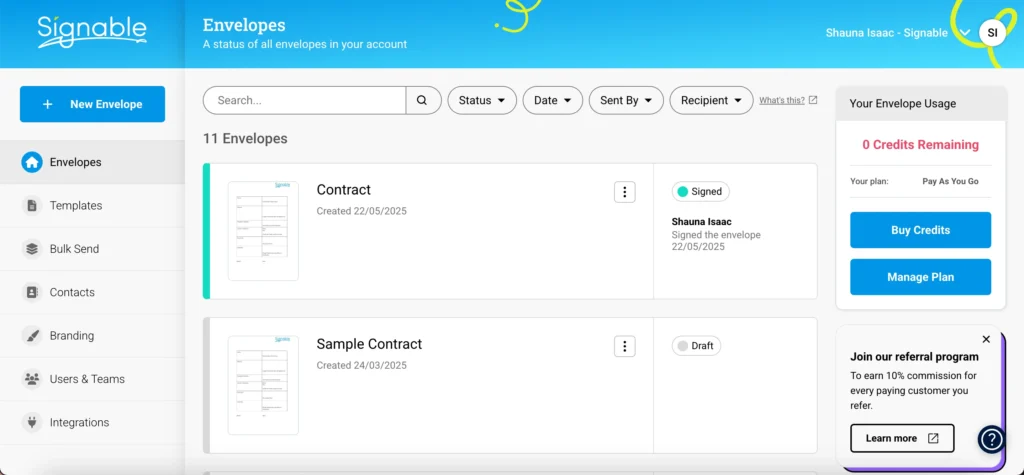
Signable is commonly used by small businesses, agencies, operations teams, consultants, HR departments, and organizations seeking straightforward e-signature functionality without the complexity associated with large enterprise agreement platforms.
The platform gained traction because of its simplicity, relatively accessible pricing structure, and focus on helping businesses adopt electronic signatures quickly. For organizations primarily seeking basic digital signing workflows, Signable can provide an easy starting point. However, as businesses scale and operational demands increase, many organizations begin searching for:
- Signable alternative
- best e-signature software for growing companies
- document management system with e-signatures
- contract lifecycle management software
- secure workflow automation platform
- enterprise document collaboration software
- AI-powered contract management platform
- document approval workflow software
- CLM software for legal and procurement teams
This shift reflects a broader trend happening across North America, where companies are moving beyond isolated signature tools and looking for centralized operational ecosystems capable of managing:
- contracts
- approvals
- workflows
- document governance
- compliance visibility
- collaboration
- lifecycle tracking
- AI-powered automation
- enterprise operational intelligence
According to research from Gartner, organizations are increasingly consolidating fragmented operational software systems to improve workflow visibility, governance consistency, and employee productivity. Another study from Forrester found that businesses modernizing document operations often prioritize platforms that unify collaboration, approvals, lifecycle management, and automation rather than maintaining disconnected tools.
This is especially important for mid-market companies managing increasingly complex operational workflows across legal, procurement, HR, finance, compliance, and remote teams.
Best For
Signable is generally best suited for:
- startups and small businesses
- organizations adopting digital signatures for the first time
- teams requiring lightweight approval workflows
- consultants and agencies managing client agreements
- businesses prioritizing ease of use
- organizations seeking affordable e-signature functionality
As operational complexity grows, many businesses begin evaluating broader DMS and CLM platforms designed to centralize workflows and improve enterprise-wide document visibility.
Key Features
Electronic Signature Workflows
Signable enables businesses to send and sign legally binding digital agreements through cloud-based workflows.
Multi-Signer Support
Organizations can route agreements through multiple stakeholders and approval participants.
Document Templates
The platform supports reusable templates for contracts, onboarding documents, approvals, and recurring operational workflows.
Audit Trails
Digital audit logs help businesses track document activity, signer actions, and approval histories.
Branding Options
Businesses can customize signing experiences with company branding elements.
Cloud-Based Accessibility
Users can access signing workflows remotely across distributed environments.
Automated Notifications
The software includes reminders and notifications to help accelerate document completion.
API and Integration Support
Organizations can connect Signable workflows with selected operational systems and applications.
Benefits of Using Signable
Easy Digital Adoption
Businesses transitioning from manual approvals often appreciate the platform’s relatively simple onboarding process.
Faster Agreement Turnaround
Electronic workflows reduce delays caused by printing, scanning, mailing, and physical approvals.
Accessible Pricing Structure
Signable is often viewed as an affordable entry point for organizations digitizing document signing workflows.
Simple User Experience
Many users praise the platform’s interface for being straightforward and easy to navigate.
Remote Team Flexibility
Distributed teams can securely manage approvals and signatures from multiple locations.
Why Many Growing Businesses Begin Searching for Signable Alternatives
As organizations scale, document operations frequently become more complex than simple electronic signature workflows can support. This operational evolution often occurs when companies begin managing:
- vendor lifecycle approvals
- contract renewals
- onboarding documentation
- legal reviews
- procurement workflows
- compliance governance
- audit preparation
- cross-department collaboration
- retention policies
- enterprise visibility requirements
At this stage, organizations increasingly require:
- centralized document repositories
- AI-powered document intelligence
- workflow orchestration
- contract lifecycle management
- secure collaboration environments
- granular permission controls
- lifecycle analytics
- approval automation
- intelligent OCR extraction
- enterprise governance capabilities
For example, procurement teams may require automated supplier onboarding workflows and contract renewal tracking. Legal departments often need collaborative redlining, version control, clause visibility, and centralized agreement repositories. HR departments increasingly prioritize secure employee file management and automated onboarding processes. This is why many businesses evaluating Signable competitors are now searching for integrated platforms capable of combining:
- DMS functionality
- CLM workflows
- AI-powered automation
- document governance
- workflow orchestration
- centralized collaboration
- enterprise operational visibility
Another major issue many businesses encounter involves software fragmentation. Organizations often discover that standalone signature tools still require additional systems for:
- document storage
- workflow automation
- collaboration
- lifecycle management
- governance controls
- approvals
- compliance tracking
Over time, disconnected operational environments can create:
- duplicated processes
- workflow bottlenecks
- slower approvals
- inconsistent governance
- fragmented visibility
- operational inefficiencies
According to a recent PwC report on operational transformation, businesses consolidating disconnected workflow systems often improve efficiency, collaboration, and governance consistency significantly. That broader market trend is heavily influencing software replacement decisions among North American mid-market companies.
Storage
Signable supports cloud-based document access and lightweight approval workflows, but organizations managing enterprise-scale operations often require deeper infrastructure for centralized document governance and lifecycle management. As businesses mature operationally, they frequently seek:
- AI-powered OCR extraction
- advanced workflow automation
- centralized repositories
- lifecycle reporting
- collaboration governance
- secure departmental access controls
- intelligent search functionality
- contract analytics
- retention policy management
- enterprise-grade audit visibility
These capabilities become increasingly important in industries handling sensitive operational workflows such as:
- legal services
- healthcare
- procurement operations
- financial services
- HR administration
- compliance-heavy enterprise environments
Many businesses evaluating Signable alternatives ultimately want platforms capable of managing the entire document lifecycle rather than signatures alone.
Signable Pros and Cons
| Pros | Cons |
| Easy-to-use electronic signature workflows | Primarily focused on lightweight e-signature functionality |
| Accessible pricing for smaller organizations | Limited advanced contract lifecycle management capabilities |
| Good onboarding experience | Businesses may require additional systems for broader document governance |
| Supports remote and distributed workflows | Less comprehensive workflow orchestration functionality |
| Useful for digitizing approvals | Enterprise operational scalability may become challenging |
| Simple interface for non-technical users | Advanced collaboration and AI automation capabilities may feel limited |
Signable Pricing
Signable offers several pricing plans designed for businesses digitizing electronic approval workflows.
| Plan | Typical Features |
| Entry-Level Plans | Basic document signing functionality |
| Business Plans | Team workflows, templates, integrations |
| Advanced Plans | API access, workflow customization, administration |
| Enterprise Options | Enhanced scalability and deployment support |
Pricing structures may vary depending on:
- user count
- document volume
- integrations
- workflow requirements
- enterprise support needs
For many growing organizations, evaluating operational scalability and software consolidation becomes increasingly important as workflow complexity grows.
Common Use Cases
Sales Agreements
Sales teams use Signable for customer contracts, approvals, and proposal workflows.
HR Documentation
HR departments manage onboarding forms, employment agreements, and policy acknowledgments digitally.
Procurement Approvals
Procurement teams route supplier agreements and internal approvals electronically.
Client Contracts
Consultants and agencies use Signable to simplify remote agreement execution.
Internal Administrative Workflows
Businesses digitize internal approvals to reduce manual paperwork and administrative overhead.
What Users Are Saying Online
Across review platforms like G2, Capterra, and GetApp, many users praise Signable for:
- ease of use
- quick onboarding
- affordability
- simple signing workflows
- accessibility for smaller teams
Organizations seeking lightweight electronic signature functionality often appreciate the platform’s straightforward experience. However, some growing businesses mention limitations involving:
- advanced workflow automation
- broader contract lifecycle management
- enterprise document governance
- scalability across departments
- centralized operational visibility
- collaboration infrastructure
- AI-powered workflow intelligence
Several businesses evaluating Signable alternatives appear to be searching for platforms capable of combining:
- DMS functionality
- CLM automation
- workflow orchestration
- AI-powered document intelligence
- centralized collaboration
- operational analytics
- governance controls
This reflects the larger market evolution where businesses increasingly prioritize unified operational platforms over isolated e-signature software.
Key Integrations
Signable integrates with selected business systems and operational applications.
CRM Integrations
Businesses can connect agreement workflows with customer relationship management systems.
Cloud Storage Providers
Organizations can synchronize documents with cloud-based storage platforms for centralized access.
Productivity Applications
The platform integrates with selected collaboration and productivity tools.
API Connectivity
Developer APIs allow organizations to embed signing workflows into applications and operational systems.
Workflow Automation Integrations
Businesses can automate repetitive approval processes through connected operational workflows.
As operational complexity increases, many mid-market organizations increasingly prioritize platforms capable of unifying:
- e-signatures
- document management
- AI-powered automation
- lifecycle governance
- workflow orchestration
- secure collaboration
- operational visibility
SignNow Overview
SignNow is a cloud-based electronic signature and document workflow platform designed to help businesses send, sign, and manage digital agreements efficiently. It is widely used by small to mid-sized businesses, sales teams, HR departments, healthcare providers, real estate professionals, and operations teams that need structured yet accessible electronic signature workflows.
SignNow positioned itself as a practical alternative to more expensive enterprise e-signature platforms, focusing on affordability, ease of deployment, and essential workflow automation. Over time, it expanded into document templates, API integrations, team collaboration features, and basic workflow orchestration. For many organizations, SignNow serves as a reliable entry point into digital agreement management. However, as businesses grow, they often begin searching for:
- SignNow alternative
- best DocuSign alternative for mid-market companies
- contract lifecycle management software
- document workflow automation platform
- AI-powered document management system
- enterprise agreement management software
- secure contract approval workflow tool
- CLM software for legal and procurement teams
- scalable document collaboration platform
This shift is driven by a structural change in how North American organizations now operate. Electronic signatures are no longer the end goal—they are only one step inside a much larger operational lifecycle involving:
- contract creation
- negotiation and redlining
- approvals across departments
- compliance and audit tracking
- storage and retrieval
- renewal management
- AI-driven document intelligence
- governance and permissions
According to Deloitte’s digital transformation research, organizations increasingly prioritize integrated workflow ecosystems that reduce operational fragmentation and improve visibility across departments. Similarly, IDC has reported that companies lose significant productivity when document systems are disconnected across legal, finance, procurement, and HR functions.
This is why many mid-market companies evaluating SignNow competitors are moving toward platforms that combine e-signatures with document management systems (DMS), contract lifecycle management (CLM), and workflow automation in a unified environment.
Best For
SignNow is generally best suited for:
- small and mid-sized businesses
- healthcare and medical administration teams
- real estate professionals managing agreements
- sales teams handling contracts and proposals
- HR departments digitizing onboarding documents
- organizations seeking affordable e-signature workflows
- teams requiring basic workflow automation
As operational complexity increases, many organizations begin evaluating more advanced platforms capable of managing the entire document lifecycle rather than just signature capture.
Key Features
Electronic Signature Workflows
SignNow allows users to send and collect legally binding electronic signatures through secure cloud-based workflows.
Document Templates
Users can create reusable templates for frequently used contracts, agreements, onboarding forms, and approvals.
Team Collaboration
The platform supports team-based document management and shared signing workflows across departments.
Workflow Automation
Businesses can set up basic approval routing, reminders, and document sequencing to streamline signing processes.
Mobile Accessibility
SignNow supports mobile signing, allowing users to approve documents on smartphones and tablets.
Audit Trails
The system provides detailed logs of document activity, including timestamps, signer actions, and approval history.
API and Integrations
Developers can embed SignNow into applications and integrate it with CRM, storage, and productivity systems.
Cloud Storage Access
Documents can be stored, accessed, and managed through cloud-based infrastructure.
Benefits
Affordable Entry Point for Digital Signatures
SignNow is often viewed as a cost-effective alternative to enterprise-grade signature platforms.
Easy Implementation
Businesses can adopt the platform quickly without complex onboarding or long deployment cycles.
Improved Document Turnaround Time
Electronic workflows significantly reduce delays caused by manual approvals and paper-based processes.
Flexible Remote Access
Distributed teams can manage agreements from anywhere using web and mobile interfaces.
Good for Standardized Workflows
Organizations with repetitive contracts and approval processes benefit from template-driven efficiency.
Why Many Growing Businesses Start Looking for SignNow Alternatives
While SignNow performs well for structured e-signature workflows, many organizations eventually encounter limitations as operational complexity increases. This typically happens when businesses begin managing:
- multi-stage contract approvals
- cross-department workflows
- vendor lifecycle management
- compliance tracking and audit readiness
- contract renewal automation
- centralized document governance
- legal collaboration and redlining
- HR onboarding documentation at scale
- procurement contract visibility
- enterprise reporting requirements
At this stage, electronic signatures alone are no longer sufficient. Businesses increasingly require:
- centralized document repositories
- AI-powered document intelligence
- contract lifecycle management (CLM) automation
- advanced workflow orchestration
- granular permission controls
- version tracking and redlining
- compliance governance frameworks
- intelligent OCR extraction
- lifecycle analytics and reporting
- enterprise collaboration systems
For example, procurement teams need visibility into vendor agreements and renewal cycles. Legal teams require structured redlining, clause libraries, and centralized contract repositories. HR departments require secure onboarding workflows and employee document management. Finance teams require audit-ready governance and approval tracking. This is why many companies evaluating SignNow alternatives increasingly look for integrated platforms combining:
- DMS capabilities
- CLM automation
- workflow orchestration
- AI-driven document intelligence
- secure collaboration
- centralized governance
- approval tracking systems
Another major issue is software fragmentation. Many organizations using standalone signature tools still rely on separate systems for:
- document storage
- approval workflows
- collaboration
- compliance tracking
- lifecycle management
- reporting and governance
This often leads to:
- duplicated processes
- inconsistent document versions
- slower approvals
- limited visibility across departments
- operational inefficiencies
According to a recent PwC study on digital operations, organizations that consolidate fragmented workflow systems often experience significant gains in efficiency, compliance consistency, and cross-functional collaboration. This trend is reshaping software buying behavior across North America.
Storage
SignNow provides cloud-based document storage and workflow capabilities, but organizations managing larger operational ecosystems often require deeper governance and lifecycle infrastructure. As businesses scale, they frequently demand:
- enterprise document repositories
- AI-powered search and extraction
- workflow automation engines
- lifecycle tracking and analytics
- secure collaboration environments
- granular access controls
- compliance retention policies
- contract intelligence tools
- audit-ready reporting systems
These capabilities are especially critical in regulated industries such as:
- healthcare
- legal services
- financial institutions
- procurement operations
- HR and workforce administration
- government and compliance-heavy environments
Many businesses evaluating SignNow competitors are ultimately seeking platforms that manage the entire document lifecycle—not just electronic signatures.
SignNow Pros and Cons
| Pros | Cons |
| Affordable electronic signature solution | Limited full contract lifecycle management capabilities |
| Easy to use for small and mid-sized teams | Advanced workflow automation is somewhat restricted |
| Good mobile and remote signing support | Enterprises may require additional systems for DMS/CLM needs |
| Fast implementation and onboarding | Less centralized document governance features |
| Useful templates and basic workflows | Limited AI-driven document intelligence capabilities |
| Strong basic integrations | Scaling across complex departments can be challenging |
SignNow Pricing
SignNow offers tiered pricing based on usage, team size, and required functionality.
| Plan | Typical Features |
| Business Plans | Core e-signature workflows, templates, team access |
| Business Premium | Advanced workflows, integrations, branding options |
| Enterprise Plans | Custom security, APIs, advanced automation, governance tools |
Pricing varies depending on:
- number of users
- document volume
- integrations required
- workflow complexity
- enterprise compliance needs
For mid-market organizations, total cost evaluation often extends beyond signature pricing into broader considerations such as workflow consolidation, system integration, and operational efficiency.
Common Use Cases
Sales Contract Execution
Sales teams use SignNow to send proposals, agreements, and customer contracts for fast approval.
HR Onboarding
HR departments digitize onboarding forms, employee agreements, and policy acknowledgments.
Procurement Approvals
Procurement teams manage supplier agreements and vendor documentation workflows.
Healthcare Documentation
Medical and administrative teams use SignNow for patient and operational forms.
Real Estate Agreements
Real estate professionals use it for lease agreements and property documentation workflows.
What Users Are Saying Online
Across platforms like G2, Capterra, and GetApp, users frequently highlight SignNow for:
- affordability
- ease of use
- simple onboarding
- reliable electronic signature functionality
- mobile-friendly experience
Small and mid-sized organizations often appreciate its balance between functionality and cost efficiency. However, some growing businesses note limitations such as:
- limited advanced workflow orchestration
- insufficient contract lifecycle visibility
- lack of deep document governance
- challenges scaling across departments
- reduced operational centralization
- limited AI-powered automation
Many companies evaluating SignNow alternatives are increasingly searching for platforms that unify:
- document management
- contract lifecycle automation
- workflow orchestration
- AI-driven insights
- centralized collaboration
- compliance governance
This reflects the broader shift toward integrated document operations platforms replacing standalone signature tools in North America.
Key Integrations
SignNow integrates with several business tools and operational platforms.
CRM Systems
Supports integration with customer relationship management tools for contract and sales workflow automation.
Cloud Storage Platforms
Allows synchronization with cloud-based document storage services.
Productivity Suites
Integrates with collaboration and productivity applications used across teams.
API Access
Developers can embed SignNow functionality into internal systems and applications.
Workflow Automation Tools
Supports automation of repetitive approval and document routing tasks. As organizations scale, many mid-market businesses increasingly prioritize platforms that unify:
- e-signatures
- AI-powered document intelligence
- contract lifecycle management
- workflow automation
- secure collaboration
- centralized governance
- operational visibility
Signaturely Overview
Signaturely is a cloud-based electronic signature platform designed to simplify document signing for individuals, startups, and small to mid-sized businesses. The platform focuses on providing a clean, intuitive experience for sending, signing, and tracking legally binding agreements online without the complexity of enterprise-heavy systems.
Signaturely has positioned itself as an easy-to-use alternative to more complex e-signature tools, emphasizing simplicity, affordability, and fast onboarding. It is commonly used by freelancers, consultants, agencies, HR teams, and small business operations handling basic contract workflows. However, as organizations grow—especially in North American mid-market environments—many begin searching for:
- Signaturely alternative
- best DocuSign competitor for growing companies
- contract lifecycle management software
- document workflow automation platform
- AI-powered document management system
- secure contract approval software
- enterprise agreement management platform
- CLM software for legal and procurement teams
- scalable document collaboration tools
This shift reflects a deeper structural change in how modern organizations manage contracts and documents. Businesses are no longer satisfied with just “sending documents for signature.” They now require full lifecycle visibility, workflow automation, compliance governance, collaboration, version control, and centralized document intelligence.
According to Gartner research on digital workplace evolution, organizations are increasingly consolidating fragmented document systems into unified platforms to improve efficiency, reduce operational risk, and enhance cross-department collaboration. Similarly, McKinsey has highlighted that companies investing in workflow automation and digital transformation are seeing measurable productivity gains when document processes are centralized rather than scattered across multiple tools.
This is why Signaturely users evaluating competitors often begin expanding their search beyond e-signature tools into broader DMS and CLM platforms.
Best For
Signaturely is generally best suited for:
- freelancers and independent consultants
- startups handling basic contracts
- small businesses digitizing paper workflows
- agencies managing client agreements
- HR teams managing lightweight onboarding documents
- organizations needing simple electronic signatures
- teams prioritizing ease of use over advanced workflows
As organizations scale operationally, they often begin requiring systems that manage the full document and contract lifecycle rather than only signature capture.
Key Features
Electronic Signature Workflows
Signaturely allows users to send documents for legally binding electronic signatures through a simple cloud-based interface.
Document Templates
Users can create reusable templates for contracts, onboarding forms, agreements, and recurring approval workflows.
Audit Trails
The platform tracks signer activity, timestamps, and document history for verification and compliance purposes.
Multi-Signer Support
Documents can be routed to multiple recipients for sequential or parallel signing workflows.
Cloud-Based Access
Users can access and manage documents from anywhere using web-based infrastructure.
Notifications and Reminders
Automated reminders help ensure faster completion of pending signature requests.
Team Collaboration Tools
Basic collaboration features allow teams to manage shared signing workflows.
API Integration
Developers can embed Signaturely functionality into applications and business systems.
Benefits
Extremely Simple User Experience
Signaturely is designed with minimal complexity, making it easy for non-technical users to adopt quickly.
Fast Setup and Onboarding
Organizations can start sending and signing documents within minutes without lengthy implementation cycles.
Affordable for Small Teams
The platform is often seen as a budget-friendly entry point into digital signature workflows.
Clean Interface
Users frequently appreciate the uncluttered design and straightforward signing process.
Remote Accessibility
Distributed teams and external clients can easily sign documents from anywhere.
Why Many Growing Businesses Begin Searching for Signaturely Alternatives
While Signaturely performs well for simple e-signature needs, many organizations eventually outgrow standalone signing tools as operational complexity increases. This typically occurs when companies begin managing:
- multi-stage approval workflows
- contract renewals and lifecycle tracking
- vendor and procurement agreements
- HR onboarding at scale
- compliance documentation
- legal collaboration and review cycles
- audit readiness requirements
- document retention policies
- cross-department contract visibility
- workflow orchestration needs
At this stage, electronic signatures alone are no longer sufficient. Businesses begin requiring:
- centralized document repositories
- contract lifecycle management (CLM) systems
- AI-powered document intelligence
- workflow automation engines
- advanced approval routing
- secure collaboration environments
- version control and redlining tools
- granular access permissions
- compliance governance frameworks
- enterprise-level reporting and analytics
For example, legal departments often require structured negotiation workflows, clause visibility, and centralized contract repositories. Procurement teams need renewal tracking, supplier lifecycle management, and approval automation. HR departments require secure onboarding workflows and employee document systems. Finance teams require audit-ready governance and approval traceability. This explains why many organizations evaluating Signaturely alternatives increasingly search for platforms that combine:
- document management systems (DMS)
- contract lifecycle management (CLM)
- workflow automation
- AI-powered document processing
- centralized collaboration
- secure governance
- approval orchestration
Another major issue is software fragmentation. Many organizations using simple signature tools still rely on separate systems for:
- document storage
- workflow automation
- collaboration
- compliance tracking
- approvals
- lifecycle management
This leads to:
- disconnected workflows
- inconsistent document versions
- slower approval cycles
- limited operational visibility
- duplicated administrative work
According to a recent IDC digital operations study, companies that consolidate document workflows into unified systems experience improved efficiency, better compliance control, and faster decision-making across departments. This trend is reshaping how North American mid-market companies evaluate document software.
Storage
Signaturely offers cloud-based document storage and basic workflow functionality, but organizations managing larger operational environments often require deeper governance and lifecycle infrastructure. As businesses scale, they increasingly need:
- enterprise-grade document repositories
- AI-powered search and extraction
- workflow automation engines
- contract lifecycle tracking
- collaboration governance tools
- secure access controls
- compliance retention policies
- document intelligence systems
- audit-ready reporting and analytics
These requirements are especially important in regulated industries such as:
- legal services
- healthcare
- financial institutions
- procurement operations
- HR and workforce management
- government and compliance-heavy sectors
Many businesses evaluating Signaturely competitors are ultimately searching for platforms capable of managing the entire document lifecycle rather than only electronic signatures.
Signaturely Pros and Cons
| Pros | Cons |
| Very simple and beginner-friendly interface | Limited advanced workflow automation |
| Fast onboarding and setup | Not designed for complex enterprise use cases |
| Affordable for small businesses | Lacks full contract lifecycle management capabilities |
| Clean and minimal user experience | Limited document governance and compliance depth |
| Good for basic e-signature needs | Scaling across departments can be difficult |
| Cloud-based accessibility | Requires additional tools for full document operations |
Signaturely Pricing
Signaturely offers tiered pricing designed for individuals, small businesses, and growing teams.
| Plan | Typical Features |
| Free Plan | Basic document signing functionality with limitations |
| Personal Plan | Increased document usage and templates |
| Business Plan | Team collaboration, branding, integrations |
| Premium/Enterprise | Advanced controls, API access, scalability options |
Pricing is generally attractive for small organizations focusing on basic e-signature workflows.
However, as companies scale, many begin evaluating broader operational platforms that reduce software fragmentation and unify document management, workflow automation, and contract lifecycle governance.
Common Use Cases
Client Contracts
Freelancers and agencies use Signaturely to manage client agreements and approvals.
HR Documentation
HR teams handle onboarding forms and employee acknowledgments.
Sales Agreements
Sales teams send contracts and proposals for fast digital approval.
Vendor Agreements
Procurement teams digitize supplier onboarding and approvals.
Internal Approvals
Organizations streamline internal sign-off processes.
What Users Are Saying Online
Across platforms like G2, Capterra, and GetApp, users frequently highlight Signaturely for:
- simplicity
- ease of use
- fast onboarding
- affordability
- clean interface
Small businesses and independent professionals often appreciate its lightweight approach to digital signing. However, some growing organizations mention limitations such as:
- lack of advanced workflow automation
- limited contract lifecycle management features
- insufficient enterprise governance capabilities
- reduced scalability for complex operations
- limited cross-department visibility
- basic integration depth
Many businesses evaluating Signaturely alternatives are increasingly searching for platforms that combine:
- DMS functionality
- CLM automation
- AI-powered document intelligence
- workflow orchestration
- centralized collaboration
- enterprise governance
- compliance visibility
This reflects the broader industry shift toward unified document operations ecosystems replacing standalone e-signature tools in North America.
Fortva Overview
Fortva is an AI-powered, cloud-based Document Management System (DMS) and Contract Lifecycle Management (CLM) platform designed for organizations that have outgrown standalone e-signature tools and fragmented document workflows.
Unlike traditional e-signature software that focuses only on signing documents, Fortva is built to manage the entire document and contract lifecycle—from creation, collaboration, approvals, signing, storage, compliance, and renewal tracking, through to AI-driven insights and automation.
This is why Fortva is increasingly positioned as a strategic replacement for tools like DocuSign, SignWell, Adobe Acrobat Sign, SignNow, and other lightweight e-signature platforms that solve only one stage of a much larger operational problem.
- legal departments managing contract risk and version control
- procurement teams handling vendor lifecycle and approvals
- HR operations managing onboarding and employee documentation
- finance teams requiring audit-ready contract governance
- sales teams needing faster deal execution and tracking
- compliance teams needing structured documentation control
Modern organizations are no longer asking “how do we sign documents?”
They are asking: “how do we control, automate, and understand our entire document ecosystem?” Fortva is built to answer that shift.
Why Fortva Exists
Businesses using multiple tools for signing, storage, approvals, and collaboration often experience:
- contract chaos across email threads
- missing version control in critical agreements
- slow approval cycles across departments
- poor visibility into contract status and renewals
- compliance risks due to scattered documentation
- duplicated work across legal, HR, and procurement teams
Research from McKinsey shows that employees spend up to 20–30% of their time searching for internal information, much of it stored in disconnected systems. IDC also reports that fragmented document ecosystems significantly reduce operational efficiency and increase compliance risk in regulated industries. Fortva is built to eliminate this fragmentation by centralizing everything into one intelligent system.
Best For
Fortva is best suited for:
- mid-market companies scaling operations
- procurement teams managing vendor contracts
- legal departments handling contract review and compliance
- HR teams managing onboarding and employee lifecycle documents
- finance teams requiring structured audit trails
- SaaS and tech companies managing high contract volumes
- enterprises replacing multiple disconnected document tools
- organizations seeking to move from e-signature-only tools to full CLM + DMS systems
Key Features
AI-Powered Document Intelligence
Fortva uses AI and OCR to extract key contract data, clauses, deadlines, and obligations automatically, reducing manual review work.
Full Contract Lifecycle Management (CLM)
Manage contracts from draft to negotiation, approval, execution, renewal, and archiving in a single structured system.
Document Management System (DMS)
Centralized, secure storage with advanced indexing, version control, and retrieval capabilities.
Workflow Automation
Automate approvals across legal, procurement, HR, and finance with structured routing and rules-based workflows.
Built-In E-Signature Integration
Fortva integrates with DocuSign for legally binding electronic signatures, ensuring enterprises do not need separate signing systems.
Version Control & Redlining
Track document changes, manage collaboration, and maintain a single source of truth for all contracts.
Secure Access & Permissions
Granular role-based permissions ensure the right stakeholders access the right documents at the right time.
Enterprise-Grade Security
Military-grade encryption and zero-knowledge architecture protect sensitive contracts and documents.
Contract Templates
Pre-built templates plus custom uploads help teams standardize agreements and reduce drafting time.
Integrations Ecosystem
Fortva connects with tools like:
- CRM platforms such as Salesforce and HubSpot
- Microsoft Word and productivity suites
- Zapier and automation tools
- e-signature systems (DocuSign integration included)
Benefits of Using Fortva
One System Instead of Many
Fortva replaces fragmented tools for signing, storage, approvals, and tracking with a single unified platform.
Faster Contract Execution
Automated workflows and integrated signing reduce contract turnaround times significantly.
Reduced Legal and Compliance Risk
Version control, audit trails, and structured approvals reduce errors and compliance exposure.
Better Cross-Department Collaboration
Legal, HR, procurement, finance, and sales all work from one centralized system.
AI-Driven Insights
Teams can quickly understand contract obligations, renewal timelines, and risk exposure.
Improved Operational Efficiency
By eliminating manual tracking and disconnected systems, teams spend less time searching and more time executing.
Storage & Governance
Fortva is designed for enterprise-scale document governance, including:
- centralized contract repositories
- structured lifecycle tracking
- automated retention rules
- compliance-ready audit trails
- secure multi-department access control
- AI-powered search and retrieval
This makes it especially powerful for organizations operating in regulated or high-volume contract environments.
Pros and Cons
| Pros | Cons |
| Unified DMS + CLM + workflow automation in one platform | Newer compared to legacy enterprise tools |
| Strong AI-powered document intelligence | May require onboarding for advanced workflows |
| Built for mid-market scaling companies | Not a simple “basic e-signature only” tool |
| Reduces software fragmentation significantly | Requires change management for teams used to siloed tools |
| Deep integration with DocuSign and enterprise tools | Advanced features may be underutilized in very small teams |
| Strong security and compliance architecture | Positioning is more enterprise/strategic than lightweight tools |
Pricing
Fortva pricing is designed for mid-market and enterprise organizations based on:
- number of users
- contract volume
- workflow complexity
- integration requirements
- compliance needs
Instead of paying separately for e-signature tools, document storage systems, workflow tools, and CLM platforms, Fortva consolidates these costs into one operational system—reducing overall software spend and administrative overhead.
Common Use Cases
Contract Lifecycle Management
Legal teams manage contracts from drafting to renewal tracking in one system.
Procurement Vendor Management
Track supplier agreements, approvals, renewals, and compliance obligations.
HR Onboarding
Automate employee documentation, contracts, and policy acknowledgments.
Sales Contract Execution
Accelerate deal cycles with integrated approvals and e-signature workflows.
Finance & Compliance Audits
Maintain structured audit trails and centralized documentation for reporting.
What Users Would Typically Say
Businesses evaluating platforms like SignWell, DocuSign, or SignNow often describe challenges such as:
- “We have contracts everywhere, not in one place”
- “We can sign documents but cannot manage them after signing”
- “Approvals still happen over email”
- “We don’t know where the latest version is”
Fortva directly addresses these gaps by shifting the focus from document signing to document intelligence and lifecycle control.
Break Free from Document Chaos with Fortva
Break free from Elo.com and outdated document systems and start managing your documents with confidence using Fortva. Now is the time to invest in a smarter DMS and CLM platform built for modern mid-market and enterprise teams.
Move away from drowning in scattered documents, endless email threads, and disconnected tools to a more organized, controlled, and intelligent workflow environment. Stop digging through folders, chasing approvals, or wondering where the latest version of a contract lives.
See how Fortva supports your full DMS and CLM lifecycle, from document creation and collaboration to approvals, signing, compliance, and renewal tracking.
Start a free trial or book a demo today and experience a smarter way to manage documents at scale.
Frequently Asked Questions
1. What is the best SignWell alternative for growing businesses?
The best SignWell alternative depends on whether you only need e-signatures or a full document system. Most growing companies eventually move to platforms that include workflow automation and contract lifecycle management. Fortva is designed for teams that want to go beyond signing and manage the entire document process.
2. Is SignWell enough for mid-market companies?
SignWell works well for small teams with simple signing needs. However, mid-market companies often require approvals, compliance tracking, and centralized contract control. That is where more advanced platforms like Fortva become necessary.
3. Why are companies moving away from DocuSign and similar tools?
Many companies start with DocuSign or similar tools for signatures only. Over time, they struggle with disconnected storage, manual workflows, and limited contract visibility. This pushes them toward integrated DMS and CLM platforms.
4. What is the difference between e-signature software and CLM software?
E-signature software focuses only on signing documents electronically. CLM software manages the entire contract lifecycle from creation to renewal and compliance. Modern platforms like Fortva combine both into one system.
5. Can Fortva replace tools like SignWell and SignNow?
Yes, Fortva can replace e-signature tools when businesses need more than basic signing. It combines document management, workflow automation, and contract lifecycle tracking. This reduces the need for multiple disconnected tools.
6. Is Fortva suitable for legal and procurement teams?
Fortva is built for legal, procurement, HR, and finance teams managing complex document workflows. It helps track approvals, manage versions, and maintain compliance visibility. This makes it ideal for regulated and multi-department environments.
7. Do e-signature tools support full workflow automation?
Most e-signature tools offer only basic workflows like sending and signing documents. They usually lack deep automation across departments and contract stages. Full automation requires a CLM or DMS platform like Fortva.
8. What are the biggest limitations of SignWell and similar tools?
The biggest limitation is that they focus mainly on signing, not the entire document lifecycle. Businesses often struggle with version control, renewals, and contract visibility. This leads to fragmented systems and operational inefficiency.
9. How does Fortva improve contract management?
Fortva centralizes contracts, automates workflows, and tracks the full lifecycle of documents. It reduces manual work and improves visibility across teams. This helps businesses make faster and more informed decisions.
10. Is it expensive to move from e-signature tools to CLM platforms?
At first, CLM platforms may seem more expensive than basic signing tools. However, businesses often save money by eliminating multiple software subscriptions and reducing manual work. The long-term efficiency and risk reduction usually outweigh the initial cost.


