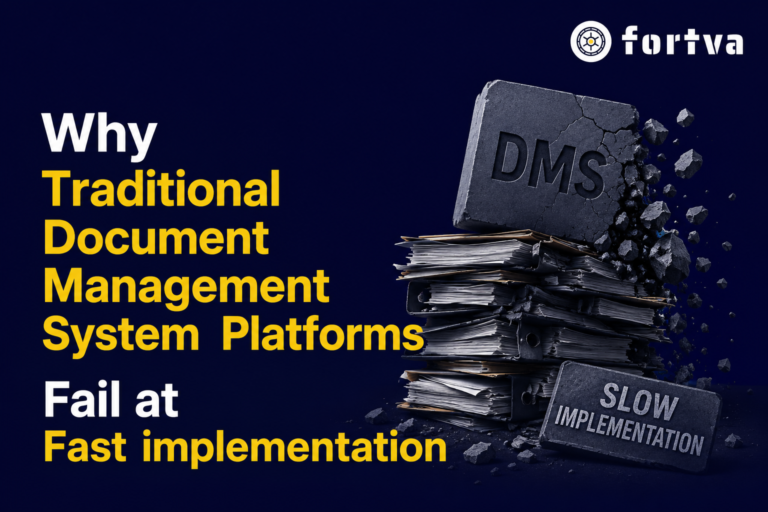
Key Benefits of Document Management Solutions for Businesses
Businesses that invest in document management systems benefits than those whose documents are fragmented. From Small businesses to mid-side and enterprises generate massive volumes of documents daily—and without a robust document management solution, that information quickly becomes chaos. A modern document management system (DMS) transforms how enterprises store, secure, access, and automate documents at scale.
Key Takeaways
- A document management system (DMS) is essential for large enterprises to organize, secure, and automate document workflows at scale
- Cloud-based DMS solutions offer the best combination of scalability, accessibility, and cost-efficiency
- Features like workflow automation, version control, and AI-powered OCR significantly improve productivity
- Strong security and compliance tools help protect sensitive data and meet regulatory requirements
- Integration with CRM and business tools streamlines operations across departments
- Centralized document storage eliminates data silos and improves collaboration
- Choosing the right DMS depends on your organization’s size, industry, and compliance needs
- Platforms like Fortva combine DMS + CLM to deliver end-to-end document and contract lifecycle management
As enterprises scale, so does the complexity of managing contracts, internal documents, compliance records, and client data. Traditional file storage systems and manual workflows create inefficiencies, security risks, and operational bottlenecks.
A cloud-based solution like Fortva goes beyond basic storage—combining document management (DMS) and contract lifecycle management (CLM) into a single platform. With features like workflow automation, AI-powered data extraction, intelligent OCR, version control, redlining, and e-signatures (via DocuSign), enterprises can fully digitize and optimize document operations.

According to IDC, organizations that adopt intelligent document processing reduce document handling costs by up to 40%, while McKinsey reports that automation can improve productivity by 20–30% in document-heavy workflows.
DMS Application Areas & Benefits
| Application Area | Benefits |
| Financial Services | Ensure regulatory compliance and audit readiness; secure sensitive financial records with zero-knowledge encryption; automate loan, investment, and client document workflows |
| Auto Dealerships | Digitize contracts and financing agreements; accelerate approvals and customer onboarding; reduce paperwork and errors |
| Healthcare | Secure patient records and ensure HIPAA/GDPR compliance; streamline document workflows across departments; enable controlled access to sensitive data |
| Manufacturing | Manage product documentation, compliance files, and operational manuals; improve collaboration across supply chains; track version history of technical documents |
| Construction & Real Estate | Centralize contracts, blueprints, and project documents; enable real-time collaboration; manage approvals and deadlines efficiently |
| Transportation & Logistics | Automate shipping documents, contracts, and compliance records; improve operational visibility; reduce delays caused by manual paperwork |
| Energy & Utilities | Secure infrastructure documentation; maintain compliance records; automate workflows for contracts and regulatory filings |
| Insurance Firms | Streamline claims processing and policy documentation; improve customer experience; ensure secure document handling and audit trails |
| Non-Profit | Manage donor records and compliance documentation; improve transparency; streamline grant and funding workflows |
| Retail | Handle supplier contracts, invoices, and operational documents; improve coordination across locations; reduce administrative overhead |
| Family Offices | Securely manage sensitive financial and legal documents; enable controlled sharing with advisors; maintain document history and compliance |
| Human Resources | Automate employee onboarding and document workflows; securely store contracts and records; ensure compliance with labor regulations |
| Procurement | Streamline vendor contracts and approvals; automate purchase workflows; improve supplier collaboration |
| Accountants & Tax Firms | Secure client financial documents; automate tax workflows; improve collaboration and document retrieval speed |
| Wealth Managers | Centralize client portfolios and agreements; securely share documents; automate compliance and reporting processes |
| Sales | Reduce sales cycle times; automate contract creation and approvals; integrate with CRM tools like Salesforce and HubSpot for seamless workflows |
| Research & Development | Protect intellectual property; enable secure collaboration; maintain version control and document history |
| Technical Office | Archive CAD drawings and technical files; maintain version history; create centralized knowledge repositories |
| Sales & Marketing | Improve collaboration between teams; accelerate campaign execution; ensure consistent document usage |
| Paperless Office | Eliminate physical storage; digitize archives; improve accessibility and document security |
| Law Firms | Organize case files and legal documents; track revisions; enable fast and secure access to case-related data |
| Knowledge Management | Maintain a single source of truth; enable document versioning; track usage and collaboration history |
| Construction Document Management | Manage project documents with role-based access; automate approvals; track project timelines and updates |
Why Enterprises Choose Fortva
Fortva is designed specifically for enterprises that need more than just file storage. It delivers:
- End-to-end document and contract lifecycle management (DMS + CLM)
- AI-powered automation and OCR for data extraction
- Military-grade zero-knowledge encryption for maximum security
- Workflow automation for approvals, reviews, and compliance
- Seamless integrations with Microsoft Word, DocuSign, Salesforce, HubSpot, and Zapier
- Centralized collaboration between clients, advisors, and internal teams

10 Key Features of Document Management Software Systems
A modern document management software (DMS) is more than just a file storage tool—it’s a powerful system designed to streamline workflows, enhance security, and improve collaboration across organizations. Below are the most important features every enterprise-grade DMS should offer:
1. Centralized Document Repository
A centralized document repoository is the backbone of any document management system. It allows businesses to store, organize, and access all files from a single secure location, eliminating data silos.
With cloud-based document management, teams can retrieve documents anytime, anywhere, improving operational efficiency.
Advanced indexing and metadata tagging make document search fast and accurate.
This ensures that critical files such as contracts, invoices, and compliance records are never lost.
Centralization also improves governance and document control across departments.
Ultimately, it creates a single source of truth for enterprise data management.
2. Advanced Search and Retrieval
An effective document management system includes powerful search functionality powered by metadata, filters, and full-text search.
Users can instantly locate files using keywords, tags, or document content, saving hours of manual effort.
AI-powered search and intelligent OCR (optical character recognition) allow even scanned documents to be searchable.
This improves productivity, especially in document-heavy industries like legal, finance, and healthcare.
Fast document retrieval enhances decision-making and customer responsiveness.
It also reduces dependency on manual filing systems and outdated storage methods.
3. Workflow Automation
Workflow automation is a critical feature that transforms manual processes into streamlined digital workflows.
Businesses can automate document approvals, contract reviews, and internal processes with predefined rules.
This reduces human errors and eliminates bottlenecks in document lifecycle management.
Automated notifications and task assignments keep teams aligned and productive.
Workflow automation also ensures compliance with internal policies and regulatory requirements.
Overall, it significantly improves efficiency and reduces operational costs.
4. Version Control and Audit Trail
Version control ensures that teams always work on the most up-to-date version of a document.
Every change made to a document is tracked, creating a complete audit trail for transparency.
Users can view, compare, or revert to previous versions when needed.
This is especially important for contract lifecycle management (CLM) and legal documentation.
Audit trails help organizations meet compliance and regulatory standards.
It also enhances accountability by tracking who accessed or modified documents.
5. Secure Access and Permissions
A robust document management software includes role-based access control to protect sensitive information.
Administrators can define who can view, edit, download, or share specific documents.
This ensures data security across departments and external stakeholders.
Advanced encryption, including zero-knowledge encryption, protects documents from unauthorized access.
Secure access is essential for industries handling confidential data like finance and healthcare.
It also supports compliance with standards such as GDPR and HIPAA.
6. Document Collaboration Tools
Modern DMS platforms offer real-time collaboration tools that allow teams to work together efficiently.
Users can comment, edit, and review documents simultaneously without creating duplicates.
Features like redlining and annotations simplify contract negotiations and document reviews.
Collaboration tools improve communication between internal teams and external clients.
Integration with productivity tools like Microsoft Word enhances user experience.
This leads to faster project completion and improved team productivity.
7. E-Signature Integration
E-signature integration enables users to sign documents digitally, eliminating the need for physical paperwork.
Integration with tools like DocuSign allows seamless document signing within the workflow.
This accelerates contract approvals and reduces turnaround time.
E-signatures are legally binding and comply with global regulations.
They also improve customer experience by simplifying the signing process.
Businesses benefit from faster deal closures and reduced administrative costs.
8. AI-Powered Data Extraction and OCR
AI-powered document processing uses intelligent OCR to extract data from scanned documents and PDFs.
This converts unstructured data into structured, usable information.
Businesses can automate data entry and reduce manual workload.
AI insights help identify trends, risks, and opportunities within documents.
This feature is particularly valuable in finance, procurement, and legal operations.
It enhances decision-making and drives digital transformation.
9. Integration with Business Tools
A modern document management system integrates seamlessly with CRM, ERP, and productivity tools.
Integrations with platforms like Salesforce, HubSpot, and Zapier connect documents to business workflows.
This ensures data consistency across systems and eliminates duplication.
Users can manage documents directly within their existing tools.
Integration improves efficiency and enhances the overall digital ecosystem.
It also supports automation across the entire business process lifecycle.
10. Compliance and Regulatory Management
Compliance is a critical component of any enterprise document management software.
The system helps organizations meet industry regulations by maintaining secure records and audit trails.
Automated retention policies ensure documents are stored and deleted according to legal requirements.
Compliance features reduce the risk of penalties and legal issues.
They also simplify audits by providing quick access to required documentation.
This builds trust with stakeholders and ensures long-term business sustainability.
Experience Effortless Document & Contract Management with Fortva
Take control of your enterprise documents and contracts today. Streamline workflows, secure sensitive data, and collaborate smarter with Fortva’s cloud-based DMS + CLM platform.
Start Your Free Trial Now or Schedule a Demo to see how Fortva can transform your document and contract processes.
Frequently Asked Questions
1. What is a document management system (DMS)?
A document management system (DMS) is software that stores, organizes, and manages digital documents in a centralized platform.
It helps businesses control access, track changes, and automate workflows.
DMS improves efficiency, security, and compliance across organizations.
2. What are the benefits of document management software for enterprises?
Document management software improves productivity by automating manual processes and reducing paperwork.
It enhances security with encryption and access controls.
Enterprises also benefit from faster document retrieval and better collaboration.
3. What is the difference between cloud-based and on-premise DMS?
Cloud-based DMS is hosted online and accessible from anywhere, while on-premise systems are installed locally.
Cloud solutions are more scalable and cost-effective.
On-premise systems offer more control but require higher maintenance.
4. Is document management software secure?
Yes, modern document management systems use advanced security features like encryption and role-based access control.
Some platforms also offer zero-knowledge encryption for added protection.
These features help businesses comply with regulations like GDPR and HIPAA.
5. Can a DMS integrate with other business tools?
Yes, most modern DMS platforms integrate with CRM, ERP, and productivity tools.
This allows seamless data flow between systems.
It improves efficiency and reduces duplication of work.
6. What industries benefit most from document management systems?
Industries like finance, healthcare, legal, and real estate benefit greatly from DMS solutions.
Any business handling large volumes of documents can improve efficiency.
DMS is also valuable for HR, procurement, and sales teams.
7. How does workflow automation work in a DMS?
Workflow automation uses predefined rules to manage document processes like approvals and reviews.
It reduces manual intervention and speeds up operations.
Automated notifications ensure tasks are completed on time.
8. What is OCR in document management systems?
OCR (Optical Character Recognition) converts scanned documents into searchable and editable text.
It allows businesses to extract and use data from PDFs and images.
This improves document accessibility and efficiency.
9. How does version control help in document management?
Version control tracks all changes made to a document over time.
Users can access previous versions and avoid duplication errors.
It ensures teams always work on the latest document version.
10. Why should businesses choose a cloud-based DMS like Fortva?
Cloud-based DMS like Fortva offers scalability, accessibility, and lower operational costs.
They include advanced features like automation, AI insights, and e-signatures.
This helps businesses streamline document and contract lifecycle management efficiently.