Jotform Alternative: How to Use Jotform Contract Templates to Build Contracts
If you’ve been searching for a Jotform alternative, wondering how Jotform contract templates work, or looking for a better way to create and sign contracts online, Fortva is the best alternative. Hold your coffee and relax. I will walks you through everything you need to know. You’ll learn how online contract builders work, why contract templates save businesses countless hours, and what features you should look for before choosing a contract management platform.
Key Takeaways
- Recognize that digital signatures carry the same legal weight as traditional handwritten signatures under laws such as the ESIGN Act and UETA, making electronically signed agreements fully enforceable when legal requirements are satisfied.
- Understand the four common methods of signing digital agreements: clickwrap agreements, sign-in-wrap agreements, embedded signatures, and formal electronic signatures used for contracts requiring stronger evidence.
- Learn the standard process for signing contracts online, from opening a secure signing request to reviewing terms, adding your electronic signature, and receiving a completed copy with a permanent audit trail.
- Discover why businesses are replacing paper contracts with online contract templates, reducing administrative work while improving security, compliance, and turnaround times.
- See how modern contract platforms do much more than collect signatures, helping organizations create contracts, automate approvals, organize documents, track versions, and manage the entire contract lifecycle from one secure platform.
Jotform vs Fortva Comparison Summary
Both platforms help businesses create and manage digital documents, but they serve different needs. Jotform is primarily focused on forms and electronic signatures, while Fortva combines contract templates, eSignature, AI-powered contract lifecycle management, and secure document management in one platform.
| Feature | Jotform | Fortva |
| Contract Templates | ✅ Create documents using templates | ✅ Built-in business contract template library |
| Contract Builder | ✅ Form-based document creation | ✅ Contract creation and management workflows |
| Electronic Signatures | ✅ Send documents for signing | ✅ Built-in eSignature with signature generator |
| Contract Lifecycle Management | Limited | ✅ AI-powered CLM from creation to renewal |
| Document Management | Basic document storage | ✅ AI-powered document management system |
| AI Document Search | Limited | ✅ AI-powered search across documents |
| OCR for Scanned Documents | Limited | ✅ Extract and search scanned documents |
| Approval Workflows | Basic workflows | ✅ Contract review and approval workflows |
| Version History | Limited | ✅ Track contract changes and versions |
| Secure Client Portal | Limited | ✅ Share documents securely with clients |
| Audit Trails | ✅ Signature tracking | ✅ Complete document and contract activity history |
| Role-Based Permissions | Basic controls | ✅ Advanced access management |
| Contract Repository | Limited | ✅ Centralized contract and document vault |
| Best For | Forms and simple signing needs | Businesses managing contracts and documents at scale |
What’s the Deal With Online Contracts?
An online contract is simply a legally binding agreement that is created, shared, signed, and stored electronically instead of on paper. Rather than printing documents, scanning signed copies, or mailing paperwork between parties, businesses now complete the entire process digitally.
Online contracts have become the preferred way to conduct business because they are significantly faster, easier to manage, and more secure than traditional paper agreements. Modern contract software allows multiple parties to review the same document, suggest changes, approve revisions, sign electronically, and automatically receive finalized copies without leaving their desks.
For many organizations, online contracts have become an essential part of daily operations. Sales teams use them to close deals faster. Human resources departments use them to onboard new employees. Procurement teams use them to negotiate supplier agreements. Legal departments use them to manage compliance and maintain detailed audit records.
Instead of keeping filing cabinets full of signed paperwork, businesses can maintain a centralized digital repository where every contract is searchable, organized, encrypted, and available whenever it is needed.
The shift toward online agreements isn’t simply about convenience. It is about reducing delays, eliminating repetitive administrative work, minimizing human error, and improving collaboration across teams.
Why Contract Templates Deliver Significant ROI for Businesses
| Business Impact | Without Contract Templates | With Contract Templates | ROI Benefit |
| Contract Creation Time | Employees and legal teams spend hours drafting agreements from blank documents or previous contracts. | Teams start with pre-built agreements and customize only the required information. | Reduce contract preparation time from hours to minutes. |
| Legal Team Efficiency | Lawyers spend valuable time reviewing repetitive agreements instead of focusing on complex legal matters. | Legal teams create approved templates once and allow teams to reuse them safely. | Frees legal resources for higher-value strategic work. |
| Sales Cycle Speed | Sales teams wait days or weeks for contracts to be prepared, reviewed, and approved. | Standard agreements can be generated and sent to customers faster. | Accelerates deal closure and improves revenue velocity. |
| Contract Consistency | Different departments may use different versions with inconsistent terms and outdated clauses. | Everyone works from approved contract templates. | Reduces errors and improves organizational compliance. |
| Administrative Costs | Employees spend time searching, copying, editing, and formatting agreements manually. | Automated templates reduce repetitive administrative tasks. | Lowers operational costs and improves productivity. |
| Contract Accuracy | Manual drafting increases the chance of missing important clauses or introducing mistakes. | Standardized templates include required sections and approved language. | Reduces costly contract errors and revisions. |
| Employee Productivity | Non-legal employees often depend on legal teams for routine agreements. | Teams can create standard contracts independently using approved templates. | Enables employees to complete routine work faster. |
| Negotiation Preparation | Teams spend additional time comparing old agreements and rebuilding common terms. | Templates provide a consistent baseline for negotiations. | Shortens negotiation cycles and improves efficiency. |
| Document Management | Contracts may be scattered across email inboxes, folders, and personal devices. | Templates can be created, signed, and stored within a centralized contract system. | Improves visibility and reduces document loss. |
| Business Scalability | Contract workload increases as the company grows, creating bottlenecks. | Template-based workflows scale across departments and locations. | Supports growth without increasing administrative burden. |
Are Online Contracts Legally Binding?
One of the most common questions people ask before signing a contract electronically is whether digital signatures are legally enforceable. In most situations, the answer is yes.
In the United States, electronic signatures are recognized under the Electronic Signatures in Global and National Commerce (ESIGN) Act and the Uniform Electronic Transactions Act (UETA). These laws generally provide electronic signatures with the same legal status as handwritten signatures, provided the applicable legal requirements are met.
Many other countries have adopted similar legislation governing electronic signatures, including regulations throughout Europe, Canada, Australia, Singapore, and numerous other jurisdictions. A legally enforceable electronic contract generally requires:
- Both parties intend to sign.
- Everyone consents to conducting business electronically.
- The agreement accurately records the transaction.
- The signed document can be retained for future reference.
- There is sufficient evidence showing who signed the document.
Modern electronic signature software helps satisfy these requirements by generating detailed audit trails that record timestamps, IP addresses, signer authentication, document history, and every action performed during the signing process.
Because these records are automatically captured, electronic contracts often provide stronger evidence than paper agreements that contain only a handwritten signature.

Draft your Agreements Fast with Ready-made Templates
| Category | Contract Template | Best Used For |
| Business & Commercial | Asset Purchase Agreement Template | Businesses buying or selling company assets, equipment, or intellectual property. |
| Business & Commercial | Commission Agreement Template | Defining commission structures between companies, sales representatives, or partners. |
| Business & Commercial | Franchise Agreement Template | Establishing terms between franchisors and franchise operators. |
| Business & Commercial | Joint Venture Agreement Template | Creating partnerships between businesses working toward a shared commercial goal. |
| Business & Commercial | Business Loan Agreement Template | Documenting lending arrangements between businesses or individuals. |
| Business & Commercial | Purchase Order Agreement Template | Managing purchasing relationships between buyers and suppliers. |
| Business & Commercial | Distribution Agreement Template | Defining relationships between manufacturers, distributors, and resellers. |
| Employment & Professional Services | Executive Employment Agreement Template | Creating agreements for executives and senior leadership positions. |
| Employment & Professional Services | Internship Agreement Template | Establishing responsibilities and expectations for interns. |
| Employment & Professional Services | Employee Confidentiality Agreement Template | Protecting confidential company information shared with employees. |
| Employment & Professional Services | Mentorship Agreement Template | Defining expectations between mentors and participants. |
| Employment & Professional Services | Training Agreement Template | Documenting employee training obligations and commitments. |
| Employment & Professional Services | Recruitment Agreement Template | Managing relationships between companies and recruitment providers. |
| Legal & Corporate | Board Resolution Template | Recording formal decisions made by company boards. |
| Legal & Corporate | Meeting Minutes Template | Documenting important corporate meetings and decisions. |
| Legal & Corporate | Power of Attorney Template | Authorizing another person to act on behalf of an individual or organization. |
| Legal & Corporate | Cease and Desist Letter Template | Creating formal legal notices when addressing disputes. |
| Technology & Digital Business | Website Development Agreement Template | Defining responsibilities between clients and web development providers. |
| Technology & Digital Business | Mobile App Development Agreement Template | Managing software development projects and deliverables. |
| Technology & Digital Business | API License Agreement Template | Setting terms for API access and technology integrations. |
| Technology & Digital Business | Cloud Services Agreement Template | Establishing terms for cloud-based technology services. |
| Technology & Digital Business | Website Terms and Conditions Template | Creating rules governing website usage and customer interactions. |
| Technology & Digital Business | Privacy Policy Agreement Template | Creating privacy documentation for websites and digital services. |
| Finance & Operations | Expense Reimbursement Agreement Template | Establishing policies for employee and business expense repayment. |
| Finance & Operations | Investment Agreement Template | Documenting investment terms between businesses and investors. |
| Finance & Operations | Loan Repayment Agreement Template | Defining repayment schedules and obligations. |
| Finance & Operations | Invoice Agreement Template | Clarifying billing terms between service providers and customers. |
Explore all available Fortva contract templates and choose the agreement that fits your business needs: Fortva Contract Templates
How Online Contract Builders Work
An online contract builder simplifies the process of creating agreements by combining reusable templates with automated document generation.
Instead of writing every paragraph manually, users begin with a professionally designed template and replace placeholder fields with information specific to the transaction. For example, rather than editing dozens of pages individually, users simply enter:
- Customer name
- Company name
- Address
- Contract value
- Payment schedule
- Project scope
- Renewal date
- Effective date
- Expiration date
The software automatically inserts this information throughout the document wherever appropriate.
Many contract builders also include conditional logic that automatically displays or hides clauses depending on answers provided during document creation.
For example:
If the customer is located overseas, the software may automatically insert international payment clauses.
If the contract includes confidential information, additional NDA language may appear automatically.
If automatic renewal is enabled, renewal provisions are added without requiring manual editing.
This automation significantly reduces drafting errors while ensuring contracts remain standardized across the organization.
What Features Should You Look for in Contract Template Software?
Not every contract platform offers the same capabilities. Some focus primarily on collecting electronic signatures, while others manage the entire contract lifecycle from creation through renewal. When evaluating contract software, consider whether it includes:
- Professionally designed contract templates.
- A document editor or PDF upload support.
- Electronic signatures.
- Signature request workflows.
- Approval routing.
- Version history.
- Audit trails.
- Cloud storage.
- Secure client portal.
- AI-powered document search.
- OCR for scanned contracts.
- Automated reminders.
- Role-based permissions.
- Encryption.
- Centralized document repository.
- Contract expiration alerts.
- Integration with business software.
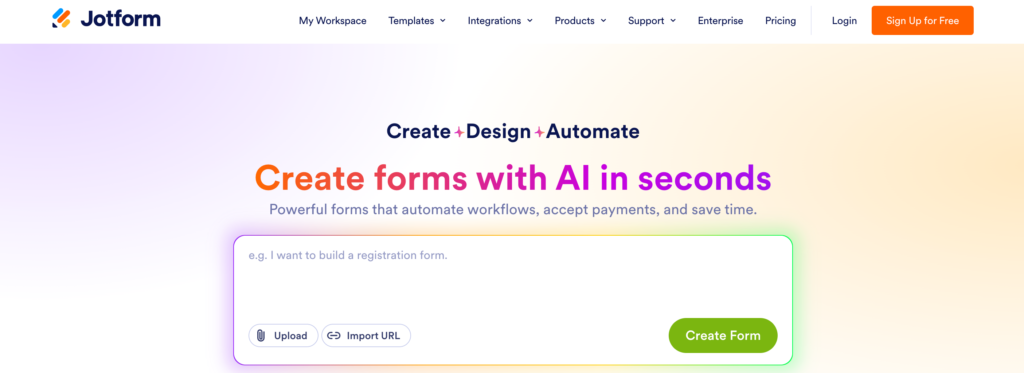
How to Use Jotform to Send and Sign Documents
Whether you are creating an employment agreement, sales contract, consulting agreement, or non-disclosure agreement, most online contract platforms follow a similar workflow.
Instead of printing paperwork, emailing multiple versions back and forth, and manually tracking signatures, cloud-based contract software allows businesses to create agreements from templates, collect electronic signatures, and store completed documents digitally. The typical process looks like this:
Step 1: Choose a Contract Template
Start by selecting a contract template that matches your business needs.
Online contract platforms provide reusable templates for common agreements, allowing you to customize an existing document instead of creating one from scratch. Common contract templates include:
- Employment Agreement
- Independent Contractor Agreement
- Consulting Agreement
- Service Agreement
- Sales Contract
- Purchase Agreement
- Non-Disclosure Agreement (NDA)
- Vendor Agreement
- Partnership Agreement
- Lease Agreement
- Software License Agreement
- Subscription Agreement
Using templates helps businesses maintain consistency, reduce drafting time, and ensure important contract sections are included.
Step 2: Customize the Agreement
After selecting a template, update the document with transaction-specific information.
Common fields include:
- Business name
- Client name
- Effective date
- Contract value
- Payment terms
- Deliverables
- Project timeline
- Renewal terms
- Contact information
Modern contract builders can automatically insert this information throughout the agreement, reducing repetitive editing and minimizing errors.
Step 3: Review the Contract Carefully
Before sending the agreement for signature, review all terms to ensure the contract accurately reflects the business relationship. Important areas to check include:
- Payment obligations
- Scope of work
- Delivery timelines
- Confidentiality clauses
- Intellectual property ownership
- Warranty provisions
- Termination rights
- Renewal clauses
- Governing law
- Dispute resolution procedures
Even when using templates, every agreement should be reviewed to ensure it matches the specific transaction.
Step 4: Add Signers
Identify all parties who need to review and sign the agreement. Depending on the contract type, signers may include:
- Customers
- Company representatives
- Employees
- Contractors
- Vendors
- Business partners
- Directors
- Legal representatives
- Witnesses (where required)
Step 5: Add Signature Fields
Instead of printing and manually signing documents, add digital signature fields directly to the agreement. Common fields include:
- Signature fields
- Initial fields
- Date fields
- Printed name fields
- Company information fields
- Checkboxes
- Text fields
Step 6: Send the Contract
Once the document is ready, send the agreement through the platform. The recipient receives a secure email invitation containing a link to review and sign the contract.
Step 7: Sign the Agreement Electronically
The signer reviews the contract and applies an electronic signature. Most electronic signature platforms allow users to:
- Type their signature
- Draw a signature using a mouse or touchscreen
- Upload a handwritten signature image
- Use a saved signature
- Sign from a mobile device
Step 8: Receive Confirmation and Store the Contract
After all required parties complete signing, the agreement is finalized. Participants typically receive:
- Completed PDF copies
- Confirmation emails
- Signature timestamps
- Audit records
- Document history
Jotform Pricing
| Plan | Monthly Price | Best For |
| Starter | Free | Individuals testing online forms and basic document signing. |
| Bronze | $34/month | Small businesses needing more forms, submissions, storage, and signed documents. |
| Silver | $39/month | Growing businesses requiring higher usage limits and additional capacity. |
| Gold | $99/month | Teams managing larger volumes of forms, submissions, and documents. |
| Enterprise | Custom Pricing | Organizations requiring advanced administration, security controls, and enterprise support. |
Pros and Cons of Jotform
| Pros of Jotform | Cons of Jotform |
|---|---|
| Used by millions of individuals and organizations worldwide — Jotform has built a strong reputation as an easy-to-use online form builder trusted by businesses, nonprofits, and teams globally. | Advanced reporting and analytics may require setup — Users managing complex data workflows may need additional time to configure dashboards and reporting features. |
| Large selection of built-in tools and integrations — Offers forms, payment collection, approvals, automation, document generation, and integrations with many third-party applications. | Workflow customization can become complex — Creating advanced automation rules and multi-step workflows may require additional learning. |
| Generous free plan available — Provides a cost-effective entry point for individuals and small businesses that need basic online forms without upfront costs. | Advanced features require time to learn — Users who want to maximize automation, integrations, and enterprise capabilities may need additional training. |
| Easy drag-and-drop form builder — Users can quickly create professional forms without coding or technical expertise. | Customization limitations for complex use cases — Businesses requiring highly specialized workflows may find they need workarounds or additional tools. |
| Wide range of templates — Provides thousands of ready-made form templates for surveys, registrations, applications, payments, and business processes. | Pricing can increase as usage grows — Organizations with high submission volumes or advanced requirements may need higher-tier plans. |
| Strong payment collection capabilities — Supports online payments through integrations with popular payment processors. | Can feel overwhelming for new users — The large number of features and options may take time to fully understand. |
| No-code platform — Enables teams to build forms and collect information without relying on developers. | Not a complete contract lifecycle management platform— Businesses needing advanced contract creation, negotiation, renewal tracking, and document management may require dedicated CLM software. |
| Mobile-friendly forms — Forms work across desktop and mobile devices, making it easier to collect information anywhere. | Limited contract-focused features — It is primarily a form and data collection tool rather than a full contract management solution. |
Is an Electronic Signature Platform Enough?
For many freelancers and small businesses, a simple e-signature solution may be sufficient at first.
However, as organizations grow, contracts become more complex.
Instead of managing a handful of agreements, businesses may need to oversee hundreds or even thousands of documents across multiple departments. Common challenges include:
- Finding signed agreements quickly
- Tracking contract renewals
- Managing document versions
- Approving contracts before they’re sent
- Controlling user permissions
- Storing sensitive files securely
- Sharing documents with clients
- Searching scanned PDFs
- Managing compliance requirements
- Monitoring contract obligations
At this stage, businesses often discover they need more than electronic signatures alone. They need a platform that manages the entire contract lifecycle, from document creation and approval to signing, storage, search, renewals, and long-term document management. That’s where an AI-powered contract lifecycle management (CLM) and document management system (DMS) becomes valuable.
Why Growing Businesses Choose Fortva for More Than Just Electronic Signatures
Collecting an electronic signature is only one step in the contract process. Before a document is signed, it must be created, reviewed, approved, and securely shared with everyone involved. After signing, it needs to be stored, organized, searched, and managed throughout its lifecycle.
This is where many businesses begin looking beyond basic eSignature software. Instead of using separate tools for document storage, contract creation, approvals, file sharing, and electronic signatures, many organizations prefer an all-in-one platform that manages the entire process from beginning to end. Fortva was built with this approach in mind.
Rather than functioning solely as an electronic signature application, Fortva combines cloud-based AI-powered Contract Lifecycle Management (CLM), AI-powered Document Management, secure document storage, reusable contract templates, workflow automation, and electronic signatures into a single cloud platform.
Whether you’re managing ten contracts a month or ten thousand, your contracts remain organized, searchable, secure, and available whenever your team needs them.
Everything You Need to Manage Contracts On Fortva Platform
Unlike software focused primarily on electronic signatures, Fortva supports every stage of the contract lifecycle.
AI-Powered Contract Lifecycle Management
Manage contracts from creation through renewal without relying on disconnected software.
Your team can create agreements, request approvals, collect signatures, track status, monitor renewals, and maintain complete visibility throughout the contract lifecycle.
AI-Powered Document Management
Contracts rarely exist in isolation.
Businesses also manage invoices, tax documents, employee records, client files, compliance documents, insurance certificates, financial reports, and countless other business records.
Fortva provides a centralized cloud-based document management system that securely stores and organizes all your business documents—not just contracts.
Professionally Designed Contract Templates
Creating every contract from scratch wastes valuable time.
Fortva includes reusable contract templates that help businesses generate consistent, professional agreements within minutes. Popular templates include:
- Employment Agreements
- Independent Contractor Agreements
- Service Agreements
- Sales Contracts
- Purchase Agreements
- Consulting Agreements
- Vendor Agreements
- Partnership Agreements
- Non-Disclosure Agreements (NDAs)
- Lease Agreements
Instead of repeatedly copying older documents, simply choose a template, update the required information, and send it for approval.
Built-In Electronic Signatures
Once your agreement is ready, you can send it for legally binding electronic signatures without exporting documents into another application.
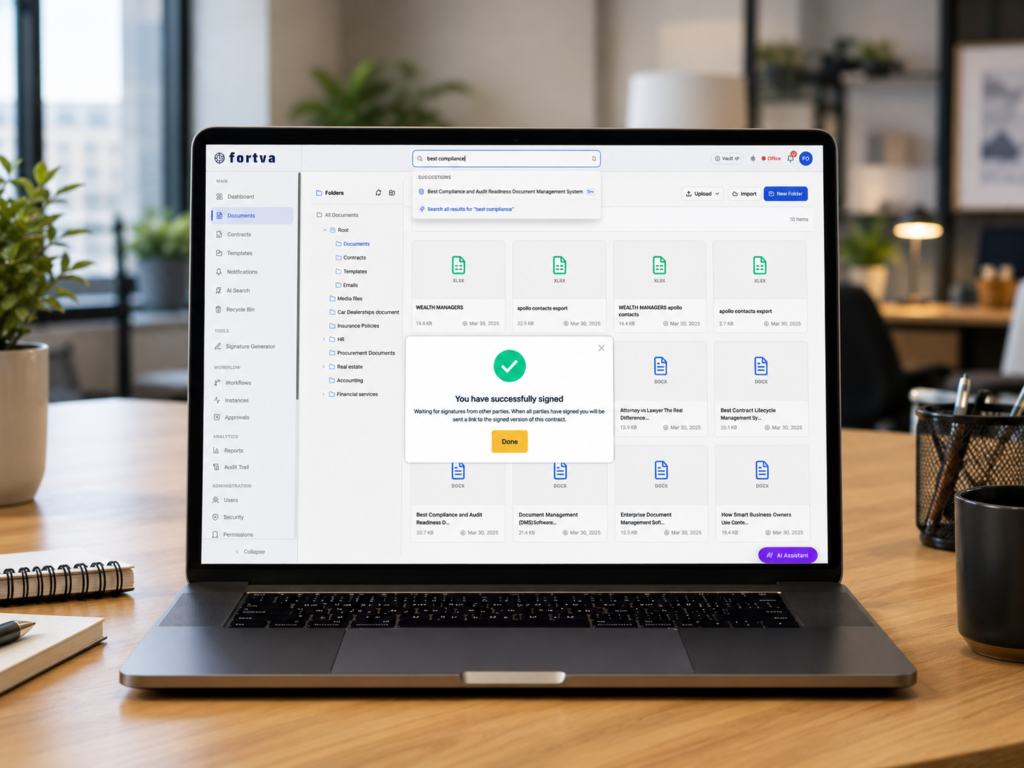
Recipients receive a secure signing request, review the agreement online, add their electronic signature, and automatically receive a completed copy once every required signature has been collected. The entire signing process can usually be completed within minutes.

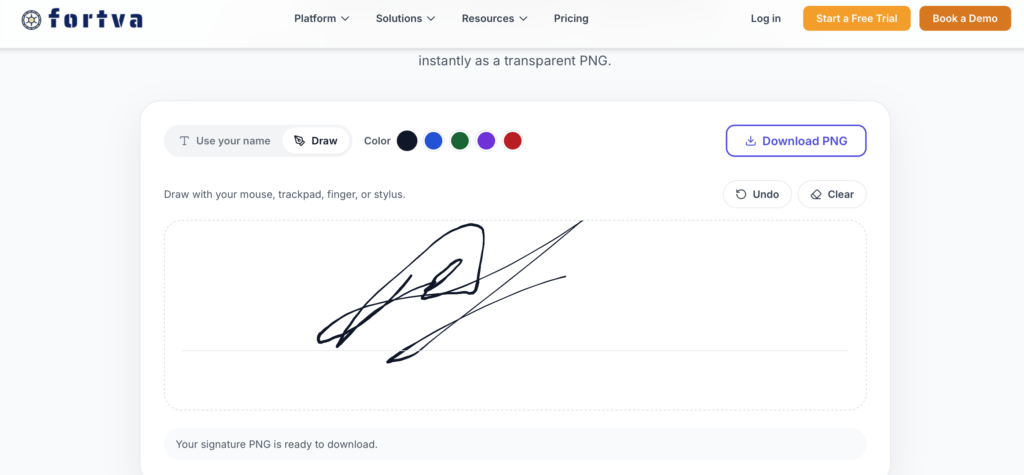
Signature Generator
Not everyone has a digital version of their handwritten signature. Fortva includes a built-in signature generator that allows users to quickly create a professional electronic signature for use across contracts and other business documents.
Users can choose the signature style that best suits their preferences before applying it to documents requiring approval.
Secure Client Portal
Instead of emailing sensitive contracts back and forth, organizations can securely share documents through a client portal.
Clients can review agreements, upload requested files, access shared documents, and complete signatures from one secure location.
This improves security while providing a more professional customer experience.
AI Search Across Documents
Finding one contract among thousands should never take hours. Fortva’s AI-powered search helps users quickly locate contracts and supporting documents using filenames, metadata, document contents, tags, or other searchable information.
Instead of manually opening dozens of files, employees can retrieve information almost instantly.
OCR for Scanned Documents
Many organizations still have paper contracts that have been scanned into PDF format.
Optical Character Recognition (OCR) converts scanned documents into searchable text, making older agreements just as easy to locate as newly created digital contracts.
This is particularly valuable for businesses transitioning from paper filing systems to digital document management.
Approval Workflows
Not every contract should be sent immediately for signature. Some agreements require review by legal, finance, procurement, or executive management before they reach the customer.
Approval workflows help ensure the right people review contracts before they are finalized, reducing errors while improving governance.
Version History
Contracts often go through multiple revisions during negotiations. Fortva maintains version history so teams can easily identify changes, review previous drafts, and avoid confusion over which document represents the latest approved version.
Audit Trails
Every important action taken on a document can be recorded through audit logs. This creates an activity history showing document creation, reviews, approvals, signatures, and other events, providing greater accountability and supporting compliance initiatives.
Role-Based Permissions
Not everyone should have access to every document. Role-based permissions allow administrators to control who can view, edit, download, approve, or sign sensitive contracts and business records.
This reduces the risk of unauthorized access while protecting confidential information.
AES-256 Encryption
Business contracts often contain confidential financial information, intellectual property, customer data, and commercially sensitive information.
Fortva protects stored documents using AES-256 encryption, helping organizations safeguard important business information against unauthorized access.
Unlimited Cloud Storage
As businesses expand, document libraries grow rapidly. Instead of worrying about where contracts are stored, organizations can maintain a centralized repository that scales with their operations while keeping agreements organized and easily accessible.
How to Use an Fortva Online Contract Builder to Create, Send and Sign Documents in Minutes
Signing a contract with Fortva is designed to be simple, secure, and efficient. Follow these steps to complete your agreement online.
Step 1: Prepare Your Contract
Create your agreement using Microsoft Word, Google Docs, or your preferred document editor.
Once the contract is complete, export it as a PDF to preserve formatting.
Alternatively, start with one of Fortva’s professionally designed contract templates to save time.
Step 2: Sign In to Fortva
Log into your Fortva account and open the eSignature workspace.
From there, you can upload a new document or select one already stored in your secure document repository.
Step 3: Upload Your Document
Upload the PDF you want to send for signature.
If the contract already exists inside Fortva’s document management system, simply locate it and continue without uploading another copy.

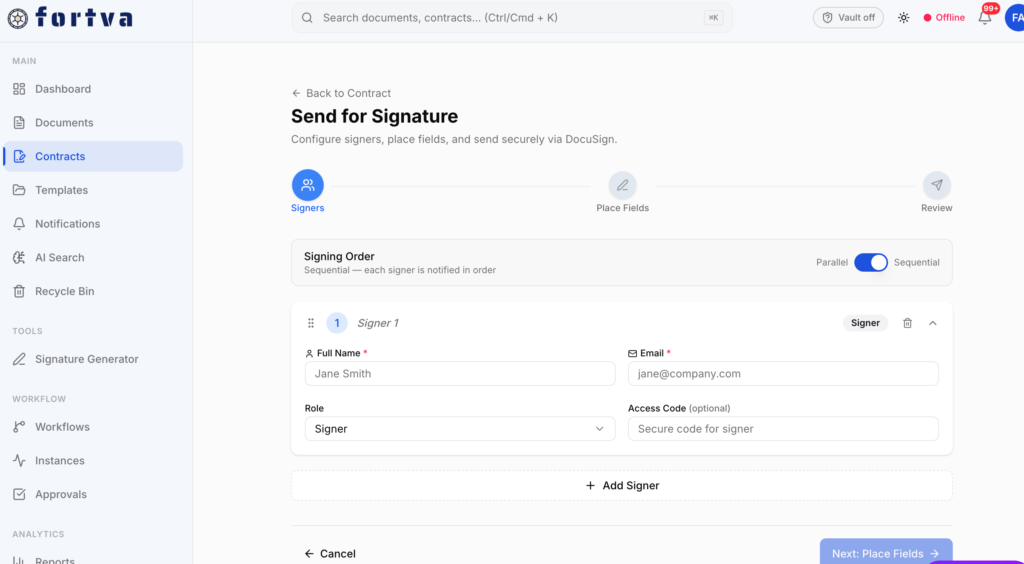
Step 4: Add Recipients
Enter the email addresses of everyone who needs to sign the agreement.
If multiple signatures are required, assign each signer to the appropriate signature field.
Step 5: Place Signature Fields
Drag and drop signature fields onto the document wherever signatures, initials, dates, or text entries are required.
You can also add fields for printed names, company names, checkboxes, and other required information.
Step 6: Generate or Apply Your Signature
If you don’t already have a saved signature, use Fortva’s built-in signature generator to create one.
You can then apply your electronic signature to the document in just a few clicks.
Step 7: Send the Contract Securely
Review the agreement one final time before clicking Send.
Recipients receive a secure email invitation allowing them to review and electronically sign the document from virtually any desktop computer, tablet, or smartphone.
Step 8: Track Progress in Real Time
There’s no need to wonder whether someone received your contract.
Fortva allows you to monitor the status of your document throughout the signing process, helping you see when recipients have opened, reviewed, or completed their signatures.
Step 9: Store Your Signed Contract Automatically
Once all required signatures have been collected, the completed agreement is securely stored in your centralized document repository.
Your team can retrieve the contract whenever needed using folders, metadata, AI-powered search, or OCR-enabled document searches.
Fortva Pricing
| Plan | Price | Best For |
|---|---|---|
| Starter / Individual | Starting at $299/year | Individuals, professionals, and small teams that need secure document storage, digital vault capabilities, and basic contract management features. |
| Business | Starting at $343/month | Businesses that need contract creation, electronic signatures, document management, workflow automation, secure client portals, and centralized document storage. |
| Enterprise | Custom Pricing | Organizations requiring advanced security controls, custom workflows, integrations, dedicated support, and large-scale contract and document management. |
Pros and Cons of Fortva
| Pros of Fortva | Cons of Fortva |
|---|---|
| All-in-one contract and document management platform — Fortva combines contract creation, electronic signatures, document storage, workflow management, and AI-powered document intelligence in one secure platform, reducing the need for multiple disconnected tools. | Built for businesses that need more than basic forms — Companies only looking for simple form creation or basic data collection may find Fortva offers more contract and document capabilities than they require. |
| AI-powered document intelligence and smart search — Fortva helps businesses quickly find, organize, and understand documents using AI-powered search, metadata extraction, OCR, and intelligent document processing. | Advanced capabilities may require a short learning period — Teams adopting AI document management, contract workflows, and automation may need time to fully configure the platform for their processes. |
| Secure digital vault for important business documents — Fortva provides centralized, secure storage with encryption, access controls, audit trails, and organized document management for sensitive agreements and records. | Focused on secure contract and document workflows rather than general-purpose productivity tools — Fortva prioritizes business-critical documents, contracts, and compliance rather than offering unrelated workplace applications. |
| Transparent pricing with no complex enterprise sales process— Fortva provides clear pricing options, allowing businesses to understand costs upfront instead of going through lengthy sales negotiations. | |
| Professional contract templates and electronic signatures included — Businesses can start with ready-to-use contract templates, customize agreements, collect legally binding signatures, and securely store completed contracts. | |
| Designed for businesses that require security, compliance, and control — Fortva supports organizations such as legal teams, financial services companies, family offices, accounting firms, and businesses managing sensitive information. |
 Ready to Simplify the Way You Create, Sign, and Manage Contracts?
Contracts should help your business move forward—not slow it down. If your organization is looking for a more efficient way to handle contracts, explore how Fortva helps businesses modernize their document and contract workflows.
Book a Demo of Fortva
Discover how digital contracts can help you:
- Reduce manual contract administration.
- Create agreements faster using reusable templates.
- Collect electronic signatures securely.
- Keep important documents organized in one place.
- Improve visibility into contract status.
- Reduce the time spent searching for documents.
Experience a smarter way to manage your business agreements. Book a demo of Fortva
Frequently Asked Questions
What is an online contract template?
An online contract template is a reusable digital document designed to help businesses create agreements faster. Instead of drafting every contract from the beginning, users start with a pre-built structure and customize important details such as names, dates, pricing, services, and obligations.
Common examples include employment agreements, NDAs, sales contracts, service agreements, consulting agreements, vendor contracts, and partnership agreements.
Are online contracts legally binding?
Yes, electronic contracts can be legally binding when they meet applicable legal requirements.
In many jurisdictions, electronic signatures are recognized as legally valid alternatives to handwritten signatures. Laws such as the ESIGN Act and UETA in the United States establish the legal framework for electronic transactions and signatures.
A strong electronic contract process should capture evidence showing signer intent, identity verification, agreement acceptance, and document integrity.
Is an electronic signature the same as a handwritten signature?
In many cases, yes.
Electronic signatures are designed to provide the same legal function as traditional handwritten signatures by demonstrating that a person agreed to the terms of a document.
The legal enforceability depends on factors such as applicable laws, consent, authentication, and maintaining reliable records of the signing process.
How do I create a contract online?
Creating a contract online usually involves these steps:
- Choose a contract template.
- Customize the agreement details.
- Review the terms.
- Add required parties and approval steps.
- Insert signature fields.
- Send the contract for electronic signature.
- Store the completed agreement securely.
Modern contract platforms simplify this process by automating repetitive tasks and keeping documents organized.
What types of contracts can I create using online templates?
Businesses commonly create many types of contracts using online templates, including:
- Non-disclosure agreements (NDAs)
- Employment agreements
- Independent contractor agreements
- Consulting agreements
- Service agreements
- Sales agreements
- Purchase agreements
- Vendor agreements
- Partnership agreements
- Lease agreements
- Software agreements
- Marketing agreements
The best template depends on your business activity and the specific transaction.
Can I edit contract templates before signing?
Yes.
Most online contract template platforms allow users to customize templates before sending them for approval or signature.
Businesses typically modify:
- Company information
- Customer information
- Payment terms
- Scope of work
- Deadlines
- Renewal conditions
- Confidentiality clauses
- Additional requirements
However, businesses should ensure customized agreements still meet their legal and commercial requirements.
What is the difference between contract templates and contract management software?
Contract templates help you create agreements faster.
Contract management software helps you manage the entire contract lifecycle.
A template solves the drafting problem, while contract management software helps with:
- Creating contracts.
- Reviewing agreements.
- Managing approvals.
- Collecting signatures.
- Tracking versions.
- Storing documents.
- Finding contracts quickly.
- Monitoring important dates.
For organizations managing many agreements, contract management software provides broader control than templates alone.
What should I look for in contract template software?
When choosing contract template software, consider features such as:
- Professional contract templates.
- Electronic signatures.
- Secure document storage.
- Search functionality.
- Approval workflows.
- Audit trails.
- Version tracking.
- User permissions.
- Document organization.
- Integrations with existing business tools.
- Mobile accessibility.
The right platform should support your current needs while also scaling as your organization grows.
How long does it take to sign a contract online?
Many simple agreements can be signed within minutes.
The exact time depends on:
- The complexity of the contract.
- Number of required signers.
- Approval requirements.
- Whether revisions are needed.
- Whether additional information must be completed.
Compared with printing, scanning, mailing, and manually tracking paperwork, online signing significantly reduces turnaround time.
Are online contract templates free?
Many websites offer free contract templates, but businesses should carefully evaluate their quality and suitability.
Free templates may not always include:
- Industry-specific clauses.
- Current legal language.
- Customization options.
- Secure signing workflows.
- Document management capabilities.
For important business agreements, many organizations prefer professional contract platforms that combine templates with workflow automation and electronic signatures.
What is a contract builder?
A contract builder is software that helps users create agreements by combining templates, customizable fields, automated document generation, and workflow tools.
Instead of manually writing contracts, users answer questions or complete fields, and the platform generates a customized agreement.
Contract builders are commonly used by sales teams, HR departments, legal teams, procurement departments, and service businesses.
What is the difference between eSignature software and contract lifecycle management software?
eSignature software focuses primarily on collecting electronic signatures.
Contract lifecycle management (CLM) software manages contracts throughout their entire lifecycle, including:
- Creation.
- Negotiation.
- Approval.
- Signing.
- Storage.
- Search.
- Renewal tracking.
- Compliance management.
Businesses with simple signing needs may only require eSignature software, while organizations managing large contract volumes often need a complete contract management solution.
How secure are digitally signed contracts?
Digital contracts can provide strong security protections when managed through reliable platforms.
Security features may include:
- Encryption.
- Access controls.
- Authentication.
- Audit trails.
- Document history.
- Permission management.
- Secure storage.
These controls help protect sensitive business agreements from unauthorized access or modification.
Can I sign contracts from my phone?
Yes.
Most modern electronic signature platforms support signing from mobile devices, allowing recipients to review and sign agreements using smartphones or tablets.
Mobile signing is especially useful for executives, customers, contractors, and employees who are frequently away from their desks.
Why are businesses switching from paper contracts to digital contracts?
Businesses are moving to digital contracts because they are faster, easier to track, and simpler to manage.
Digital contract workflows help organizations:
- Reduce paperwork.
- Speed up approvals.
- Improve collaboration.
- Reduce administrative tasks.
- Store agreements securely.
- Find documents faster.
- Maintain better records.
As businesses become more distributed and remote work becomes common, digital contracts have become an essential business tool.