15 NetDocuments Alternatives For Document Management
If you are looking for NetDocuments alternatives, chances are you need more than a traditional legal document management system. Modern legal teams and organizations require a platform that not only stores and secures documents but also automates workflows, streamlines collaboration, improves compliance, and provides complete visibility across the document lifecycle.
Fortva stands out as one of the best NetDocuments alternatives by combining document management, workflow automation, compliance controls, and contract lifecycle management in a single platform. Unlike systems that focus primarily on document storage, Fortva helps teams work smarter, accelerate approvals, reduce manual effort, and manage critical business processes from one centralized solution.
Key Takeaways
- Fortva delivers more than document storage, combining document management, workflow automation, compliance, and contract management in one platform.
- Organizations can deploy faster without lengthy consulting engagements, reducing implementation costs and time-to-value.
- Users adopt Fortva quickly thanks to its intuitive interface and simplified administration.
- Built-in automation eliminates manual processes, helping teams improve productivity and reduce operational bottlenecks.
- Advanced search, audit trails, and governance controls make it easier to find information, maintain compliance, and manage risk.
- Fortva scales with business growth, providing enterprise-level capabilities without the complexity often associated with traditional document management systems.
See a Summary of Netdocuments Alternative Tools
| Alternative | Free Trial | Common Weaknesses | Fortva |
|---|---|---|---|
| Fortva | ✅ Yes | None of the complexity found in legacy systems. | Modern platform with document management, workflow automation, compliance, and contract management. |
| NetDocuments | ❌ No Self-Service Free Trial | Primarily designed for law firms, higher cost, and requires more structured onboarding. | Easier deployment, broader business process automation, and lower complexity. |
| DocuXplorer | ❌ No Free Trial | Older interface and limited modern workflow capabilities. | Easier adoption and stronger automation. |
| Document Locator | ❌ No Free Trial | Microsoft dependency and administrative complexity. | Faster deployment and simpler management. |
| DocStar | ❌ No Free Trial | More ERP-focused than document-centric. | Better document governance and workflow flexibility. |
| PaperPort | ❌ No Free Trial | Primarily scanning software, not a full enterprise DMS. | Enterprise-grade automation and compliance controls. |
| Docsvault | ✅ Limited Trial | Limited enterprise workflow and collaboration features. | More advanced automation and visibility. |
| FileHold Systems | ❌ Demo Only | Longer implementation and higher administration effort. | Faster time-to-value and easier administration. |
| FileCenter | ✅ Free Trial | Designed mainly for small businesses. | Scales from SMB to enterprise. |
| DocuWare | ✅ Free Trial | Higher costs and implementation complexity. | Faster deployment and lower total ownership costs. |
| Revver docs | ✅ Free Trial | Workflow setup may require additional administration. | More intuitive automation experience. |
| SharePoint | ❌ No True Free Trial | Requires extensive customization to function as a DMS. | Purpose-built document and contract management. |
| Worldox | ❌ Demo Only | Legacy architecture and limited modernization. | Modern cloud-based platform with automation. |
| OpenText | ❌ Demo Only | Complex implementation and steep learning curve. | Easier administration and faster adoption. |
| Square 9 Softworks | ✅ Free Trial | Workflow configuration can become complex. | Simpler automation and user experience. |
| FutureVault | ✅ Free Trial | Focused more on client vaults than enterprise process automation. | Complete document, workflow, and contract management platform. |
As you can see in the table, the difference is not simply feature depth. It is an architectural philosophy. NetDocuments was built to secure and organize documents. Fortva was built to secure, organize, and activate documents anywhere and at anytime. Where traditional cloud DMS platforms focus on storage and governance, Fortva transforms documents into structured data assets that automate workflows, surface insights, and scale enterprise operations.
What is NetDocuments?
NetDocuments is widely known as a secure cloud DMS primarily used by law firms and corporate legal departments. It offers centralized storage, version control, governance controls, and collaboration features tailored to legal environments. In many ways, it represents the mature generation of legal document management software.
Its architecture was built to serve a legal-first world focused on document retention, security, and collaboration within firm boundaries. That model served its time well.
However, enterprises today are not siloed legal units. They are interconnected ecosystems of legal, compliance, advisory, operations, and client-facing teams. Documents do not sit idle in folders. They trigger revenue, define obligations, and shape client relationships.
When users search for NetDocuments alternative, the intent is rarely dissatisfaction with storage. It is usually dissatisfaction with limitation of automation, visibility, intelligence and speed.

Why Enterprises Are Searching for a NetDocuments Alternative
The rise in searches for NetDocuments alternative, legal document management software, and contract lifecycle management software reflects a broader trend. Organizations are consolidating tools and reducing complexity.
According to Deloitte’s digital transformation studies, enterprises that automate document-heavy workflows experience measurable improvements in cycle time, risk mitigation, and cost efficiency. McKinsey research suggests that knowledge workers spend nearly 20 percent of their time searching for internal information. That inefficiency scales exponentially in document-heavy industries.
Legal departments are under pressure to operate as strategic business enablers rather than cost centers. Financial advisory firms are expected to scale personalized client experiences without increasing operational burden. Compliance teams must manage complex regulatory documentation with absolute precision. Traditional cloud DMS platforms centralize files but often stop there. Modern enterprises require systems that extract value from documents, not just store them.
NetDocuments Pros vs Cons
| Pros | Cons |
|---|---|
| Strong security and compliance features designed for legal and regulated industries | Higher cost as organizations scale in users, storage, and features |
| Cloud-based access enables remote work and document availability anywhere | Limited workflow automation compared to modern business process platforms |
| Robust document version control and audit trails | Primarily designed for legal teams, less flexible for broader business use |
| Reliable document storage and organization for large legal repositories | Requires structured onboarding and training for new users |
| Good governance and permission controls for sensitive documents | Often needs additional tools for full contract lifecycle management |
| Widely adopted in law firms and enterprise legal departments | Limited out-of-the-box business process automation (approvals, onboarding, etc.) |
| Stable platform with long-standing market presence | Can require integrations or third-party tools to extend functionality |
| Supports collaboration on legal matters and case documents | Customization and advanced configuration may require technical support |
Common User Complaints About NetDocuments
Organizations searching for a NetDocuments alternative often mention the following challenges:
- Higher costs as user counts and storage requirements increase.
- Limited workflow automation compared to modern business process platforms.
- Primarily designed for legal document management rather than broader organizational needs.
- Complex administration and governance for larger deployments.
- Steeper learning curve for new users.
- Customizations may require additional configuration and support.
- Limited contract lifecycle management capabilities without additional tools.
- Search and document organization can become challenging in large repositories.
- Integrations and advanced functionality may require extra setup effort.
- Organizations often need multiple systems to manage documents, workflows, approvals, and contracts.
NetDocuments Limitations on Document management
NetDocuments is a well-known legal document management platform, particularly among law firms and legal departments. However, organizations evaluating alternatives often discover limitations that can impact efficiency, scalability, and overall return on investment. While NetDocuments provides secure cloud document storage, many businesses require broader workflow automation, contract management, and business process capabilities that extend beyond traditional legal document management. Some of the most commonly cited NetDocuments limitations include:
- Higher ongoing costs: Licensing, storage, and additional functionality can increase total ownership costs as organizations grow.
- Limited workflow automation: While NetDocuments offers workflow capabilities, many organizations require more advanced automation for approvals, business processes, and cross-department collaboration.
- Legal-centric design: The platform is primarily built for legal teams, making it less flexible for organization-wide document and process management.
- Contract lifecycle management gaps: Businesses often require separate solutions or additional tools to manage the full contract lifecycle effectively.
- Complex administration: Managing permissions, governance, and large document repositories can require significant administrative effort.
- Longer onboarding and implementation: New users may face a steeper learning curve compared to more modern, intuitive platforms.
- Dependence on additional integrations: Organizations frequently rely on multiple third-party applications to achieve complete workflow, automation, and collaboration requirements.
- Limited business process management: Teams looking to automate document approvals, employee onboarding, procurement, compliance, or operational workflows may find NetDocuments restrictive.
- Scaling challenges: As document volumes, users, and departments grow, organizations may require additional configuration and management resources.
- No self-service free trial: Prospective customers typically need to engage with sales before fully evaluating the platform, making comparisons more difficult.
What is Fortva
Fortva is a modern document management and workflow automation platform designed to help organizations centralize documents, automate business processes, improve compliance, and increase operational efficiency. More than just a document repository, Fortva combines document management, records management, workflow automation, approvals, compliance controls, and contract lifecycle management in a single cloud-based solution. Businesses use Fortva to eliminate manual processes, improve collaboration, strengthen governance, and gain complete visibility into critical documents and workflows, all while reducing the complexity and costs associated with managing multiple disconnected systems.

Key Fortva Features
The best document management software does more than store files. Modern organizations need a platform that helps them manage documents, automate workflows, improve compliance, streamline collaboration, and gain visibility into critical business processes. Whether you’re replacing NetDocuments, m-file, SharePoint, DocuWare, smartvault or another legacy system, these are the key Fortva features to look for:
• Intelligent document organization: Fortva automatically organizes, classifies, and manages documents with metadata, custom fields, and smart filing structures, making information easier to find and manage at scale.
• Cloud-based access from anywhere: Secure cloud access allows employees, legal teams, and business users to access documents anytime, from any device, while ensuring automatic backups and business continuity.
• Advanced search and retrieval: Powerful full-text search, metadata filtering, and document indexing help users locate information in seconds rather than wasting time searching through folders.
• Workflow automation: Automate approvals, document reviews, compliance processes, employee onboarding, contract routing, and other repetitive business tasks to eliminate bottlenecks and reduce manual work.
• Contract lifecycle management: Unlike many traditional document management systems, Fortva includes contract creation, review, approval, renewal tracking, and obligation management capabilities within the same platform.
• Version control and audit trails: Track every document change, maintain complete version history, and provide auditors with a clear record of document activity and user actions.
• Role-based security and permissions: Control who can view, edit, approve, or share documents with granular security settings designed to support compliance and governance requirements.
• Compliance and records management: Support regulatory compliance through document retention policies, audit logs, secure storage, records management, and governance controls.
• Microsoft 365 and business system integrations: Fortva integrates with commonly used business applications, helping teams work within familiar tools while keeping documents and workflows centralized.
• Mobile-friendly experience: Access, approve, review, and manage documents from smartphones, tablets, and laptops, enabling productivity whether employees are in the office or working remotely.
• Scalable for growing organizations: From small teams to enterprise deployments, Fortva scales without the complexity and administrative burden often associated with legacy document management systems.
• Transparent and predictable pricing: Organizations benefit from a straightforward platform that delivers document management, workflow automation, and contract management capabilities without requiring multiple disconnected systems.
DocuXplorer
DocuXplorer is a document management system designed to help organizations digitize, store, and organize business documents in a centralized repository. It is used by small to mid-sized businesses across industries such as healthcare, finance, legal, and administration to reduce paper-based processes and improve document accessibility. By moving to DocuXplorer, organizations can streamline filing systems, reduce physical storage costs, and improve document retrieval efficiency, although scalability and modern workflow automation capabilities can vary depending on organizational needs.
Why it’s a DocuWare / Enterprise DMS alternative:
DocuXplorer is often chosen by organizations seeking a more traditional, easy-to-use document management solution without the complexity of large enterprise platforms. It is particularly valued for its simplicity, quick deployment, and strong document indexing capabilities. However, businesses with advanced automation, workflow orchestration, or contract lifecycle management needs often evaluate more modern alternatives like Fortva.
Main features
DocuXplorer provides core document management functionality focused on digitization, organization, and retrieval:
• Document Capture and Scanning: Converts paper documents into digital files with indexing for easier retrieval.
• Centralized Document Storage: Stores all business documents in a secure, searchable repository.
• Indexing and Metadata Tagging: Organizes files using custom fields and indexing for faster search and classification.
• Version Control: Tracks document changes and maintains previous versions for audit and reference.
• User Access Controls: Manages permissions to ensure only authorized users can view or edit documents.
• Search Functionality: Provides keyword and metadata-based search for locating documents quickly.
Integrations:
DocuXplorer offers integrations with common business tools such as Microsoft Office applications, email systems, and scanning devices. It also supports basic connectivity with accounting and enterprise systems, though integration depth may be limited compared to modern cloud-native platforms. API access is available for custom integration development depending on deployment requirements.
Desktop and mobile capabilities:
DocuXplorer is primarily a desktop-focused solution with web-based access options depending on configuration. While it supports remote access through secure connections, mobile functionality is more limited compared to newer cloud-first platforms, which may impact teams needing full document management capabilities on the go.
Pros and cons:
| Pros | Cons |
|---|---|
| Simple and easy to deploy for small to mid-sized businesses | Limited modern workflow automation capabilities |
| Strong document indexing and search functionality | User interface feels outdated compared to modern platforms |
| Reliable document storage and retrieval system | Not ideal for large-scale enterprise deployments |
| Good for organizations transitioning from paper-based systems | Limited built-in collaboration and approval workflows |
| Lower complexity compared to enterprise DMS platforms | Requires additional tools for full business process automation |
| Stable solution for basic document management needs | Scalability limitations for rapidly growing organizations |
Document Locator
Document Locator is a document management system built on Microsoft Windows and SQL Server technologies, designed to help organizations digitize, store, and control business documents within a centralized repository. It is commonly used by mid-sized and enterprise organizations that rely heavily on Microsoft environments to improve document control, reduce paper usage, and maintain compliance. While it provides solid document storage and indexing capabilities, organizations often evaluate alternatives when they require more modern cloud-native workflows, deeper automation, and broader business process management.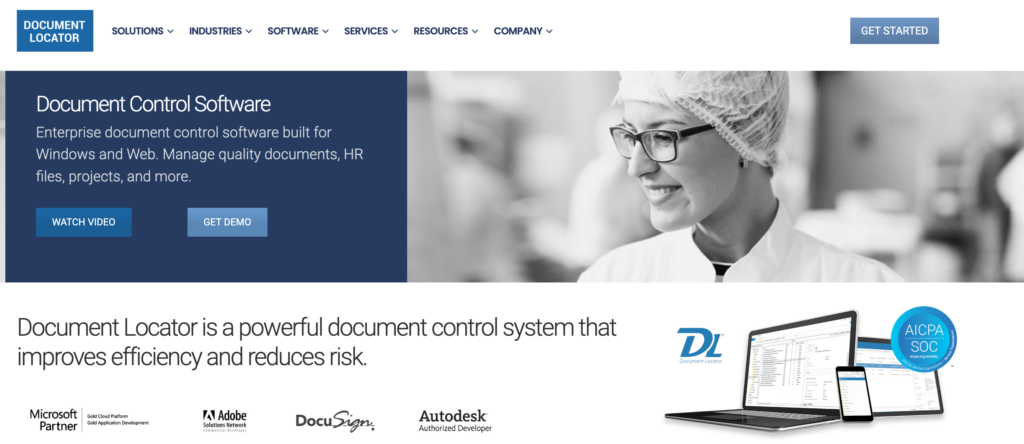
Why it’s a Document Management alternative:
Document Locator is often selected by organizations already invested in Microsoft infrastructure because of its strong Windows integration and familiar ecosystem. It performs well for structured document storage, version control, and compliance-driven environments. However, businesses that need end-to-end workflow automation, contract lifecycle management, and cloud-first scalability often look toward more modern platforms like Fortva.
Main features:
Document Locator focuses on structured document control and Microsoft-centric document management:
• Windows and Microsoft Integration: Built to work closely with Windows Server and Microsoft SQL environments.
• Document Capture and Filing: Enables scanning, importing, and organizing documents into centralized repositories.
• Version Control: Tracks document revisions and maintains historical versions for compliance and audit purposes.
• Metadata Indexing: Uses structured indexing to improve document search and retrieval accuracy.
• Security and Permissions: Provides role-based access control to manage document visibility and editing rights.
• Workflow Automation (Basic): Supports routing and approval workflows, though configuration can be complex for advanced use cases.
Integrations:
Document Locator integrates strongly with Microsoft Office, Outlook, SharePoint, and Windows-based file systems. It is particularly well-suited for organizations heavily reliant on Microsoft ecosystems. Additional integrations with ERP and business systems are possible but may require custom development or third-party connectors.
Desktop and mobile capabilities:
Document Locator is primarily designed for desktop environments within Windows infrastructure. While remote access is available, mobile functionality is limited compared to modern cloud-first document management systems, making it less flexible for teams that require full mobile document workflows.
Pros and cons:
| Pros | Cons |
|---|---|
| Strong integration with Microsoft environments | Heavy dependency on Windows infrastructure |
| Reliable document storage and version control | Limited modern cloud-native capabilities |
| Good for compliance-focused industries | Workflow automation can be complex to configure |
| Familiar interface for Microsoft-based organizations | Less intuitive compared to newer DMS platforms |
| Stable and secure document repository | Limited mobile-first experience |
| Suitable for structured enterprise document control | Not ideal for advanced business process automation |
DocuStar
DocuStar is a document management and enterprise content management (ECM) solution designed to help organizations capture, store, manage, and retrieve business documents in a structured digital environment. It is commonly used by mid-sized and enterprise organizations seeking to improve document control, reduce paper dependency, and support compliance-driven operations. While DocuStar offers strong document storage and ERP-linked document management capabilities, many organizations evaluate alternatives when they require more modern workflow automation, cloud-native scalability, and integrated contract lifecycle management.
Why it’s a DocuStar alternative:
DocuStar is often used in environments where document control is closely tied to ERP or financial systems. It performs well for structured document capture, invoice processing, and records management. However, organizations looking for broader business process automation, intuitive user experiences, and end-to-end contract lifecycle management often consider more modern platforms like Fortva.
Main features:
DocuStar focuses on document capture, storage, and enterprise document control:
• Document Capture and Imaging: Converts paper documents and digital files into structured electronic records.
• Centralized Document Repository: Stores business documents in a secure and searchable environment.
• ERP Integration: Strong connectivity with enterprise resource planning systems for finance and operations workflows.
• Indexing and Metadata Management: Organizes documents using structured fields for improved search and classification.
• Workflow Routing: Supports approval processes such as invoice approvals and document routing.
• Compliance and Audit Trails: Maintains document history and user activity logs for regulatory requirements.
Integrations:
DocuStar integrates strongly with ERP systems, accounting platforms, and enterprise financial software. It is particularly used in organizations running systems like SAP or similar ERP environments, where document management is closely tied to financial workflows. Additional integrations may require configuration or third-party connectors depending on deployment.
Desktop and mobile capabilities:
DocuStar is primarily designed for enterprise desktop environments with some web-based access options depending on configuration. Mobile functionality is generally limited, with most advanced features optimized for office-based or desktop usage rather than fully mobile workflows.
Pricing:
DocuStar pricing is not publicly standardized and typically follows an enterprise licensing model. Costs vary depending on the number of users, storage requirements, modules selected (such as capture, workflow, or ERP integration), and implementation complexity. Organizations usually obtain pricing through a custom quote process, and total cost of ownership may increase with additional customization, integrations, and support requirements.
Pros and cons:
| Pros | Cons |
|---|---|
| Strong ERP integration capabilities | Limited modern cloud-native architecture |
| Reliable document capture and imaging tools | User experience can feel outdated |
| Good for finance and invoice-heavy workflows | Requires configuration for advanced workflows |
| Strong compliance and audit tracking | Less flexible for broader business process automation |
| Suitable for structured enterprise environments | Mobile capabilities are limited |
| Stable for traditional document management use cases | Pricing is not transparent and can increase with customization |
PaperPort (Tungstenautomation)
PaperPort is a document scanning and desktop organization software designed to help individuals and small businesses convert paper documents into digital files and manage them in a simple, centralized desktop environment. It is widely used for personal productivity, small office document handling, and basic digitization of paper-based workflows. While PaperPort is effective for scanning, organizing, and quick document access, it is not designed for enterprise-level workflow automation, compliance management, or complex business process needs.
Why it’s a PaperPort alternative:
PaperPort is primarily focused on document scanning and desktop organization rather than full-scale document management. It works well for users who need quick digitization and file organization, but organizations that require advanced workflow automation, contract lifecycle management, secure collaboration, and enterprise governance often move to platforms like Fortva for more complete document and process management.
Main features:
PaperPort focuses on scanning, organizing, and basic document handling:
• Document Scanning and Capture: Converts paper documents into searchable digital files using scanning tools.
• Desktop Document Organization: Provides a visual desktop interface for organizing and managing files.
• PDF Creation and Editing: Allows users to create, combine, and edit PDF documents.
• Basic Search Functionality: Enables keyword search across stored documents.
• Simple File Management: Helps users organize documents into folders for easy access.
• Integration with Scanners and Printers: Works with common scanning devices for document capture.
Integrations:
PaperPort integrates primarily with desktop productivity tools such as Microsoft Office and standard printer/scanner devices. It also supports basic file export and import functions with cloud storage services, but integration capabilities are limited compared to modern cloud-based document management platforms.
Desktop and mobile capabilities:
PaperPort is primarily a Windows desktop application, designed for individual or small-team use. It has limited mobile support and is not designed for full remote document management or enterprise mobile workflows. Most usage occurs on desktop systems where scanning and local document organization are required.
Pricing:
PaperPort is typically offered as a one-time license or subscription-based desktop software depending on the version. Pricing is generally affordable compared to enterprise document management systems, making it accessible for small businesses and individual users. However, costs may increase with upgrades, additional modules, or bundled enterprise features.
Pros and cons:
| Pros | Cons |
|---|---|
| Easy to use for scanning and document digitization | Not a full enterprise document management system |
| Good for small office and personal document organization | Limited workflow automation capabilities |
| Affordable compared to enterprise DMS platforms | No advanced compliance or governance features |
| Simple interface and quick setup | Poor scalability for growing organizations |
| Strong PDF handling and editing tools | Limited collaboration and multi-user control |
| Works well with scanners and desktop workflows | Minimal cloud-native functionality |
Docsvault
Docsvault is a document management system designed to help small to mid-sized businesses store, organize, secure, and retrieve digital documents in a centralized repository. It is commonly used across industries such as accounting, healthcare, legal, and general business administration to reduce paper usage, improve document accessibility, and support basic compliance requirements. While Docsvault provides solid core document management functionality, organizations with more complex workflow automation, contract lifecycle management, or enterprise-scale requirements often evaluate more advanced platforms.
Why it’s a Docsvault alternative:
Docsvault is popular among businesses looking for an affordable and easy-to-deploy document management system with essential features. It performs well for document storage, indexing, and basic collaboration. However, companies that require advanced automation, end-to-end process management, and deeper integration across business systems often move toward modern cloud-native platforms like Fortva.
Main features:
Docsvault focuses on essential document management capabilities:
• Centralized Document Storage: Stores all business documents in a secure, searchable repository.
• Document Indexing and Tagging: Organizes files using metadata and custom indexing fields.
• Full-Text Search: Enables users to quickly locate documents using keyword search.
• Version Control: Maintains document history and tracks changes over time.
• Access Control and Security: Allows role-based permissions to protect sensitive documents.
• Basic Workflow Automation: Supports simple document routing and approval processes.
Integrations:
Docsvault integrates with Microsoft Office applications, email systems, and standard business productivity tools. It also supports scanning devices for document capture and offers some level of API connectivity for custom integrations, though integration depth may be limited compared to enterprise-grade platforms.
Desktop and mobile capabilities:
Docsvault provides both desktop and web-based access, allowing users to manage documents from office environments or remote locations. However, mobile functionality is relatively basic, and advanced document workflows are typically better supported on desktop interfaces.
Pricing:
Docsvault is generally priced as a subscription-based or perpetual license solution depending on deployment preferences. It is considered a cost-effective option for small to mid-sized organizations, with pricing varying based on the number of users, storage capacity, and selected modules. While more affordable than enterprise systems, additional features and scalability requirements can increase overall costs.
Pros and cons:
| Pros | Cons |
|---|---|
| Affordable for small and mid-sized businesses | Limited advanced workflow automation |
| Easy to deploy and configure | Not ideal for large enterprise-scale deployments |
| Strong document indexing and search | User interface is less modern than newer platforms |
| Reliable version control and document tracking | Limited contract lifecycle management features |
| Good basic security and permissions | Collaboration features are relatively basic |
| Supports standard integrations and scanning | Scalability can be limited for complex organizations |
FileHold Systems
FileHold Systems is an enterprise document management system designed to help organizations digitize, store, manage, and secure business documents in a centralized environment. It is commonly used by mid-sized and enterprise organizations across industries such as government, healthcare, manufacturing, and professional services to improve document control, enhance compliance, and reduce reliance on paper-based processes. While FileHold offers strong document management capabilities, organizations often evaluate alternatives when they require more modern cloud-native workflows, deeper automation, and integrated contract lifecycle management.
Why it’s a FileHold alternative:
FileHold is often chosen by organizations that need structured document control, compliance, and secure storage with strong administrative oversight. It performs well in regulated environments where document governance is critical. However, businesses that require faster deployment, more intuitive user experiences, and end-to-end workflow automation across departments often prefer modern platforms like Fortva.
Main features:
FileHold focuses on structured enterprise document management and compliance:
• Centralized Document Repository: Stores and organizes documents in a secure, searchable system.
• Advanced Document Indexing: Uses metadata and classification rules to organize large volumes of documents.
• Version Control: Tracks document changes and maintains a complete revision history.
• Role-Based Security: Controls access to documents based on user roles and permissions.
• Workflow Automation: Supports document review, approval, and routing processes.
• Audit Trails and Compliance: Maintains detailed logs for regulatory and internal compliance requirements.
Integrations:
FileHold integrates with Microsoft Office, Outlook, and Windows-based systems, along with scanning devices and enterprise applications. It also supports API-based integrations for connecting to ERP, CRM, and other business systems, though implementation may require technical configuration or support.
Desktop and mobile capabilities:
FileHold provides both desktop and web-based access, enabling users to manage documents in office and remote environments. While it supports remote access, its mobile experience is more limited compared to newer cloud-native platforms, with most advanced features optimized for desktop usage.
Pricing:
FileHold pricing is typically provided through a custom enterprise quote based on user count, storage requirements, deployment type (cloud or on-premise), and selected modules. It is generally positioned as a mid-to-high range enterprise solution, with total costs influenced by implementation, configuration, and ongoing support requirements.
Pros and cons:
| Pros | Cons |
|---|---|
| Strong enterprise document control and governance | Longer implementation compared to modern SaaS platforms |
| Good compliance and audit trail capabilities | Less intuitive user interface for non-technical users |
| Flexible deployment (cloud or on-premise) | Workflow automation can require configuration effort |
| Scales well for structured enterprise environments | Limited modern UX compared to newer platforms |
| Reliable document security and access controls | Mobile functionality is not fully advanced |
| Strong Microsoft ecosystem compatibility | Higher total cost of ownership with customization |
FileCenter
FileCenter is a document management and PDF organization software designed primarily for small businesses, home offices, and professionals who need a simple way to scan, organize, and manage digital documents. It focuses on turning paper documents into searchable PDFs and providing an easy desktop-based filing system. While FileCenter is effective for basic document organization and scanning workflows, it is not designed for enterprise-scale document management, advanced workflow automation, or complex compliance requirements.
Why it’s a FileCenter alternative:
FileCenter is often chosen by small businesses and individual professionals because of its simplicity and affordability. It works well for scanning, PDF management, and basic document organization. However, organizations that require scalable document management, automated workflows, approvals, contract lifecycle management, and enterprise governance typically move to more advanced platforms like Fortva.
Main features:
FileCenter focuses on simple, desktop-based document management and scanning workflows:
• Document Scanning and Capture: Converts paper documents into searchable PDF files using integrated scanning tools.
• PDF Management Tools: Allows users to create, edit, combine, and split PDF documents.
• Digital Filing Cabinet: Organizes documents into an easy-to-use folder-based system.
• Search Functionality: Provides keyword search for locating stored documents quickly.
• Email Integration: Enables saving and organizing email attachments and documents.
• OCR (Optical Character Recognition): Makes scanned documents searchable by converting images into text.
Integrations:
FileCenter integrates with email clients, scanners, and basic cloud storage services such as OneDrive, Google Drive, and Dropbox. It is designed primarily for desktop workflows, so integration with enterprise systems like ERP or CRM platforms is limited compared to modern cloud-based document management systems.
Desktop and mobile capabilities:
FileCenter is primarily a Windows desktop application designed for individual users and small teams. While documents can be accessed via connected cloud storage, it does not offer a fully developed mobile application or enterprise-grade remote document management experience.
Pricing:
FileCenter is typically offered as a one-time license purchase or subscription depending on the version. It is positioned as an affordable solution for small businesses and professionals, with pricing generally lower than enterprise document management systems. However, advanced features, upgrades, and additional modules may increase overall cost.
Pros and cons:
| Pros | Cons |
|---|---|
| Simple and easy to use for document scanning | Not suitable for enterprise-level document management |
| Strong PDF creation and editing tools | Limited workflow automation capabilities |
| Affordable for small businesses and individuals | Weak scalability for growing organizations |
| Good OCR and search functionality | Limited collaboration features |
| Easy desktop-based filing system | No advanced compliance or governance features |
| Works well with scanners and email workflows | Minimal mobile and cloud-native functionality |
DocuWare
DocuWare is a cloud-based document management and workflow automation platform designed to help organizations digitize, secure, and automate document-driven processes. It is widely used by mid-sized and enterprise companies across industries such as finance, healthcare, manufacturing, and public sector organizations to improve efficiency, ensure compliance, and reduce reliance on paper-based workflows. While DocuWare offers strong document capture and workflow capabilities, organizations sometimes seek alternatives when they require deeper contract lifecycle management, more flexible customization, or a more unified business process platform.

Why it’s a DocuWare alternative:
DocuWare is well known for its document capture, archiving, and workflow automation features, making it a strong choice for companies transitioning from paper-based systems. However, businesses that need end-to-end process automation, integrated contract management, and simpler user experiences often evaluate modern platforms like Fortva to reduce complexity and unify document-driven operations.
Main features:
DocuWare provides a broad set of document management and automation capabilities:
• Document Capture and Imaging: Digitizes paper documents using scanning, OCR, and automated indexing.
• Centralized Cloud Repository: Stores and organizes documents securely in the cloud with structured access controls.
• Workflow Automation: Automates approval processes, invoice handling, HR onboarding, and document routing.
• Advanced Search and Indexing: Enables fast retrieval of documents using metadata and full-text search.
• Compliance and Records Management: Supports retention policies, audit trails, and regulatory compliance requirements.
• Version Control: Tracks document changes and maintains a full history of edits and approvals.
Integrations:
DocuWare integrates with Microsoft 365, SAP, Salesforce, and other ERP/CRM systems. It also supports API-based integrations for custom workflows and enterprise applications, making it suitable for organizations with complex software ecosystems.
Desktop and mobile capabilities:
DocuWare offers both web-based and mobile applications, enabling users to access, approve, and manage documents from desktops, tablets, and smartphones. Its mobile capabilities are stronger than many legacy systems, making it suitable for remote and field-based work environments.
Pricing:
DocuWare pricing is subscription-based and typically provided through custom quotes depending on user count, storage requirements, deployment model (cloud or on-premise), and selected modules. While it delivers strong enterprise functionality, total cost can increase with advanced workflows, integrations, and scaling requirements.
Pros and cons:
| Pros | Cons |
|---|---|
| Strong cloud-based document management platform | Can become expensive as usage and modules scale |
| Excellent workflow automation capabilities | Requires configuration for advanced customization |
| Good OCR and document capture tools | Learning curve for new users |
| Strong integration with enterprise systems | May require consulting for complex deployments |
| Mobile and remote access support | Interface can feel complex for simple use cases |
| Strong compliance and records management features | Overkill for small businesses |
Revverdocs
Revver (formerly eFileCabinet) is a cloud-based document management and workflow automation platform designed to help businesses organize, store, and manage digital documents securely. It is commonly used by small to mid-sized businesses and departments that want to reduce paper usage, improve collaboration, and streamline document-driven processes such as approvals, onboarding, and compliance tracking. While Revver provides solid document management and automation features, organizations with more complex enterprise needs often evaluate alternatives that offer deeper customization, broader contract lifecycle management, and more advanced governance capabilities.

Why it’s a Revver alternative:
Revver is often selected for its user-friendly interface and focus on simplifying document storage and workflow automation. It works well for teams that need straightforward document organization and basic process automation. However, companies requiring end-to-end enterprise process management, advanced compliance controls, and unified contract lifecycle management often look toward platforms like Fortva.
Main features:
Revver provides a modern set of document management and automation tools:
• Cloud Document Storage: Securely stores and organizes business documents in a centralized system.
• Workflow Automation: Automates document approvals, routing, and business processes.
• Document Capture and Upload: Enables scanning, importing, and digitizing paper documents.
• Advanced Search: Uses metadata and full-text search to quickly locate documents.
• Version Control: Tracks changes and maintains a full history of document revisions.
• User Permissions and Security: Controls access to sensitive documents through role-based permissions.
Integrations:
Revver integrates with common business tools such as Microsoft 365, email systems, and productivity applications. It also supports API access for custom integrations and connects with various cloud storage and business platforms to streamline workflows across systems.
Desktop and mobile capabilities:
Revver is a cloud-first platform with both web and mobile access. Users can view, upload, approve, and manage documents from desktops, tablets, and smartphones, making it suitable for remote and hybrid work environments.
Pricing:
Revver pricing is subscription-based and typically provided through custom quotes depending on the number of users, storage requirements, and selected workflow modules. While it is positioned as a mid-market solution, costs can increase as organizations expand usage, add automation features, or integrate with other enterprise systems.
Pros and cons:
| Pros | Cons |
|---|---|
| User-friendly and easy to adopt | Limited deep enterprise customization |
| Strong cloud-based document storage | May lack advanced contract lifecycle management |
| Good workflow automation for SMBs | Can require upgrades for advanced features |
| Strong search and indexing capabilities | Not ideal for highly complex enterprise environments |
| Mobile and remote access support | Advanced governance features are limited |
| Good integration with Microsoft 365 | Scaling to complex enterprise needs can be restrictive |
Microsoft SharePoint
Microsoft SharePoint is a widely used collaboration and content management platform that enables organizations to store, share, and manage documents across teams and departments. It is part of the Microsoft 365 ecosystem and is commonly used by businesses of all sizes to support internal communication, file sharing, intranet portals, and basic document management. While SharePoint is powerful and highly flexible, many organizations find that it requires significant configuration and customization to function as a true enterprise-grade document management and workflow automation system.
Why it’s a SharePoint alternative:
SharePoint is often adopted because of its deep integration with Microsoft 365 and its flexibility as a collaboration platform. However, it is not a purpose-built document management system, and organizations often struggle with governance, complexity, and inconsistent document structures. Businesses seeking a more structured, out-of-the-box solution for document management, workflow automation, compliance, and contract lifecycle management often consider platforms like Fortva.
Main features:
SharePoint provides a broad set of collaboration and content management capabilities:
• Document Storage and Libraries: Stores files in structured libraries with folder and metadata organization.
• Team Collaboration: Enables shared workspaces, team sites, and intranet portals.
• Version Control: Tracks changes to documents and allows rollback to previous versions.
• Permissions Management: Provides detailed user access controls and security settings.
• Workflow Automation (Power Platform): Supports workflows through Power Automate, though configuration is often required.
• Search and Content Discovery: Allows users to search across documents, sites, and metadata.
Integrations:
SharePoint integrates deeply with Microsoft 365 applications such as Teams, Outlook, Word, Excel, and PowerPoint. It also connects with Microsoft Power Platform, Dynamics 365, and thousands of third-party applications through APIs and connectors, making it one of the most extensible platforms in the market.
Desktop and mobile capabilities:
SharePoint is accessible through web browsers, desktop synchronization via OneDrive, and mobile applications. While it supports remote access and collaboration across devices, the mobile experience can vary depending on how the system is configured and customized by the organization.
Pricing:
SharePoint is typically included in Microsoft 365 subscription plans for business and enterprise users. Pricing depends on the selected Microsoft 365 tier, user count, and additional services such as advanced security, compliance, and automation tools. While it may appear cost-effective as part of a bundled suite, total cost of ownership can increase due to customization, governance, and administrative overhead.
Pros and cons:
| Pros | Cons |
|---|---|
| Deep integration with Microsoft 365 ecosystem | Requires significant configuration to function as a full DMS |
| Highly flexible and customizable platform | Can become complex and difficult to govern at scale |
| Strong collaboration and team workspace features | Inconsistent document management structures across organizations |
| Powerful integration and automation via Power Platform | Workflow setup often requires technical expertise |
| Included in many Microsoft 365 plans | Not purpose-built for document or contract lifecycle management |
| Scales well for large enterprises | User experience depends heavily on configuration quality |
OpenText
OpenText is a leading enterprise information management (EIM) and document management platform used by large organizations across industries such as finance, government, healthcare, and manufacturing. It is designed to help enterprises capture, manage, govern, and secure massive volumes of content across complex business environments. OpenText offers a wide suite of products covering document management, records management, content services, and enterprise automation. While it is extremely powerful, many organizations find it complex, costly, and resource-intensive compared to modern cloud-native alternatives.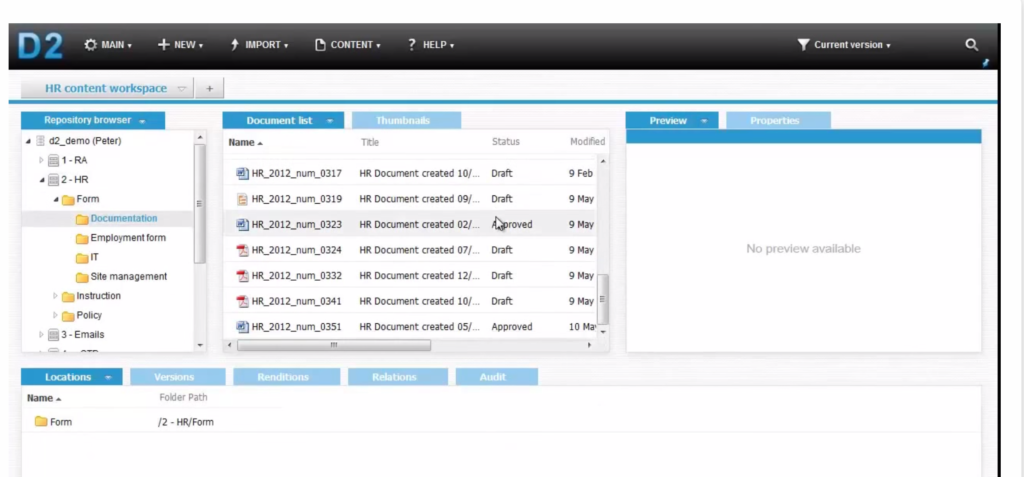
Why it’s an OpenText alternative:
OpenText is often chosen by large enterprises that require deep compliance, governance, and enterprise-scale content management. However, its complexity, long implementation cycles, and reliance on specialized consultants can make it difficult for organizations seeking agility and ease of use. Businesses looking for faster deployment, simpler user experiences, and unified document, workflow, and contract management often evaluate platforms like Fortva.
Main features:
OpenText provides a broad suite of enterprise content and information management capabilities:
• Enterprise Document Management: Stores, organizes, and governs large-scale document repositories across global organizations.
• Records and Compliance Management: Supports regulatory compliance, retention policies, and audit-ready document control.
• Advanced Workflow Automation: Enables complex, enterprise-grade business process automation across departments.
• Content Services Platform: Manages structured and unstructured content across multiple systems and environments.
• Security and Governance Controls: Provides strong access control, encryption, and policy-based governance.
• Enterprise Search and Discovery: Allows users to search across large, distributed content systems.
Integrations:
OpenText integrates with major enterprise systems including SAP, Microsoft, Salesforce, and various ERP/CRM platforms. It also supports APIs and connectors for custom enterprise integrations, making it suitable for highly complex IT ecosystems.
Desktop and mobile capabilities:
OpenText offers web-based access and mobile applications depending on the product suite implemented. However, the user experience can vary significantly based on configuration, deployment model, and the specific OpenText modules used within the organization.
Pricing:
OpenText pricing is enterprise-based and typically not publicly listed. Costs are determined through custom quotes based on modules, user scale, storage, compliance requirements, and deployment complexity. It is generally considered a high-cost solution due to its enterprise scope, customization needs, and long-term support requirements.
Pros and cons:
| Pros | Cons |
|---|---|
| Extremely powerful enterprise content management platform | Very complex to implement and manage |
| Strong compliance and governance capabilities | High total cost of ownership |
| Scales to very large global organizations | Requires specialized expertise and consultants |
| Extensive integration capabilities | Long deployment and onboarding cycles |
| Advanced workflow and automation features | Can be overwhelming for end users |
| Suitable for highly regulated industries | Not agile or lightweight for mid-sized businesses |
Square 9 Softworks
Square 9 Softworks is a cloud-based and on-premise intelligent document management and process automation platform designed to help organizations capture, manage, and automate document-driven workflows. It is commonly used by mid-sized and enterprise organizations across industries such as finance, healthcare, education, and manufacturing to reduce manual document handling, improve efficiency, and support compliance. While Square 9 provides strong automation and document capture capabilities, organizations sometimes look for more modern, unified platforms that combine document management, contract lifecycle management, and broader business process automation in a simpler interface.
Why it’s a Square 9 alternative:
Square 9 is often chosen for its strong OCR, document capture, and workflow automation capabilities. It performs well in environments where paper-to-digital transformation and structured document processing are priorities. However, businesses that require end-to-end contract management, more intuitive user experiences, and broader enterprise process unification often consider platforms like Fortva.
Main features:
Square 9 Softworks provides a strong set of document automation and management tools:
• Intelligent Document Capture: Uses OCR and AI-based tools to convert paper and digital documents into structured data.
• Document Management System: Centralized repository for storing, organizing, and retrieving business documents.
• Workflow Automation: Automates approvals, document routing, and repetitive business processes.
• Advanced Search and Indexing: Enables fast retrieval of documents using metadata and full-text search.
• Data Extraction Tools: Extracts key information from documents for processing and analysis.
• Compliance and Audit Trails: Tracks document activity for regulatory and internal governance requirements.
Integrations:
Square 9 integrates with Microsoft 365, ERP systems, accounting software, and various business applications through APIs and connectors. It is designed to fit into existing enterprise ecosystems and supports automation across multiple departments.
Desktop and mobile capabilities:
Square 9 offers web-based access along with mobile capabilities that allow users to view, approve, and manage documents remotely. While it supports mobile access, some advanced configuration and workflow features are more optimized for desktop environments.
Pricing:
Square 9 pricing is typically provided through custom enterprise quotes based on user count, deployment type (cloud or on-premise), storage, and selected modules. It is generally positioned as a mid-to-high range solution, with costs increasing based on advanced automation, integration, and implementation requirements.
Pros and cons:
| Pros | Cons |
|---|---|
| Strong document capture and OCR capabilities | Can be complex to configure advanced workflows |
| Powerful workflow automation tools | User experience can feel technical for non-experts |
| Good integration with enterprise systems | Requires training for full feature utilization |
| Reliable compliance and audit tracking | Not as modern in UX as newer platforms |
| Flexible deployment options (cloud or on-premise) | May require technical support for scaling |
| Strong data extraction features | Limited unified contract lifecycle management |
Worldox
Worldox is a document management system originally designed for legal, accounting, and professional services firms to organize, store, and retrieve documents efficiently. It has been widely used for matter-centric document management, helping organizations structure files around clients, cases, or projects. While Worldox has been a trusted solution for many years, it is often considered a legacy system compared to modern cloud-based document management platforms that offer deeper automation, improved user experience, and integrated workflow and contract lifecycle management.
Why it’s a Worldox alternative:
Worldox is known for its strong document organization and matter-centric filing system, especially in legal and professional services environments. However, its traditional architecture and limited cloud-native capabilities make it less suitable for organizations seeking modern automation, seamless collaboration, and unified business process management. Companies increasingly evaluate platforms like Fortva for a more modern, scalable, and automated approach.
Main features:
Worldox provides core document management functionality focused on structured filing and retrieval:
• Matter-Centric Document Management: Organizes documents around clients, cases, or projects.
• Centralized Document Repository: Stores documents in a structured and searchable system.
• Metadata Indexing: Uses tagging and indexing to categorize documents for easier retrieval.
• Version Control: Tracks document changes and maintains historical versions.
• Security and Access Control: Manages permissions to ensure secure document access.
• Search Functionality: Enables users to quickly locate documents using metadata and keywords.
Integrations:
Worldox integrates with Microsoft Office, Outlook, and other desktop productivity tools commonly used in legal and professional environments. It also supports integration with practice management systems, although modern API-driven integrations and cloud ecosystem connectivity are more limited compared to newer platforms.
Desktop and mobile capabilities:
Worldox has traditionally been a desktop-based solution with limited cloud-native functionality. While newer versions and configurations offer some remote access capabilities, mobile functionality and fully cloud-based workflows are limited compared to modern SaaS document management systems.
Pricing:
Worldox pricing is typically provided through custom quotes based on user count, deployment model, and implementation requirements. Costs may include licensing, setup, and ongoing maintenance, with additional expenses for upgrades or cloud migration depending on the version used.
Pros and cons:
| Pros | Cons |
|---|---|
| Strong matter-centric document organization | Legacy system with limited modern cloud features |
| Reliable document storage and retrieval | Weak mobile and remote collaboration capabilities |
| Good for legal and professional services firms | Limited workflow automation and modernization |
| Stable and widely adopted in traditional firms | Requires upgrades for modern functionality |
| Strong integration with desktop productivity tools | Less flexible than cloud-native platforms |
| Familiar structure for legal workflows | Not designed for end-to-end business process automation |
FutureVault
FutureVault is a digital vault and client document management platform designed to help professionals securely store, organize, and share sensitive documents with clients and stakeholders. It is commonly used by financial advisors, wealth management firms, accounting professionals, and other client-facing organizations that need secure document exchange, compliance tracking, and long-term document storage. While FutureVault is strong in secure client collaboration and document vaulting, organizations that require broader enterprise workflow automation, contract lifecycle management, and end-to-end business process orchestration often evaluate more comprehensive platforms.
Why it’s a FutureVault alternative:
FutureVault is primarily focused on secure digital vaults and client document sharing, making it ideal for client-facing document exchange and record keeping. However, it is less focused on internal business process automation, workflow orchestration, and enterprise-wide document lifecycle management. Businesses seeking a unified platform that combines document management, automation, compliance, and contract lifecycle management often consider solutions like Fortva.
Main features:
FutureVault provides secure document storage and client collaboration capabilities:
• Digital Client Vaults: Secure storage spaces for sharing sensitive documents with clients.
• Document Storage and Organization: Centralized repository for personal and business documents.
• Secure Document Sharing: Enables encrypted sharing of documents between professionals and clients.
• Audit Trails and Compliance Tracking: Tracks document access and activity for compliance purposes.
• Client Portal Access: Allows clients to securely view and download shared documents.
• Document Lifecycle Storage: Supports long-term retention and organized archiving of important records.
Integrations:
FutureVault integrates with CRM systems, financial planning tools, and document storage platforms commonly used in financial services and advisory industries. It also supports API-based integrations for connecting client data and document workflows across systems.
Desktop and mobile capabilities:
FutureVault is a cloud-based platform with web and mobile access, allowing both professionals and clients to securely access documents from any device. Its mobile experience is particularly useful for client interactions, document sharing, and remote access to sensitive records.
Pricing:
FutureVault pricing is typically subscription-based and provided through custom enterprise quotes depending on user count, storage requirements, client vault configuration, and required features. Pricing varies based on deployment size and level of customization, particularly for enterprise financial services firms.
Pros and cons:
| Pros | Cons |
|---|---|
| Strong secure client document sharing platform | Limited enterprise workflow automation |
| Excellent for financial advisors and client-facing teams | Not designed for broad business process management |
| Strong compliance and audit tracking features | Limited contract lifecycle management capabilities |
| Easy client portal and document access | Less suitable for internal enterprise document workflows |
| Good mobile and remote access experience | Narrow use case compared to full DMS platforms |
| Secure encrypted document storage | Requires additional tools for full workflow automation |
Experience the Difference Yourself
The most persuasive evaluation is hands-on. Instead of navigating complexity or accepting limitations, experience what modern contract lifecycle management software and intelligent document automation feel like in practice. Start a 7-day free trial or book a demo and see how Fortva transforms document chaos into structured productivity.
Frequently Asked Questions
Is NetDocuments worth it?
NetDocuments can be valuable for firms seeking secure cloud-based document storage, especially in legal environments. However, organizations needing advanced automation, AI-driven data extraction, and full contract lifecycle management may require a more modern solution.
How much does NetDocuments cost?
NetDocuments does not publicly list pricing, as costs typically vary based on user count, storage needs, and configuration. Prospective customers must request a customized quote through their sales team.
What is better than NetDocuments?
A better solution depends on your needs, but platforms that combine document management, workflow automation, AI extraction, and contract lifecycle management in one system often provide greater operational value than traditional cloud DMS tools.
Is NetDocuments a CLM?
NetDocuments is primarily a cloud document management system rather than a full contract lifecycle management platform. While it supports document storage and collaboration, it is not built as a comprehensive CLM solution.
Why am I having NetDocuments login issues?
Login issues may result from authentication settings, browser conflicts, expired credentials, or firm-level security policies. Users typically need to contact their IT administrator or NetDocuments support to resolve access problems.