How to Scan a Document into Document Management Platforms
How to scan a document into document management platforms is no longer just about digitizing paper—it’s about turning physical files into a streamlined, searchable, and secure system that actually improves how your business runs. Paper is slowing you down—and you already know it. But the real question is how? We will walk you through this post.
Takeaways
- Scanning documents is not just about digitization—it’s about making information usable, searchable, and actionable.
- A modern document management platform like Fortva transforms scanned files into intelligent, automated workflows.
- The right scanning and capture strategy reduces costs, improves compliance, and accelerates decision-making.
- Businesses moving toward paperless operations see productivity gains of up to 30–40% according to industry reports.
How to Scan a Document into a Document Management Platform
Scanning documents into a document management system (DMS) is no longer a manual, disconnected task. Today, it is a structured process that combines hardware, intelligent capture, AI-powered OCR, and workflow automation to ensure documents are not just stored—but actively used.
With platforms like Fortva, scanning becomes the entry point of a fully automated document lifecycle, rather than just a digitization step.
What Is a Paperless Office?
A paperless office is not about eliminating paper entirely—it’s about eliminating dependency on paper. In a paperless environment, documents are captured digitally, stored securely in the cloud, and accessed instantly from anywhere.
Organizations that adopt a paperless strategy report significant improvements. According to a report by AIIM (Association for Intelligent Information Management), companies that digitize document workflows reduce operational costs by up to 25% and improve process speed dramatically.
But the real advantage lies in control and visibility. Instead of searching through filing cabinets, employees can retrieve documents in seconds. Instead of manual approvals, workflows are automated. Instead of physical storage risks, documents are protected with enterprise-grade encryption.
Fortva supports this transformation by providing a cloud-based environment where documents, contracts, and workflows coexist, making it easier to transition from paper-heavy operations to a fully digital ecosystem.
What Is Scanning and Capture in a DMS?
Scanning and capture is the process of converting physical documents into digital files and enriching them with metadata so they can be organized, searched, and used within a document management system. However, modern capture goes far beyond basic scanning. It includes:
- Optical Character Recognition (OCR): Converts scanned text into searchable data
- Intelligent data extraction: Pulls key information like names, dates, and amounts
- Classification: Automatically categorizes documents
- Indexing: Assigns metadata for fast retrieval
In Fortva, scanning and capture are enhanced with AI-driven OCR and intelligent extraction, meaning documents don’t just sit in storage—they become part of a data-driven workflow system.
For example, when a contract is scanned into Fortva, the system can automatically identify clauses, extract key dates, and trigger approval workflows—turning a static file into a dynamic business asset.
Key Features to Look for in a Scanning & Capture Solution
Choosing the right scanning and capture solution determines whether your DMS becomes a productivity engine or just another storage tool. A high-performing solution should include intelligent OCR, but it must go further by integrating automation and workflow capabilities. For example, Fortva combines OCR with AI-based data extraction, ensuring that scanned documents are immediately usable within business processes.
Security is equally critical. Documents often contain sensitive information, so encryption standards matter. Fortva’s zero-knowledge, military-grade encryption ensures that even highly confidential data remains protected.
Integration capabilities also play a major role. A modern DMS should connect seamlessly with tools like CRM systems, e-signature platforms, and productivity software. Fortva integrates with Salesforce, HubSpot, Microsoft Word, Zapier, and DocuSign, ensuring scanned documents flow directly into your existing workflows.
Another essential feature is version control and collaboration. Once documents are scanned, teams need to edit, review, and approve them. Fortva enables redlining, version tracking, and collaborative editing, ensuring accuracy and accountability throughout the document lifecycle.
Step-by-Step Guide to Scanning Documents into a DMS
Step 1: Prepare Your Documents
Before scanning, ensure documents are clean, organized, and free of staples or folds. Proper preparation improves scan quality and OCR accuracy. Poor-quality scans lead to errors in data extraction, which can slow down workflows later.
Step 2: Choose the Right Scanning Method
Documents can be scanned using dedicated scanners, multifunction printers, or even mobile devices. For high-volume environments, professional scanners are ideal. For flexibility, mobile scanning allows teams to capture documents on the go.
Fortva supports multiple input methods, enabling businesses to capture documents from anywhere, whether in the office or remotely.
Step 3: Scan and Upload to the Platform
Once scanned, documents are uploaded directly into the document management system. In Fortva, this process is seamless, allowing bulk uploads or automated ingestion from connected devices.
Step 4: Apply OCR and Data Extraction
After upload, OCR technology converts images into searchable text. Fortva enhances this step with AI-powered extraction, identifying key fields such as contract terms, client details, and financial data.
This step is crucial because it transforms documents from static files into structured, usable information.
Step 5: Index and Categorize Documents
Documents are tagged with metadata such as document type, date, client name, or department. This ensures fast retrieval and organized storage.
Fortva automates indexing, reducing manual effort and ensuring consistency across large document volumes.
Step 6: Set Permissions and Security Controls
Access control ensures that only authorized users can view or edit documents. Fortva provides granular permission settings, allowing businesses to define who can access specific files or folders.
Step 7: Automate Workflows
Once documents are in the system, workflows can be triggered automatically. For example, a scanned contract can be routed for review, approval, and e-signature without manual intervention.
This is where Fortva stands out—it turns document scanning into a fully automated business process.
Step 8: Store, Search, and Collaborate
After processing, documents are securely stored in the cloud. Users can search using keywords, metadata, or extracted data. Fortva’s collaboration tools enable teams to review documents, track changes, and finalize agreements efficiently.
Choosing the Right Document Scanning and Storage Solution
Selecting a document management platform is not just about scanning—it’s about long-term efficiency and scalability. A strong solution should offer cloud accessibility, ensuring documents are available anytime, anywhere. Fortva’s cloud-based infrastructure eliminates the need for physical storage and enables remote collaboration.
Scalability is another critical factor. As your business grows, your document volume increases. Fortva is designed to handle enterprise-level workloads while remaining simple and user-friendly.
Ease of use is often overlooked but essential. Complex systems reduce adoption rates. Fortva is built with a clean, intuitive interface, making it accessible for both small businesses and large enterprises.
Finally, automation capabilities determine ROI. According to McKinsey, automation can reduce document processing time by up to 60%. Fortva leverages automation to streamline approvals, contract management, and client interactions.
What Is Enterprise Content Management (ECM) Software?
Enterprise Content Management (ECM) software is a broader category that includes document management but extends into content lifecycle management, compliance, and business process automation.
While a DMS focuses on storing and organizing documents, ECM systems manage content from creation to archiving, ensuring compliance and governance.
Fortva bridges the gap between DMS and ECM by offering document management combined with contract lifecycle management (CLM). This means businesses can manage both documents and contracts within a single platform.
Special Features of ECM Software
- ECM systems are designed to handle complex business needs, and Fortva incorporates many of these advanced capabilities.
- One key feature is workflow automation, which ensures documents move through predefined processes without delays. Fortva automates approvals, contract reviews, and client onboarding processes.
- Another important feature is compliance management. Businesses must adhere to regulations regarding data storage and privacy. Fortva ensures compliance through secure storage, audit trails, and access controls.
- AI-driven insights are becoming increasingly important. Fortva uses AI to analyze documents, extract insights, and provide actionable data, helping businesses make informed decisions faster.
- Integration is also a defining characteristic of ECM systems. Fortva connects with CRM platforms, e-signature tools, and automation software, creating a unified digital ecosystem.
Why Scanning Alone Is Not Enough
Many businesses believe scanning documents is the end goal. In reality, it is just the beginning. Without proper management, scanned documents can become digital clutter, making it just as difficult to find information as with physical files.
Fortva solves this problem by turning scanned documents into structured, searchable, and automated assets. Instead of just storing files, it enables businesses to:
- Automate contract approvals
- Extract and analyze data
- Collaborate in real time
- Maintain compliance and security
The Business Impact of Digital Document Management
The benefits of scanning documents into a DMS extend far beyond organization. A study by IDC found that employees spend nearly 30% of their time searching for information. A well-implemented DMS reduces this significantly, improving productivity and efficiency.
Additionally, businesses that adopt digital document management experience faster decision-making, improved customer experiences, and reduced operational risks.
Fortva amplifies these benefits by combining document management, contract lifecycle management, and automation into a single platform, ensuring that every scanned document contributes to business growth.
Top 3 Document Management Platforms — DocuWare vs M-Files vs Fortva
Choosing the right document management platform is not just a software decision—it’s a strategic move that impacts how efficiently your business operates, collaborates, and scales. While many platforms promise digital transformation, only a few truly deliver end-to-end document intelligence, automation, and ease of use.
In this section, we compare three leading solutions: DocuWare, M-Files, and Fortva, focusing on real-world usability, automation capabilities, and long-term business value.
DocuWare vs M-Files vs Fortva — Quick Comparison
| Feature | DocuWare | M-Files | Fortva |
| Core Focus | Document storage + workflows | Metadata-driven document control | All-in-one DMS + CLM + automation |
| Ease of Use | Moderate, requires setup | Steep learning curve | Very easy, intuitive UI |
| Deployment | Cloud, on-premise, hybrid | Cloud & on-premise | 100% cloud, no complexity |
| Scanning & OCR | Strong capture tools | AI classification focus | AI OCR + intelligent data extraction |
| Search Experience | Advanced but structured | Metadata-dependent | Fast, AI-powered search |
| Workflow Automation | Powerful but technical | Flexible but complex | No-code, automated workflows |
| Contract Management | Limited | Limited | Full CLM with redlining & approvals |
| Collaboration | Basic collaboration | Controlled collaboration | Real-time collaboration + tracking |
| Integrations | ERP, CRM integrations | Strong integrations | Deep integrations (CRM, Zapier, DocuSign) |
| Security | Enterprise-grade | Enterprise-grade | Zero-knowledge, military-grade encryption |
| Scalability | Enterprise-focused | Enterprise-focused | Built for SMBs → Enterprise scale |
| Pricing | Custom, quote-based | Custom, quote-based | Transparent, affordable pricing |
| Time to Value | Slower setup | Slower adoption | Fast onboarding, quick ROI |
| Best For | Structured enterprises | Compliance-heavy industries | Growing businesses & modern teams |
DocuWare – A Tool That Lets You Keep Documents in Digital Format
DocuWare has built a strong reputation in the document management space by combining traditional document storage with modern cloud capabilities. It is particularly known for helping organizations transition from paper-heavy processes into structured digital workflows.

DocuWare offers both cloud and on-premise deployment options, which makes it appealing to organizations that are not yet ready to fully commit to the cloud. Its intelligent document processing capabilities allow businesses to scan, capture, and organize documents efficiently, while its workflow automation tools help streamline repetitive tasks.
However, while DocuWare is powerful, it often leans toward structured enterprise environments, which can introduce complexity for teams looking for a more intuitive and flexible solution.
Best For
DocuWare is best suited for mid-sized businesses that are in the early stages of digital transformation, especially those that require hybrid deployment models. It is also a good fit for organizations that rely heavily on structured document workflows and need strong backend processing capabilities.
Key Features Explained
- DocuWare’s intelligent document capture and indexing capabilities allow businesses to convert scanned documents into searchable files. This feature is essential for organizations dealing with large volumes of paperwork, as it reduces manual data entry and improves retrieval speed.
- Its flexible deployment options—cloud, on-premise, or hybrid—provide organizations with control over how their data is stored and accessed. While this flexibility is valuable, it can also add complexity during setup and maintenance, especially for companies without dedicated IT resources.
- Mobile access with offline capabilities ensures that users can access documents even without an internet connection. This is particularly useful for field teams or remote workers who need access to critical files on the go.
- Workflow automation in DocuWare enables businesses to design and execute processes such as approvals, routing, and notifications. While powerful, these workflows often require technical configuration, which can slow down adoption.
- Integration with ERP and CRM systems allows DocuWare to connect with existing business tools, enabling smoother data flow across systems. However, integrations may require additional setup or customization depending on the environment.
- Advanced search and retrieval capabilities make it easier to locate documents quickly using metadata and indexed content. This significantly reduces time spent searching for information.
Pricing
DocuWare uses a custom pricing model based on the number of users, features required, and deployment type. This means businesses must go through a consultation process to receive a quote, which can make it harder to quickly evaluate cost-effectiveness compared to more transparent platforms.
M-Files – Metadata-Driven Document Management
M-Files takes a different approach to document management by focusing on metadata rather than traditional folder structures. Instead of organizing documents by location, M-Files organizes them by what they are, making it easier to find information based on context.
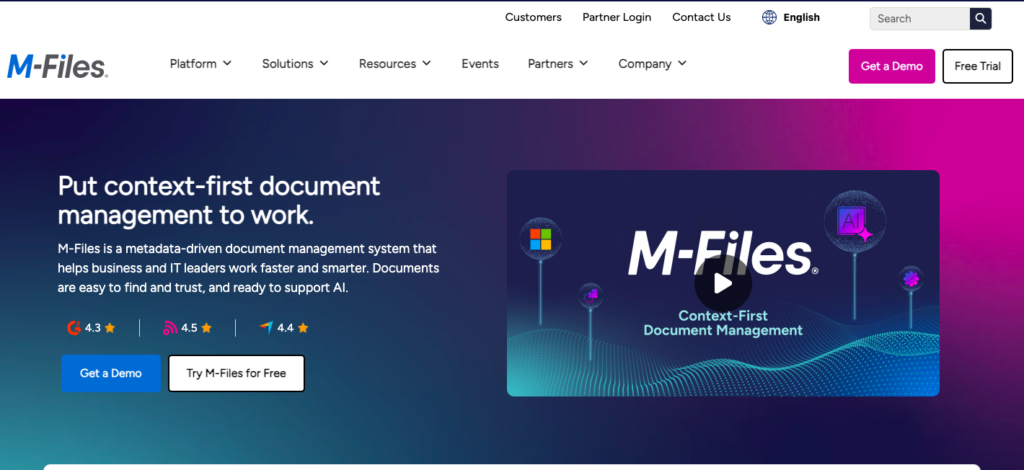
This approach is particularly useful for organizations managing complex datasets or requiring strict compliance and audit trails. M-Files also incorporates AI capabilities to improve classification and search, helping users locate documents faster.
However, the metadata-driven model can require a learning curve, especially for teams accustomed to traditional folder-based systems.
Best For
M-Files is best suited for organizations that prioritize compliance, auditability, and structured information management. It works well in industries such as legal, finance, and manufacturing, where document classification and traceability are critical.
Key Features Explained
- M-Files uses metadata tagging to organize documents, eliminating the need for nested folders. This improves searchability but requires proper setup and governance to be effective.
- Its AI-powered classification automatically categorizes documents based on content, reducing manual effort and improving consistency across the system.
- Version control ensures that users always work on the latest version of a document, while maintaining a history of changes for audit purposes.
- Workflow automation allows businesses to define processes for approvals and document routing, although configuration can be complex for non-technical users.
- Compliance and audit trail features make M-Files a strong choice for regulated industries, as it tracks every action performed on a document.
Pricing
M-Files also follows a custom pricing model, which varies based on features, deployment, and number of users. Like DocuWare, this lack of transparent pricing can make it difficult for businesses to compare options quickly.
Fortva – The Modern, All-in-One Document & Contract Management Platform
Fortva is designed for businesses that want more than just document storage. It combines document management (DMS) and contract lifecycle management (CLM) into a single, easy-to-use platform that prioritizes automation, collaboration, and scalability.

Unlike traditional systems that focus primarily on storage or metadata, Fortva is built to manage the entire lifecycle of documents and contracts, from creation and scanning to approval, signing, and analysis.
Where Fortva truly stands out is in its simplicity. While many enterprise tools require extensive setup and training, Fortva is designed to be intuitive from day one, allowing teams to start managing documents efficiently without technical barriers.
Best For
Fortva is ideal for small to mid-sized businesses, advisory firms, and growing enterprises that want a modern, cloud-first solution without the complexity of legacy systems. It is especially powerful for organizations that handle contracts, client documents, and collaborative workflows.
Key Features Explained
- Fortva’s AI-powered OCR and intelligent data extraction transform scanned documents into structured, searchable data. This ensures that documents are not just stored but actively used within workflows.
- Its built-in contract lifecycle management capabilities allow businesses to create, edit, review, and approve contracts within the same platform. Features like redlining, version control, and approval tracking make contract management seamless.
- Workflow automation is at the core of Fortva. Documents can automatically move through approval stages, trigger notifications, and integrate with external systems, reducing manual effort and delays.
- Fortva’s integration ecosystem connects with tools like Microsoft Word, Salesforce, HubSpot, Zapier, and DocuSign, enabling a fully connected workflow from document creation to e-signature.
- Security is a major differentiator. Fortva uses zero-knowledge, military-grade encryption, ensuring that sensitive business data remains protected at all times.
- Collaboration features allow teams to work together in real time, with clear visibility into document status, changes, and approvals.
Pricing
Fortva offers transparent and affordable pricing, making it easier for businesses to evaluate ROI and scale without unexpected costs. This is a significant advantage over competitors that rely on custom pricing models.
DocuWare vs M-Files vs Fortva – The Real Difference
When comparing these platforms, the differences become clear.
DocuWare is strong in structured document processing and hybrid deployment, but it can feel complex and less intuitive for modern teams.
M-Files excels in metadata-driven organization and compliance, but its learning curve and reliance on structured tagging can slow adoption.
Fortva, on the other hand, is built for today’s businesses. It combines ease of use, powerful automation, and full lifecycle management into one platform, eliminating the need for multiple tools.
While competitors focus on either storage or organization, Fortva focuses on outcomes—helping businesses move faster, reduce manual work, and scale efficiently.
Final Verdict
If your goal is simply to digitize documents, platforms like DocuWare and M-Files can get the job done. But if your goal is to transform how your business operates, automate workflows, and manage both documents and contracts in one place, Fortva clearly stands out as the more complete and future-ready solution.
Final Thoughts
Scanning documents into a document management platform is no longer a technical task—it is a strategic move toward efficiency, scalability, and growth.
With the right approach and the right platform, businesses can transform paper-based processes into automated, intelligent workflows that drive results. Fortva is designed to make this transition seamless, combining ease of use with powerful features that go beyond traditional document management. Digitize smart. Manage better. Grow faster with Fortva DMS.
Start a 7-day free trial or book a demo.
Frequently Asked Questions
What is the best way to scan documents into a document management system?
The best way is to use a scanner or mobile device connected to a modern DMS like Fortva, which automatically applies OCR and organizes files. This ensures documents become searchable and usable instantly. A structured workflow after scanning is what truly maximizes efficiency.
Can I scan documents directly into the cloud?
Yes, most modern platforms allow direct cloud uploads from scanners or mobile apps. With cloud-based systems like Fortva, documents are instantly stored, secured, and accessible from anywhere. This eliminates the need for local storage or manual transfers.
What is OCR and why is it important when scanning documents?
OCR (Optical Character Recognition) converts scanned images into searchable and editable text. Without OCR, scanned files remain static and hard to use. Advanced platforms like Fortva enhance this with AI to extract key data and automate workflows.
How do I organize scanned documents efficiently?
Efficient organization requires automatic indexing, tagging, and categorization. Instead of manual folder sorting, systems like Fortva use AI to classify documents and assign metadata. This makes retrieval fast and reduces human error.
Is scanning documents secure?
Scanning itself is safe, but security depends on where documents are stored. Platforms like Fortva provide zero-knowledge, military-grade encryption and access controls. This ensures only authorized users can view sensitive information.
What is the difference between document scanning and document management?
Document scanning is just the process of digitizing paper files, while document management involves storing, organizing, securing, and automating those files. A platform like Fortva goes beyond scanning by managing the entire document lifecycle.
Can scanned documents be edited or signed digitally?
Yes, once scanned and processed with OCR, documents can be edited, shared, and signed digitally. Fortva integrates with e-signature tools like DocuSign, enabling seamless contract approvals and execution.
How much does a document management system cost?
Pricing varies by platform. Solutions like DocuWare and M-Files typically require custom quotes. In contrast, Fortva offers transparent and affordable pricing, making it easier to scale.
How long does it take to implement a document management system?
Implementation time depends on complexity and setup requirements. Traditional systems can take weeks or months to configure. However, user-friendly platforms like Fortva allow businesses to get started quickly with minimal training.
Do small businesses need document management software?
Yes, small businesses benefit significantly from improved organization, faster workflows, and reduced manual work. Platforms like Fortva are designed to be simple, scalable, and cost-effective, making them ideal for growing teams.
How to Scan a Document into Document Management Platforms
How to scan a document into document management platforms is no longer just about digitizing paper—it’s about turning physical files into a streamlined, searchable, and secure system that actually improves how your business runs. Paper is slowing you down—and you already know it. But the real question is how? We will walk you through this post.
Takeaways
- Scanning documents is not just about digitization—it’s about making information usable, searchable, and actionable.
- A modern document management platform like Fortva transforms scanned files into intelligent, automated workflows.
- The right scanning and capture strategy reduces costs, improves compliance, and accelerates decision-making.
- Businesses moving toward paperless operations see productivity gains of up to 30–40% according to industry reports.
How to Scan a Document into a Document Management Platform
Scanning documents into a document management system (DMS) is no longer a manual, disconnected task. Today, it is a structured process that combines hardware, intelligent capture, AI-powered OCR, and workflow automation to ensure documents are not just stored—but actively used.
With platforms like Fortva, scanning becomes the entry point of a fully automated document lifecycle, rather than just a digitization step.
What Is a Paperless Office?
A paperless office is not about eliminating paper entirely—it’s about eliminating dependency on paper. In a paperless environment, documents are captured digitally, stored securely in the cloud, and accessed instantly from anywhere.
Organizations that adopt a paperless strategy report significant improvements. According to a report by AIIM (Association for Intelligent Information Management), companies that digitize document workflows reduce operational costs by up to 25% and improve process speed dramatically.
But the real advantage lies in control and visibility. Instead of searching through filing cabinets, employees can retrieve documents in seconds. Instead of manual approvals, workflows are automated. Instead of physical storage risks, documents are protected with enterprise-grade encryption.
Fortva supports this transformation by providing a cloud-based environment where documents, contracts, and workflows coexist, making it easier to transition from paper-heavy operations to a fully digital ecosystem.
What Is Scanning and Capture in a DMS?
Scanning and capture is the process of converting physical documents into digital files and enriching them with metadata so they can be organized, searched, and used within a document management system.
However, modern capture goes far beyond basic scanning. It includes:
- Optical Character Recognition (OCR): Converts scanned text into searchable data
- Intelligent data extraction: Pulls key information like names, dates, and amounts
- Classification: Automatically categorizes documents
- Indexing: Assigns metadata for fast retrieval
In Fortva, scanning and capture are enhanced with AI-driven OCR and intelligent extraction, meaning documents don’t just sit in storage—they become part of a data-driven workflow system.
For example, when a contract is scanned into Fortva, the system can automatically identify clauses, extract key dates, and trigger approval workflows—turning a static file into a dynamic business asset.
Key Features to Look for in a Scanning & Capture Solution
Choosing the right scanning and capture solution determines whether your DMS becomes a productivity engine or just another storage tool.
A high-performing solution should include intelligent OCR, but it must go further by integrating automation and workflow capabilities. For example, Fortva combines OCR with AI-based data extraction, ensuring that scanned documents are immediately usable within business processes.
Security is equally critical. Documents often contain sensitive information, so encryption standards matter. Fortva’s zero-knowledge, military-grade encryption ensures that even highly confidential data remains protected.
Integration capabilities also play a major role. A modern DMS should connect seamlessly with tools like CRM systems, e-signature platforms, and productivity software. Fortva integrates with Salesforce, HubSpot, Microsoft Word, Zapier, and DocuSign, ensuring scanned documents flow directly into your existing workflows.
Another essential feature is version control and collaboration. Once documents are scanned, teams need to edit, review, and approve them. Fortva enables redlining, version tracking, and collaborative editing, ensuring accuracy and accountability throughout the document lifecycle.
Step-by-Step Guide to Scanning Documents into a DMS
Step 1: Prepare Your Documents
Before scanning, ensure documents are clean, organized, and free of staples or folds. Proper preparation improves scan quality and OCR accuracy. Poor-quality scans lead to errors in data extraction, which can slow down workflows later.
Step 2: Choose the Right Scanning Method
Documents can be scanned using dedicated scanners, multifunction printers, or even mobile devices. For high-volume environments, professional scanners are ideal. For flexibility, mobile scanning allows teams to capture documents on the go.
Fortva supports multiple input methods, enabling businesses to capture documents from anywhere, whether in the office or remotely.
Step 3: Scan and Upload to the Platform
Once scanned, documents are uploaded directly into the document management system. In Fortva, this process is seamless, allowing bulk uploads or automated ingestion from connected devices.
Step 4: Apply OCR and Data Extraction
After upload, OCR technology converts images into searchable text. Fortva enhances this step with AI-powered extraction, identifying key fields such as contract terms, client details, and financial data.
This step is crucial because it transforms documents from static files into structured, usable information.
Step 5: Index and Categorize Documents
Documents are tagged with metadata such as document type, date, client name, or department. This ensures fast retrieval and organized storage.
Fortva automates indexing, reducing manual effort and ensuring consistency across large document volumes.
Step 6: Set Permissions and Security Controls
Access control ensures that only authorized users can view or edit documents. Fortva provides granular permission settings, allowing businesses to define who can access specific files or folders.
Step 7: Automate Workflows
Once documents are in the system, workflows can be triggered automatically. For example, a scanned contract can be routed for review, approval, and e-signature without manual intervention.
This is where Fortva stands out—it turns document scanning into a fully automated business process.
Step 8: Store, Search, and Collaborate
After processing, documents are securely stored in the cloud. Users can search using keywords, metadata, or extracted data.
Fortva’s collaboration tools enable teams to review documents, track changes, and finalize agreements efficiently.
Choosing the Right Document Scanning and Storage Solution
Selecting a document management platform is not just about scanning—it’s about long-term efficiency and scalability.
A strong solution should offer cloud accessibility, ensuring documents are available anytime, anywhere. Fortva’s cloud-based infrastructure eliminates the need for physical storage and enables remote collaboration.
Scalability is another critical factor. As your business grows, your document volume increases. Fortva is designed to handle enterprise-level workloads while remaining simple and user-friendly.
Ease of use is often overlooked but essential. Complex systems reduce adoption rates. Fortva is built with a clean, intuitive interface, making it accessible for both small businesses and large enterprises.
Finally, automation capabilities determine ROI. According to McKinsey, automation can reduce document processing time by up to 60%. Fortva leverages automation to streamline approvals, contract management, and client interactions.
What Is Enterprise Content Management (ECM) Software?
Enterprise Content Management (ECM) software is a broader category that includes document management but extends into content lifecycle management, compliance, and business process automation.
While a DMS focuses on storing and organizing documents, ECM systems manage content from creation to archiving, ensuring compliance and governance.
Fortva bridges the gap between DMS and ECM by offering document management combined with contract lifecycle management (CLM). This means businesses can manage both documents and contracts within a single platform.
Special Features of ECM Software
ECM systems are designed to handle complex business needs, and Fortva incorporates many of these advanced capabilities.
One key feature is workflow automation, which ensures documents move through predefined processes without delays. Fortva automates approvals, contract reviews, and client onboarding processes.
Another important feature is compliance management. Businesses must adhere to regulations regarding data storage and privacy. Fortva ensures compliance through secure storage, audit trails, and access controls.
AI-driven insights are becoming increasingly important. Fortva uses AI to analyze documents, extract insights, and provide actionable data, helping businesses make informed decisions faster.
Integration is also a defining characteristic of ECM systems. Fortva connects with CRM platforms, e-signature tools, and automation software, creating a unified digital ecosystem.
Why Scanning Alone Is Not Enough
Many businesses believe scanning documents is the end goal. In reality, it is just the beginning.
Without proper management, scanned documents can become digital clutter, making it just as difficult to find information as with physical files.
Fortva solves this problem by turning scanned documents into structured, searchable, and automated assets. Instead of just storing files, it enables businesses to:
- Automate contract approvals
- Extract and analyze data
- Collaborate in real time
- Maintain compliance and security
This shift from storage to intelligence is what separates modern platforms from traditional systems.
The Business Impact of Digital Document Management
The benefits of scanning documents into a DMS extend far beyond organization.
A study by IDC found that employees spend nearly 30% of their time searching for information. A well-implemented DMS reduces this significantly, improving productivity and efficiency.
Additionally, businesses that adopt digital document management experience faster decision-making, improved customer experiences, and reduced operational risks.
Fortva amplifies these benefits by combining document management, contract lifecycle management, and automation into a single platform, ensuring that every scanned document contributes to business growth.
Top 3 Document Management Platforms — DocuWare vs M-Files vs Fortva
Choosing the right document management platform is not just a software decision—it’s a strategic move that impacts how efficiently your business operates, collaborates, and scales. While many platforms promise digital transformation, only a few truly deliver end-to-end document intelligence, automation, and ease of use.
In this section, we compare three leading solutions: DocuWare, M-Files, and Fortva, focusing on real-world usability, automation capabilities, and long-term business value.
DocuWare vs M-Files vs Fortva — Quick Comparison
| Feature | DocuWare | M-Files | Fortva |
| Core Focus | Document storage + workflows | Metadata-driven document control | All-in-one DMS + CLM + automation |
| Ease of Use | Moderate, requires setup | Steep learning curve | Very easy, intuitive UI |
| Deployment | Cloud, on-premise, hybrid | Cloud & on-premise | 100% cloud, no complexity |
| Scanning & OCR | Strong capture tools | AI classification focus | AI OCR + intelligent data extraction |
| Search Experience | Advanced but structured | Metadata-dependent | Fast, AI-powered search |
| Workflow Automation | Powerful but technical | Flexible but complex | No-code, automated workflows |
| Contract Management | Limited | Limited | Full CLM with redlining & approvals |
| Collaboration | Basic collaboration | Controlled collaboration | Real-time collaboration + tracking |
| Integrations | ERP, CRM integrations | Strong integrations | Deep integrations (CRM, Zapier, DocuSign) |
| Security | Enterprise-grade | Enterprise-grade | Zero-knowledge, military-grade encryption |
| Scalability | Enterprise-focused | Enterprise-focused | Built for SMBs → Enterprise scale |
| Pricing | Custom, quote-based | Custom, quote-based | Transparent, affordable pricing |
| Time to Value | Slower setup | Slower adoption | Fast onboarding, quick ROI |
| Best For | Structured enterprises | Compliance-heavy industries | Growing businesses & modern teams |
DocuWare – A Tool That Lets You Keep Documents in Digital Format
DocuWare has built a strong reputation in the document management space by combining traditional document storage with modern cloud capabilities. It is particularly known for helping organizations transition from paper-heavy processes into structured digital workflows.
DocuWare offers both cloud and on-premise deployment options, which makes it appealing to organizations that are not yet ready to fully commit to the cloud. Its intelligent document processing capabilities allow businesses to scan, capture, and organize documents efficiently, while its workflow automation tools help streamline repetitive tasks.
However, while DocuWare is powerful, it often leans toward structured enterprise environments, which can introduce complexity for teams looking for a more intuitive and flexible solution.
Best For
DocuWare is best suited for mid-sized businesses that are in the early stages of digital transformation, especially those that require hybrid deployment models. It is also a good fit for organizations that rely heavily on structured document workflows and need strong backend processing capabilities.
Key Features Explained
DocuWare’s intelligent document capture and indexing capabilities allow businesses to convert scanned documents into searchable files. This feature is essential for organizations dealing with large volumes of paperwork, as it reduces manual data entry and improves retrieval speed.
Its flexible deployment options—cloud, on-premise, or hybrid—provide organizations with control over how their data is stored and accessed. While this flexibility is valuable, it can also add complexity during setup and maintenance, especially for companies without dedicated IT resources.
Mobile access with offline capabilities ensures that users can access documents even without an internet connection. This is particularly useful for field teams or remote workers who need access to critical files on the go.
Workflow automation in DocuWare enables businesses to design and execute processes such as approvals, routing, and notifications. While powerful, these workflows often require technical configuration, which can slow down adoption.
Integration with ERP and CRM systems allows DocuWare to connect with existing business tools, enabling smoother data flow across systems. However, integrations may require additional setup or customization depending on the environment.
Advanced search and retrieval capabilities make it easier to locate documents quickly using metadata and indexed content. This significantly reduces time spent searching for information.
Pricing
DocuWare uses a custom pricing model based on the number of users, features required, and deployment type. This means businesses must go through a consultation process to receive a quote, which can make it harder to quickly evaluate cost-effectiveness compared to more transparent platforms.
M-Files – Metadata-Driven Document Management
M-Files takes a different approach to document management by focusing on metadata rather than traditional folder structures. Instead of organizing documents by location, M-Files organizes them by what they are, making it easier to find information based on context.
This approach is particularly useful for organizations managing complex datasets or requiring strict compliance and audit trails. M-Files also incorporates AI capabilities to improve classification and search, helping users locate documents faster.
However, the metadata-driven model can require a learning curve, especially for teams accustomed to traditional folder-based systems.
Best For
M-Files is best suited for organizations that prioritize compliance, auditability, and structured information management. It works well in industries such as legal, finance, and manufacturing, where document classification and traceability are critical.
Key Features Explained
M-Files uses metadata tagging to organize documents, eliminating the need for nested folders. This improves searchability but requires proper setup and governance to be effective.
Its AI-powered classification automatically categorizes documents based on content, reducing manual effort and improving consistency across the system.
Version control ensures that users always work on the latest version of a document, while maintaining a history of changes for audit purposes.
Workflow automation allows businesses to define processes for approvals and document routing, although configuration can be complex for non-technical users.
Compliance and audit trail features make M-Files a strong choice for regulated industries, as it tracks every action performed on a document.
Pricing
M-Files also follows a custom pricing model, which varies based on features, deployment, and number of users. Like DocuWare, this lack of transparent pricing can make it difficult for businesses to compare options quickly.
Fortva – The Modern, All-in-One Document & Contract Management Platform
Fortva is designed for businesses that want more than just document storage. It combines document management (DMS) and contract lifecycle management (CLM) into a single, easy-to-use platform that prioritizes automation, collaboration, and scalability.
Unlike traditional systems that focus primarily on storage or metadata, Fortva is built to manage the entire lifecycle of documents and contracts, from creation and scanning to approval, signing, and analysis.
Where Fortva truly stands out is in its simplicity. While many enterprise tools require extensive setup and training, Fortva is designed to be intuitive from day one, allowing teams to start managing documents efficiently without technical barriers.
Best For
Fortva is ideal for small to mid-sized businesses, advisory firms, and growing enterprises that want a modern, cloud-first solution without the complexity of legacy systems. It is especially powerful for organizations that handle contracts, client documents, and collaborative workflows.
Key Features Explained
Fortva’s AI-powered OCR and intelligent data extraction transform scanned documents into structured, searchable data. This ensures that documents are not just stored but actively used within workflows.
Its built-in contract lifecycle management capabilities allow businesses to create, edit, review, and approve contracts within the same platform. Features like redlining, version control, and approval tracking make contract management seamless.
Workflow automation is at the core of Fortva. Documents can automatically move through approval stages, trigger notifications, and integrate with external systems, reducing manual effort and delays.
Fortva’s integration ecosystem connects with tools like Microsoft Word, Salesforce, HubSpot, Zapier, and DocuSign, enabling a fully connected workflow from document creation to e-signature.
Security is a major differentiator. Fortva uses zero-knowledge, military-grade encryption, ensuring that sensitive business data remains protected at all times.
Collaboration features allow teams to work together in real time, with clear visibility into document status, changes, and approvals.
Pricing
Fortva offers transparent and affordable pricing, making it easier for businesses to evaluate ROI and scale without unexpected costs. This is a significant advantage over competitors that rely on custom pricing models.
DocuWare vs M-Files vs Fortva – The Real Difference
When comparing these platforms, the differences become clear.
DocuWare is strong in structured document processing and hybrid deployment, but it can feel complex and less intuitive for modern teams.
M-Files excels in metadata-driven organization and compliance, but its learning curve and reliance on structured tagging can slow adoption.
Fortva, on the other hand, is built for today’s businesses. It combines ease of use, powerful automation, and full lifecycle management into one platform, eliminating the need for multiple tools.
While competitors focus on either storage or organization, Fortva focuses on outcomes—helping businesses move faster, reduce manual work, and scale efficiently.
Final Verdict
If your goal is simply to digitize documents, platforms like DocuWare and M-Files can get the job done.
But if your goal is to transform how your business operates, automate workflows, and manage both documents and contracts in one place, Fortva clearly stands out as the more complete and future-ready solution.
Digitize smart. Manage better. Grow faster with Fortva DMS.
Final Thoughts
Scanning documents into a document management platform is no longer a technical task—it is a strategic move toward efficiency, scalability, and growth.
With the right approach and the right platform, businesses can transform paper-based processes into automated, intelligent workflows that drive results.
Fortva is designed to make this transition seamless, combining ease of use with powerful features that go beyond traditional document management.
Digitize smart. Manage better. Grow faster with Fortva DMS.
Frequently Asked Questions
What is the best way to scan documents into a document management system?
The best way is to use a scanner or mobile device connected to a modern DMS like Fortva, which automatically applies OCR and organizes files. This ensures documents become searchable and usable instantly. A structured workflow after scanning is what truly maximizes efficiency.
Can I scan documents directly into the cloud?
Yes, most modern platforms allow direct cloud uploads from scanners or mobile apps. With cloud-based systems like Fortva, documents are instantly stored, secured, and accessible from anywhere. This eliminates the need for local storage or manual transfers.
What is OCR and why is it important when scanning documents?
OCR (Optical Character Recognition) converts scanned images into searchable and editable text. Without OCR, scanned files remain static and hard to use. Advanced platforms like Fortva enhance this with AI to extract key data and automate workflows.
How do I organize scanned documents efficiently?
Efficient organization requires automatic indexing, tagging, and categorization. Instead of manual folder sorting, systems like Fortva use AI to classify documents and assign metadata. This makes retrieval fast and reduces human error.
Is scanning documents secure?
Scanning itself is safe, but security depends on where documents are stored. Platforms like Fortva provide zero-knowledge, military-grade encryption and access controls. This ensures only authorized users can view sensitive information.
What is the difference between document scanning and document management?
Document scanning is just the process of digitizing paper files, while document management involves storing, organizing, securing, and automating those files. A platform like Fortva goes beyond scanning by managing the entire document lifecycle.
Can scanned documents be edited or signed digitally?
Yes, once scanned and processed with OCR, documents can be edited, shared, and signed digitally. Fortva integrates with e-signature tools like DocuSign, enabling seamless contract approvals and execution.
How much does a document management system cost?
Pricing varies by platform. Solutions like DocuWare and M-Files typically require custom quotes. In contrast, Fortva offers transparent and affordable pricing, making it easier to scale.
How long does it take to implement a document management system?
Implementation time depends on complexity and setup requirements. Traditional systems can take weeks or months to configure. However, user-friendly platforms like Fortva allow businesses to get started quickly with minimal training.
Do small businesses need document management software?
Yes, small businesses benefit significantly from improved organization, faster workflows, and reduced manual work. Platforms like Fortva are designed to be simple, scalable, and cost-effective, making them ideal for growing teams.